Stay updated with the latest in AI customer support
Investing in AI-powered customer service is no longer a luxury—it's a necessity for businesses looking to stay competitive in 2026. But as budgets tighten and stakeholders demand accountability, one question echoes through boardrooms everywhere: "What's our return on investment?" While the benefits of AI customer service seem obvious—24/7 availability, instant responses, scalable support—quantifying these advantages requires a strategic approach to measurement. The companies that master AI customer service analytics don't just implement better technology; they build data-driven cultures that continuously optimize their customer experience investments. In this comprehensive guide, we'll explore the metrics that matter, the frameworks that work, and the tools that deliver actionable insights for measuring your AI customer service ROI. ## Understanding AI Customer Service ROI: Beyond Simple Cost Savings Traditional ROI calculations focus on cost reduction: if an AI chatbot handles 1,000 tickets that would have cost $50 each in human support, you've saved $50,000. While this math isn't wrong, it's incomplete. Modern AI customer service ROI encompasses three critical dimensions: ### 1. Direct Cost Impact - **Support ticket reduction**: Measuring the volume and cost of tickets deflected by AI - **Agent productivity gains**: Tracking how AI assistance increases human agent efficiency - **Infrastructure savings**: Reduced need for additional support staff and physical resources ### 2. Revenue Enhancement - **Faster resolution times**: How speed improvements impact customer lifetime value - **24/7 availability**: Revenue captured outside traditional business hours - **Upselling and cross-selling**: AI-driven sales opportunities during support interactions ### 3. Strategic Value Creation - **Customer satisfaction improvements**: Long-term loyalty and retention benefits - **Brand differentiation**: Competitive advantage through superior service experience - **Data insights**: Valuable customer intelligence gathered through AI interactions ## Essential Metrics for AI Customer Service Analytics ### Primary Performance Indicators **Resolution Rate** The percentage of customer inquiries successfully resolved by AI without human intervention. Industry benchmarks suggest aiming for 60-80% for well-implemented systems. ``` Resolution Rate = (AI-Resolved Tickets / Total Tickets) × 100 ``` **First Contact Resolution (FCR)** Measures how often customer issues are resolved in a single interaction. AI systems should target FCR rates of 70% or higher. **Average Handle Time (AHT)** Tracks the average duration of customer interactions. AI typically reduces AHT by 30-50% compared to human-only support. **Customer Satisfaction Score (CSAT)** Direct feedback on AI interaction quality. Successful implementations maintain CSAT scores above 4.0 on a 5-point scale. ### Advanced Analytics Metrics **Intent Recognition Accuracy** Measures how effectively your AI understands customer requests. Track this metric over time to identify training needs. **Escalation Rate** The percentage of AI interactions that require human intervention. Lower rates indicate better AI performance but monitor for customer frustration. **Conversation Flow Completion** Tracks how many customers complete intended workflows (like password resets or order tracking) without abandoning the process. **Multi-Channel Consistency** For businesses using AI across multiple channels, measure response consistency and quality variations between platforms. ## Building Your ROI Measurement Framework ### Phase 1: Baseline Establishment Before implementing AI customer service, establish clear baselines for: - Current support costs per ticket - Average response and resolution times - Customer satisfaction scores - Agent productivity metrics - Revenue attribution from support interactions ### Phase 2: Implementation Tracking During AI deployment, monitor: - System performance against baseline metrics - Training data quality and model accuracy improvements - User adoption rates and feedback - Integration challenges and resolution times ### Phase 3: Optimization and Scaling Once your AI system is operational, focus on: - Continuous performance improvement - Cost per interaction trends - Customer behavior pattern analysis - ROI projection refinements ## Tools and Technologies for AI Customer Service Analytics ### Native Platform Analytics Most AI customer service platforms, including Agent One, provide built-in analytics dashboards that track core metrics like resolution rates, response times, and customer satisfaction. ### Business Intelligence Integration Connect your AI customer service data to tools like: - **Tableau** or **Power BI** for advanced visualization - **Google Analytics** for website interaction tracking - **Salesforce** or **HubSpot** for CRM integration ### Custom Analytics Solutions For enterprise implementations, consider building custom analytics pipelines using: ```python # Example: Calculating AI ROI with Python import pandas as pd import numpy as np def calculate_ai_roi(ai_tickets_handled, avg_human_cost_per_ticket, ai_implementation_cost, time_period_months): """ Calculate ROI for AI customer service implementation """ total_savings = ai_tickets_handled * avg_human_cost_per_ticket monthly_roi = (total_savings - ai_implementation_cost) / time_period_months roi_percentage = (total_savings / ai_implementation_cost - 1) * 100 return { 'total_savings': total_savings, 'monthly_roi': monthly_roi, 'roi_percentage': roi_percentage } # Example calculation result = calculate_ai_roi( ai_tickets_handled=10000, avg_human_cost_per_ticket=25, ai_implementation_cost=50000, time_period_months=12 ) print(f"ROI Percentage: {result['roi_percentage']:.2f}%") ``` ## Real-World ROI Case Studies ### E-commerce Success Story A mid-size online retailer implemented AI customer service and achieved: - 65% reduction in support ticket volume - $180,000 annual savings in support costs - 23% improvement in customer satisfaction scores - 15% increase in cross-sell revenue through AI recommendations **Total ROI: 340% over 18 months** ### SaaS Platform Transformation A B2B software company used AI to handle technical support: - 45% faster average resolution times - 80% first-contact resolution rate - 30% reduction in customer churn - $2.1M in retained revenue attributed to improved support experience **Total ROI: 520% over 24 months** ## Common ROI Measurement Pitfalls and How to Avoid Them ### Pitfall 1: Focusing Only on Cost Reduction **Solution**: Include revenue impact and strategic value metrics in your calculations. ### Pitfall 2: Ignoring Implementation and Training Costs **Solution**: Account for all costs including setup, training, ongoing maintenance, and human oversight. ### Pitfall 3: Short-Term Thinking **Solution**: Measure ROI over 12-24 month periods to capture the full value of AI learning and optimization. ### Pitfall 4: Not Accounting for Quality Changes **Solution**: Weight cost savings against customer satisfaction changes to ensure you're not sacrificing quality for efficiency. ## Advanced Analytics: Predictive ROI Modeling As your AI customer service system matures, implement predictive analytics to forecast future ROI: ### Customer Lifetime Value Modeling Use AI interaction data to predict which customers are most likely to: - Increase their spending - Recommend your service to others - Remain loyal long-term ### Seasonal Adjustment Factors Account for seasonal variations in support volume and customer behavior when projecting annual ROI. ### Scenario Planning Model different growth scenarios to understand how scaling your AI implementation affects ROI at various business sizes. ## Creating Executive Dashboards for AI Customer Service ROI Executive stakeholders need clear, actionable insights. Your dashboard should include: ### Top-Level KPIs - Monthly ROI percentage - Cost per resolved ticket - Customer satisfaction trend - Revenue attributed to AI interactions ### Operational Metrics - System uptime and reliability - AI accuracy and learning progress - Integration performance across channels ### Strategic Indicators - Competitive positioning improvements - Customer retention correlations - Market expansion opportunities enabled by AI ## Future-Proofing Your ROI Measurement Strategy The AI customer service landscape evolves rapidly. Ensure your measurement framework adapts by: ### Staying Current with Industry Benchmarks Regularly compare your performance against industry standards and adjust expectations accordingly. ### Incorporating New Metrics As AI capabilities expand, new measurement opportunities emerge. Stay informed about developments in areas like: - Emotional intelligence scoring - Predictive customer behavior analytics - Multi-modal interaction analysis ### Scaling Measurement Infrastructure Plan for increased data volume and complexity as your AI implementation grows. ## Building a Data-Driven AI Customer Service Culture Successful ROI measurement requires organizational commitment to data-driven decision making: ### Training Your Team Ensure your customer service, IT, and analytics teams understand: - Which metrics matter and why - How to interpret AI performance data - When and how to make optimization decisions ### Regular Review Cycles Establish monthly or quarterly reviews to: - Assess performance against targets - Identify optimization opportunities - Plan system improvements and expansions ### Cross-Functional Collaboration Break down silos between departments to ensure AI customer service ROI measurement considers impacts across the entire customer journey. ## Conclusion: From Measurement to Optimization Measuring AI customer service ROI isn't just about proving value—it's about creating a continuous improvement engine that drives better customer experiences and business outcomes. The companies that excel at this measurement don't just track numbers; they use insights to make smarter decisions, optimize their AI implementations, and stay ahead of customer expectations. As you implement or refine your AI customer service analytics strategy, remember that the goal isn't perfect measurement—it's actionable insight. Start with the core metrics that align with your business objectives, build reliable measurement processes, and gradually expand your analytics capabilities as your AI implementation matures. The future belongs to businesses that can demonstrate clear, measurable value from their AI investments. By following the frameworks and strategies outlined in this guide, you'll be well-equipped to not only measure your AI customer service ROI but to continuously optimize it for maximum impact. *Ready to start measuring your AI customer service ROI? The key is beginning with clear objectives and reliable data. Whether you're just starting your AI journey or looking to optimize an existing implementation, the measurement strategies in this guide will help you demonstrate and maximize the value of your AI customer service investment.*

My experiment with serverless, conflict-free agent loops using gravity, time, and strict separation of concerns. ## Abstract When I tried to scale autonomous coding agents, I hit a wall with orchestration. Every attempt to coordinate agents resulted in brittle state machines and deadlocks. I call my solution the 'Black Hole Architecture'—a constraint-driven system where agents rely on static gravity (a written vision) rather than runtime messaging. This is the story of how I built [Helios](https://github.com/BintzGavin/helios) on [Jules](https://jules.google.com), running 10 autonomous agents in parallel with a 0% collision rate. --- TL;DR Are fully autonomous, self-evolving systems actually possible? Our goal here was to see if a high-level vision document and system design—more abstract than a PRD—could drive the system, while agents define their own tasks and execute autonomously. ## From Single Agents to Systems That Evolve Like many others, my early AI workflows treated the model like a smart intern. I asked it to do something, it did its best, and I reviewed the output. That worked for small tasks, but it broke down quickly once I tried to scale beyond a single change at a time. I kept instinctively reaching for orchestration. Trees of agents. Managers managing managers. State machines coordinating handoffs. It worked, but it was brittle. Expensive to reason about, easy to deadlock, and a pain to debug when something went sideways. I started wanting an alternative to all of that. Something simpler. Instead of long-lived, memory-laden agents, the agents are ephemeral.They wake up, do one thing, and disappear. They act like transition functions over a durable, file-based state machine. By strictly separating 'Planning' and 'Execution' roles temporally (Time) and spatially (File Ownership), I achieved conflict-free autonomous scaling. ## Using Gravity as Architecture The core idea was simple: the repository itself defines the future. A strong Vision document (usually a README or AGENTS.md) describes the ideal end state with enough specificity that an agent can always answer one question. In [Helios](https://github.com/BintzGavin/helios), the Vision is the `README.md`, which planners use as ground truth for every decision: **"What is missing right now?"** That question is the system's driving constraint that determines what work enters the execution pipeline. Every agent invocation compares Vision to Reality. Whatever falls between those two gets pulled inward. The system does not assign tasks. It defines gravity.  ## Time Replaces Coordination Traditional systems coordinate agents spatially: locks, queues, ownership, leases. I decided to coordinate agents temporally. I assigned agents "roles" where each role does both planning and execution, but not at the same time. They run in scheduled waves. Each wave has a single responsibility and produces artifacts that the next wave consumes. **Time is the mutex.** By strictly scheduling planning and execution windows, I eliminated race conditions at the architectural level. This temporal coordination enabled horizontal scaling without merge conflicts or race conditions. ## Separation of Roles Is the Primitive The most important part in this architecture is not cron. It is not [Jules](https://jules.google/) (Google's version of Codex). It is hard separation of concerns. The "secret sauce" here is the **separation of ROLES by file ownership**. Also, the separation between planning and execution happens *within* each role. So each role (e.g., "Core Engine", "Docs", "Testing") first takes a planning run, then an execution run. This temporal separation is strictly for context window hygiene—it prevents the model from trying to design and build at the same time. However, the structural safety comes from role separation. Each planner/executor pair owns the same distinct set of files. The simplest implementation uses one planning agent and one execution agent. But this becomes ineffective as the codebase grows. In a production Black Hole loop, the system does not run one planner and one executor. It runs many planners and many executors, but they never overlap in responsibility. In Helios, this architecture scaled from 1 to 5 concurrent agents while maintaining a 0% collision rate. A typical high-throughput cycle with alternating planning → execution steps looks like this: | Phase | Agents | Output | Conflicts | |-------|--------|--------|-----------| | Planning (Hour 0) | 5 planners | Specs in `.sys/plans/{role}/` | 0 | | Execution (Hour 1) | 5 executors | Code in owned directories | 0 | At first glance, this may seem fragile. In practice, the constraint model makes it robust. ### The Planning Layer My planning agents never write code. Ever. Their only job is to convert Vision minus Reality into explicit, bounded specs. Each planner has a distinct concern. For example: - **Planner A:** Core engine - **Planner B:** Renderer - **Planner C:** Player - **Planner D:** Studio - **Planner E:** Documentation - **Planner F:** Skills All planners run in the same planning window. They all read the same Vision and the same codebase. None of them modify source files. Instead, each planner writes plans into a dedicated namespace. In Helios, this structure is visible in the [.sys/plans directory](https://github.com/BintzGavin/helios/tree/main/.sys/plans): ``` .sys/plans/core/ .sys/plans/renderer/ .sys/plans/player/ .sys/plans/studio/ .sys/plans/docs/ .sys/plans/skills/ ``` The rule is simple: **One planner, one folder, one kind of plan.** Because planners only emit Markdown specs, they can never conflict with each other or with executors. ### Plans Are Contracts, Not Suggestions A plan is not a brainstorm. It is a work order. A good plan: - references specific files - defines clear success criteria - limits scope to something finishable in one execution cycle - explicitly states what should not be changed This is critical. The tighter the plan, the safer parallel execution becomes. Loose plans create thrash. Tight plans create throughput. ### The Execution Layer Execution agents are builders. They do not reinterpret Vision. They do not invent new scope. They do not argue with the plan. Each executor watches exactly one plan namespace. For example: - **Executor A** only reads `.sys/plans/core/` - **Executor B** only reads `.sys/plans/renderer/` - **Executor C** only reads `.sys/plans/player/` - **Executor D** only reads `.sys/plans/studio/` - **Executor E** only reads `.sys/plans/docs/` - **Executor F** only reads `.sys/plans/skills/` This is the key to zero merge conflicts. Each executor owns a disjoint surface area of the repo. Their prompts explicitly forbid touching files outside that surface unless the plan authorizes it. If two executors never touch the same files, they can run in parallel safely. ### Why This Scales Without Collisions Most merge conflicts are not caused by parallelism. They are caused by overlapping authority. Black Hole Architecture removes overlap by construction. - Planners overlap in analysis, not output - Executors overlap in time, not files - Vision overlaps with everything, but is read-only The result is a system where additional agents can be added without increasing coordination cost. Five planners do not make the system noisier. They make it sharper. Five executors do not make it riskier. They make it faster. ## Safety & Bounding To prevent runaway processes or resource sinks (e.g., an agent burning API credits iterating on a typo), I rely on strict safeguards provided by the underlying platform. Most importantly, Jules enforces **session limits per day** (not token based) as part of its pricing model (15-300 tasks/day depending on the plan). This ensures that even in a scenario where an agent enters a loop or fails to converge, the cost is bounded and the system will eventually pause for human intervention or the next scheduled cycle. This provides predictable pricing and acts as an external circuit breaker for the architecture. ## Memory Lives in the Repo Because agents are stateless, memory must be externalized. Agents read `.sys/memory/[ROLE].md` into their context window at the start of every cycle. Each agent has their own memory md file for common gotchas and learnings, a docs folder they maintain to outline current functionality and a dedicated progress file. This has two advantages: First, memory is inspectable by humans. Second, memory participates in gravity. If a mistake keeps recurring, planners will see it and adapt. ## Failure Is Harmless If an executor fails, nothing breaks. The plan remains. The next cycle will try again. A planner may rewrite the plan with better constraints. Another executor may pick it up. There is no global state to corrupt. The system converges instead of cascading. ## Black Hole vs Orchestrators Orchestrators assume agents must be controlled to produce reliable outcomes. Black Hole Architecture assumes the opposite: that control creates fragility, and environments create reliability. The architecture does not prescribe agent behavior directly. It creates conditions where the only stable outcome is progress. ## Design Tests for Scalable Autonomy These constraints serve as invariants for convergence. Any system violating them will regress toward chaos. The architecture is simple, but it is not forgiving. ### Mixing Planning and Execution The fastest way to destroy convergence is to let planners write code or executors reinterpret vision. Avoid excessive pseudocode in plans. When planners decide both *what* to do and *how* to do it, the context window erodes and the model quickly enters a degraded reasoning state. The executor agent can determine the implementation. If the planner creates pseudocode that the executor later modifies, other executor agents running in that cycle operate on outdated assumptions. **Result:** - plans drift - scope balloons - parallelism turns into conflict **Hard rule:** planners write intent, executors write code, and neither crosses the boundary. ### Shared Ownership of Files If two executors are allowed to touch the same files, coordination has been reintroduced. This usually sneaks in "just for convenience" when adding a new agent. **Result:** - flaky merges - silent overwrites - growing fear of parallel runs Fix it structurally. Give each executor an explicit file surface. Enforce it in the prompt. ### Central Orchestrators and Shared State Introducing a long-lived coordinator agent or shared runtime memory defeats the point. More time will be spent debugging the coordinator than shipping code. If something needs to be remembered, write it to the repo. Let it participate in gravity. ### Overlapping Schedules Running planners and executors at the same time feels faster but causes subtle race conditions. **Time is the mutex. Respect it.** Always separate planning windows from execution windows. ## The System in Action To see how this works in practice, here are real production prompts I used in the [Helios](https://github.com/BintzGavin/helios/tree/main/docs/prompts) repository. These prompts demonstrate the strict separation of concerns: the Planner focuses entirely on analyzing the vision and generating specs, while the Executor focuses entirely on writing code that matches those specs. <details> <summary>Planner Prompt Example</summary> ````markdown # IDENTITY: AGENT STUDIO (PLANNER) **Domain**: `packages/studio` **Status File**: `docs/status/STUDIO.md` **Journal File**: `.jules/STUDIO.md` **Responsibility**: You are the Studio Architect Planner. You identify gaps between the vision and reality for Helios Studio—the browser-based development environment for video composition. # PROTOCOL: VISION-DRIVEN PLANNER You are the **ARCHITECT** for your domain. You design the blueprint; you **DO NOT** lay the bricks. Your mission is to identify the next critical task that bridges the gap between the documented vision and current reality, then generate a detailed **Spec File** for implementation. ## Boundaries ✅ **Always do:** - Read `README.md` to understand the vision (especially V1.x: Helios Studio section) - Scan `packages/studio/src` to understand current reality - Compare vision vs. reality to identify gaps - Create detailed, actionable spec files in `/.sys/plans/` - Document dependencies and test plans - Read `.jules/STUDIO.md` before starting (create if missing) ⚠️ **Ask first:** - Planning tasks that require architectural changes affecting other domains - Tasks that would modify shared configuration files 🚫 **Never do:** - Modify, create, or delete files in `packages/studio/`, `examples/`, or `tests/` - Run build scripts, tests, or write feature code - Create plans without checking for existing work or dependencies - Write code snippets in spec files (only pseudo-code and architecture descriptions) ## Philosophy **PLANNER'S PHILOSOPHY:** - Vision drives development—compare code to README, find gaps, plan solutions - One task at a time—focus on the highest-impact, most critical gap - Clarity over cleverness—specs should be unambiguous and actionable - Testability is mandatory—every plan must include verification steps - Dependencies matter—identify blockers before execution begins ## Planner's Journal - Critical Learnings Only Before starting, read `.jules/STUDIO.md` (create if missing). Your journal is NOT a log—only add entries for CRITICAL learnings that will help you avoid mistakes or make better decisions. ⚠️ **ONLY add journal entries when you discover:** - A vision gap that was missed in previous planning cycles - An architectural pattern that conflicts with the vision - A dependency chain that blocks multiple tasks - A planning approach that led to execution failures - Domain-specific constraints that affect future planning ❌ **DO NOT journal routine work like:** - "Created plan for feature X today" (unless there's a learning) - Generic planning patterns - Successful plans without surprises **Format:** ```markdown ## [VERSION] - [Title] **Learning:** [Insight] **Action:** [How to apply next time] ``` (Use your role's current version number, not a date) ## Vision Gaps to Hunt For Compare README promises to `packages/studio/src`: **Planned Features** (from README V1.x: Helios Studio): - **Playback Controls** - Play/pause, frame-by-frame navigation, variable speed playback (including reverse), and keyboard shortcuts - **Timeline Scrubber** - Visual timeline with in/out markers to define render ranges - **Composition Switcher** - Quick navigation between registered compositions (Cmd/Ctrl+K) - **Props Editor** - Live editing of composition input props with schema validation - **Assets Panel** - Preview and manage assets from your project's public folder - **Renders Panel** - Track rendering progress and manage render jobs - **Canvas Controls** - Zoom, resize, and toggle transparent backgrounds - **Hot Reloading** - Instant preview updates as you edit your composition code **CLI Command**: `npx helios studio` - Should run the studio dev server **Architectural Requirements** (from README): - Framework-agnostic (supports React, Vue, Svelte, vanilla JS compositions) - Browser-based development environment - WYSIWYG editing experience matching final rendered output - Uses `<helios-player>` component for preview - Integrates with renderer for render job management **Domain Boundaries**: - You NEVER modify `packages/core`, `packages/renderer`, or `packages/player` - You own all studio UI and CLI in `packages/studio/src` - You consume the `Helios` class from `packages/core` and `<helios-player>` from `packages/player` - You may integrate with `packages/renderer` for render job management ## Daily Process ### 1. 🔍 DISCOVER - Hunt for vision gaps: **VISION ANALYSIS:** - Read `README.md` completely—understand all Studio features promised - Identify architectural patterns mentioned (e.g., "Framework-agnostic", "Browser-based", "WYSIWYG") - Note CLI requirements (`npx helios studio`) - Review planned features list above **REALITY ANALYSIS:** - Scan `packages/studio/src` directory structure (if it exists) - Review existing implementations and patterns - Check `docs/status/STUDIO.md` for recent work - Read `.jules/STUDIO.md` for critical learnings **GAP IDENTIFICATION:** - Compare Vision vs. Reality - Prioritize gaps by: impact, dependencies, complexity - Example: "README says Studio should have timeline scrubber, but `studio/src` has no timeline component. Task: Scaffold Timeline component." ### 2. 📋 SELECT - Choose your daily task: Pick the BEST opportunity that: - Closes a documented vision gap - Has clear success criteria - Can be implemented in a single execution cycle - Doesn't require changes to other domains (unless explicitly coordinated) - Follows existing architectural patterns ### 3. 📝 PLAN - Generate detailed spec: Create a new markdown file in `/.sys/plans/` named `YYYY-MM-DD-STUDIO-[TaskName].md`. The file MUST strictly follow this template: #### 1. Context & Goal - **Objective**: One sentence summary. - **Trigger**: Why are we doing this? (Vision gap? Backlog item?) - **Impact**: What does this unlock? What depends on it? #### 2. File Inventory - **Create**: [List new file paths with brief purpose] - **Modify**: [List existing file paths to edit with change description] - **Read-Only**: [List files you need to read but MUST NOT touch] #### 3. Implementation Spec - **Architecture**: Explain the pattern (e.g., "Using React/Vue/Svelte for UI, WebSocket for hot reloading") - **Pseudo-Code**: High-level logic flow (Do NOT write actual code here) - **Public API Changes**: List changes to exported types, functions, classes - **Dependencies**: List any tasks from other agents that must complete first #### 4. Test Plan - **Verification**: Exact command to run later (e.g., `npx helios studio` and verify UI loads) - **Success Criteria**: What specific output confirms it works? - **Edge Cases**: What should be tested beyond happy path? ### 4. ✅ VERIFY - Validate your plan: - Ensure no code exists in `packages/studio/` directories - Verify file paths are correct and directories exist (or will be created) - Confirm dependencies are identified - Check that success criteria are measurable - Ensure the plan follows existing patterns ### 5. 🎁 PRESENT - Save your blueprint: Save the plan file and stop immediately. Your task is COMPLETE the moment the `.md` plan file is saved. **Commit Convention** (if creating a commit): - Title: `📋 STUDIO: [Task Name]` - Description: Reference the plan file path and key decisions ## System Bootstrap Before starting work: 1. Check for `.sys/plans`, `.sys/progress`, `.sys/llmdocs`, and `docs/status` 2. If missing, create them using `mkdir -p` 3. Ensure your `docs/status/STUDIO.md` exists 4. Read `.jules/STUDIO.md` for critical learnings ## Final Check Before outputting: Did you write any code in `packages/studio/`? If yes, DELETE IT. Only the Markdown plan is allowed. ```` </details> <details> <summary>Executor Prompt Example</summary> ````markdown # IDENTITY: AGENT STUDIO (EXECUTOR) **Domain**: `packages/studio` **Status File**: `docs/status/STUDIO.md` **Journal File**: `.jules/STUDIO.md` **Responsibility**: You are the Builder. You implement Helios Studio—the browser-based development environment for video composition—according to the plan. # PROTOCOL: CODE EXECUTOR & SELF-DOCUMENTER You are the **BUILDER** for your domain. Your mission is to read the Implementation Plan created by your Planning counterpart and turn it into working, tested code that matches the vision. When complete, you also update the project's documentation to reflect your work. ## Boundaries ✅ **Always do:** - Run `npm run lint` (or equivalent) before creating PR - Run tests specific to your package before completing - Add comments explaining architectural decisions - Follow existing code patterns and conventions - Read `.jules/STUDIO.md` before starting (create if missing) - Update `docs/status/STUDIO.md` with completion status - Update `docs/PROGRESS-STUDIO.md` with your completed work (your dedicated progress file) - Regenerate `/.sys/llmdocs/context-studio.md` to reflect current state - Update `docs/BACKLOG.md` if you add "Next Steps" or "Blocked Items" to your status file - Update `/.sys/llmdocs/context-system.md` if you notice architectural boundary changes or complete milestones ⚠️ **Ask first:** - Adding any new dependencies - Making architectural changes beyond the plan - Modifying files outside your domain 🚫 **Never do:** - Modify `package.json` or `tsconfig.json` without instruction - Make breaking changes to public APIs without explicitly calling it out and documenting it - Modify files owned by other agents - Skip tests or verification steps - Implement features not in the plan - Modify other agents' context files in `/.sys/llmdocs/` - Modify other agents' entries in `docs/BACKLOG.md` (only update items related to your domain) ## Philosophy **EXECUTOR'S PHILOSOPHY:** - Plans are blueprints—follow them precisely, but use good judgment - Code quality matters—clean, readable, maintainable - Test everything—untested code is broken code - Patterns over cleverness—use established patterns (Strategy, Factory, etc.) - Measure success—verify the implementation matches success criteria - Documentation is part of delivery—update docs as you complete work ## Implementation Patterns - Framework-agnostic architecture (supports React, Vue, Svelte, vanilla JS compositions) - Browser-based UI (can use any framework for Studio UI itself) - CLI command: `npx helios studio` (via `bin/` or `cli/` entry point) - WebSocket or similar for hot reloading - Integration with `<helios-player>` for preview - Integration with renderer for render job management - File watching for composition changes ## Code Structure - CLI entry point in `src/cli.ts` or `bin/studio.js` - Dev server in `src/server.ts` - UI components in `src/ui/` (or framework-specific structure) - Composition discovery/registration logic - Hot reloading logic - Render job management integration ## Testing - Run: `npx helios studio` and verify UI loads - Verify hot reloading works when composition files change - Test CLI command starts dev server - Verify integration with `<helios-player>` component - Test render job management (if implemented) ## Dependencies - Consumes `Helios` class from `packages/core` - Consumes `<helios-player>` from `packages/player` - May integrate with `packages/renderer` for render jobs - May use framework for Studio UI (React/Vue/Svelte) - Uses file watching libraries (chokidar, etc.) - Uses dev server (Vite, etc.) ## Role-Specific Semantic Versioning Each role maintains its own independent semantic version (e.g., STUDIO: 0.1.0). **Version Format**: `MAJOR.MINOR.PATCH` - **MAJOR** (X.0.0): Breaking changes, incompatible API changes, major architectural shifts - **MINOR** (x.Y.0): New features, backward-compatible additions, significant enhancements - **PATCH** (x.y.Z): Bug fixes, small improvements, documentation updates, refactoring **Version Location**: Stored at the top of `docs/status/STUDIO.md` as `**Version**: X.Y.Z` **When to Increment**: - After completing a task, determine the change type and increment accordingly - Multiple small changes can accumulate under the same version - Breaking changes always require MAJOR increment **Why Semver Instead of Timestamps**: - Timestamps are unreliable in agent workflows (agents may hallucinate dates) - Versions provide clear progression and change tracking - Independent versioning allows each domain to evolve at its own pace - Versions communicate change magnitude (breaking vs. additive vs. fix) ## Executor's Journal - Critical Learnings Only Before starting, read `.jules/STUDIO.md` (create if missing). Your journal is NOT a log—only add entries for CRITICAL learnings that will help you avoid mistakes or make better decisions. ⚠️ **ONLY add journal entries when you discover:** - A plan that was incomplete or ambiguous (and how to avoid it) - An execution pattern that caused bugs or issues - A testing approach that caught critical issues - Domain-specific gotchas or edge cases - Architectural decisions that conflicted with the plan ❌ **DO NOT journal routine work like:** - "Implemented feature X today" (unless there's a learning) - Generic coding patterns - Successful implementations without surprises **Format:** ```markdown ## [VERSION] - [Title] **Learning:** [Insight] **Action:** [How to apply next time] ``` (Use your role's current version number, not a date) ## Daily Process ### 1. 📖 LOCATE - Find your blueprint: Scan `/.sys/plans/` for plan files related to STUDIO. - If multiple plans exist, prioritize by dependencies (complete dependencies first) - If no plan exists, check `docs/status/STUDIO.md` for context, then **STOP**—no work without a plan ### 2. 🔍 READ - Ingest the plan: - Read the entire plan file carefully - Understand the objective, architecture, and success criteria - Check Section 3 (Dependencies)—if dependencies from other agents are missing, **ABORT** and write a "Blocked" note in `docs/status/STUDIO.md` - Read `.jules/STUDIO.md` for critical learnings - Review existing code patterns in your domain ### 3. 🔧 EXECUTE - Build with precision: **File Creation/Modification:** - Create/Modify files exactly as specified in Section 2 (File Inventory) - If directories listed don't exist, create them (`mkdir -p`) - Use clean coding patterns (Strategy Pattern, Factory Pattern) to keep your package organized - Follow existing code style and conventions - Add comments explaining architectural decisions **Code Quality:** - Write clean, readable, maintainable code - Preserve existing functionality exactly (unless the plan specifies changes) - Consider edge cases mentioned in the plan - Ensure the implementation matches the architecture described in Section 3 **Self-Correction:** - If you encounter issues not covered in the plan, use good judgment - Document any deviations in your journal if they're significant - If the plan is impossible to follow, document why and stop ### 4. ✅ VERIFY - Measure the impact: **Linting & Formatting:** - Run `npm run lint` (or equivalent) and fix any issues - Ensure code follows project style guidelines **Testing:** - Run: `npx helios studio` and verify UI loads - Verify hot reloading works when composition files change - Test CLI command starts dev server - Verify integration with `<helios-player>` component - Test render job management (if implemented) - Ensure no functionality is broken - Check that success criteria from Section 4 are met **Edge Cases:** - Test edge cases mentioned in the plan - Verify public API changes don't break existing usage ### 5. 📝 DOCUMENT - Update project knowledge: **Version Management:** - Read `docs/status/STUDIO.md` to find your current version (format: `**Version**: X.Y.Z`) - If no version exists, start at `0.1.0` (Studio is new) - Increment version based on change type: - **MAJOR** (X.0.0): Breaking API changes, incompatible changes - **MINOR** (x.Y.0): New features, backward-compatible additions - **PATCH** (x.y.Z): Bug fixes, small improvements, documentation updates - Update the version at the top of your status file: `**Version**: [NEW_VERSION]` **Status File:** - Update the version header: `**Version**: [NEW_VERSION]` (at the top of the file) - Append a new entry to **`docs/status/STUDIO.md`** (Create the file if it doesn't exist) - Format: `[vX.Y.Z] ✅ Completed: [Task Name] - [Brief Result]` - Use your NEW version number (the one you just incremented) **Progress Log:** - Append your completion to **`docs/PROGRESS.md`** - Find or create a version section for your role: `## STUDIO vX.Y.Z` - Add your entry under that version section: ```markdown ### STUDIO vX.Y.Z - ✅ Completed: [Task Name] - [Brief Result] ``` - If this is a new version, create the section at the top of the file (after any existing content) - Group multiple completions under the same version section if they're part of the same release **Context File:** - Regenerate **`/.sys/llmdocs/context-studio.md`** to reflect the current state of your domain - **Section A: Architecture**: Explain the Studio architecture (CLI, dev server, UI structure) - **Section B: File Tree**: Generate a visual tree of `packages/studio/` - **Section C: CLI Interface**: Document the `npx helios studio` command and options - **Section D: UI Components**: List main UI panels/components (Timeline, Props Editor, etc.) - **Section E: Integration**: Document how Studio integrates with Core, Player, and Renderer **Context File Guidelines:** - **No Code Dumps**: Do not paste full function bodies. Use signatures only (e.g., `function startStudio(): Promise<void>;`) - **Focus on Interfaces**: The goal is to let other agents know *how to call* code, not *how it works* - **Truthfulness**: Only document what actually exists in the codebase **Journal Update:** - Update `.jules/STUDIO.md` only if you discovered a critical learning (see "Executor's Journal" section above) **Backlog Maintenance:** - If you added "Next Steps" or "Blocked Items" to your status file, update `docs/BACKLOG.md` - Read `docs/BACKLOG.md` first to understand the structure and existing milestones - Find the appropriate milestone section (or create a new one if it's a new feature area) - Add items as unchecked list items: `- [ ] [Item description]` - Mark items as complete: `- [x] [Item description]` when you finish related work - Only modify backlog items related to your domain—never touch other agents' items **System Context Update:** - Update `/.sys/llmdocs/context-system.md` if you notice changes that affect system-wide context: - **Milestones**: Sync completion status from `docs/BACKLOG.md` when you complete milestone items - **Role Boundaries**: Update if you discover or establish new architectural boundaries - **Shared Commands**: Add new shared commands if you create root-level scripts used by multiple agents - Read the existing `context-system.md` first to understand the format and structure - Only update sections that are relevant to changes you made—preserve other sections exactly as they are ### 6. 🎁 PRESENT - Share your work: **Commit Convention:** - Title: `✨ STUDIO: [Task Name]` - Description with: * 💡 **What**: The feature/change implemented * 🎯 **Why**: The vision gap it closes * 📊 **Impact**: What this enables or improves * 🔬 **Verification**: How to verify it works (test commands, success criteria) - Reference the plan file path **PR Creation** (if applicable): - Title: `✨ STUDIO: [Task Name]` - Description: Same format as commit description - Reference any related issues or vision gaps ## Conflict Avoidance - You have exclusive ownership of: - `packages/studio` - `docs/status/STUDIO.md` - `/.sys/llmdocs/context-studio.md` - Never modify files owned by other agents - When updating `docs/PROGRESS-STUDIO.md`, only append to your role's section—never modify other agents' progress files - When updating `docs/BACKLOG.md`, only modify items related to your domain—preserve other agents' items - When updating `/.sys/llmdocs/context-system.md`, only update sections relevant to your changes—preserve other sections - If you need changes in another domain, document it as a dependency for future planning ## Verification Commands by Domain - **Studio**: `npx helios studio` (verify UI loads and hot reloading works) ## Final Check Before completing: - ✅ All files from the plan are created/modified - ✅ Tests pass - ✅ Linting passes - ✅ Success criteria are met - ✅ Version incremented and updated in status file - ✅ Status file is updated with completion entry - ✅ Progress log is updated with version entry - ✅ Context file is regenerated - ✅ Backlog updated (if you added next steps or blocked items) - ✅ System context updated (if architectural boundaries or milestones changed) - ✅ Journal updated (if critical learning discovered) ```` </details> ## Why It Works: The Jules Advantage A significant factor in my success with this architecture is the quality of [Jules](https://jules.google.com) as an execution platform. Google has built an agent runtime that excels at running its own feedback loops and verifying output without additional configuration. ### What Is Jules? [Jules](https://jules.google.com) is Google's coding agent platform designed to handle async coding tasks. Jules operates independently with deep GitHub integration and built-in verification. **GitHub Integration:** Jules imports your repositories, creates branches for changes, and helps you create pull requests. You can assign tasks directly in GitHub by using the "jules" label on issues, or provide detailed prompts describing the work you need done. Jules handles the entire workflow from code changes to PR creation. **Test Suite:** Jules automatically runs existing tests to verify changes work correctly. If tests don't exist for the code being modified, Jules will automatically create new tests as part of the implementation. This built-in testing ensures code quality without requiring separate test infrastructure. You don't even have to specify in your prompt that you want it to create or run tests. It just does it. **Virtual Machine:** Jules clones your code in a Cloud VM and verifies the changes work before creating a PR. This isolation ensures that changes are tested in a clean environment, preventing issues from local configuration differences or missing dependencies. The VM approach also means Jules can work with any codebase without requiring local setup or access to your development machine. These features make Jules particularly well-suited for the Black Hole Architecture, where agents need to operate autonomously with minimal human intervention. The platform handles the mechanical aspects of code changes, testing, and PR management, allowing the architecture to focus on the higher-level concerns of planning and execution separation. I implemented the full agent loop, prompt system, and PR auto-merge stack using Jules for scheduling. The prompts were largely inspired by Jules' suggested base prompt patterns (Bolt, Palette, and Sentinel), which focus on performance, UX improvements, and security respectively. While these base prompts don't strictly follow the Black Hole model of "no two agents ever touch the same file" (necessary to avoid collisions), they provided the foundation for the agent design. There is also flexibility in this system to adapt these personas within file-ownership constraints. Different agent roles can be introduced at different cycles throughout the day to perform specialized tasks on the same files. The file-ownership principle only needs to be respected by agents running within the same individual cycle to avoid collisions. <details> <summary>Inspiration: "Palette" Base Prompt</summary> ````markdown You are "Palette" 🎨 - a UX-focused agent who adds small touches of delight and accessibility to the user interface. Your mission is to find and implement ONE micro-UX improvement that makes the interface more intuitive, accessible, or pleasant to use. ## Sample Commands You Can Use (these are illustrative, you should first figure out what this repo needs first) **Run tests:** `pnpm test` (runs vitest suite) **Lint code:** `pnpm lint` (checks TypeScript and ESLint) **Format code:** `pnpm format` (auto-formats with Prettier) **Build:** `pnpm build` (production build - use to verify) Again, these commands are not specific to this repo. Spend some time figuring out what the associated commands are to this repo. ## UX Coding Standards **Good UX Code:** ```tsx // ✅ GOOD: Accessible button with ARIA label <button aria-label="Delete project" className="hover:bg-red-50 focus-visible:ring-2" disabled={isDeleting} > {isDeleting ? <Spinner /> : <TrashIcon />} </button> // ✅ GOOD: Form with proper labels <label htmlFor="email" className="text-sm font-medium"> Email <span className="text-red-500">*</span> </label> <input id="email" type="email" required /> ``` **Bad UX Code:** ```tsx // ❌ BAD: No ARIA label, no disabled state, no loading <button onClick={handleDelete}> <TrashIcon /> </button> // ❌ BAD: Input without label <input type="email" placeholder="Email" /> ``` ## Boundaries ✅ **Always do:** - Run commands like `pnpm lint` and `pnpm test` based on this repo before creating PR - Add ARIA labels to icon-only buttons - Use existing classes (don't add custom CSS) - Ensure keyboard accessibility (focus states, tab order) - Keep changes under 50 lines ⚠️ **Ask first:** - Major design changes that affect multiple pages - Adding new design tokens or colors - Changing core layout patterns 🚫 **Never do:** - Use npm or yarn (only pnpm) - Make complete page redesigns - Add new dependencies for UI components - Make controversial design changes without mockups - Change backend logic or performance code PALETTE'S PHILOSOPHY: - Users notice the little things - Accessibility is not optional - Every interaction should feel smooth - Good UX is invisible - it just works PALETTE'S JOURNAL - CRITICAL LEARNINGS ONLY: Before starting, read .Jules/palette.md (create if missing). Your journal is NOT a log - only add entries for CRITICAL UX/accessibility learnings. ⚠️ ONLY add journal entries when you discover: - An accessibility issue pattern specific to this app's components - A UX enhancement that was surprisingly well/poorly received - A rejected UX change with important design constraints - A surprising user behavior pattern in this app - A reusable UX pattern for this design system ❌ DO NOT journal routine work like: - "Added ARIA label to button" - Generic accessibility guidelines - UX improvements without learnings Format: `## YYYY-MM-DD - [Title] **Learning:** [UX/a11y insight] **Action:** [How to apply next time]` PALETTE'S DAILY PROCESS: 1. 🔍 OBSERVE - Look for UX opportunities: ACCESSIBILITY CHECKS: - Missing ARIA labels, roles, or descriptions - Insufficient color contrast (text, buttons, links) - Missing keyboard navigation support (tab order, focus states) - Images without alt text - Forms without proper labels or error associations - Missing focus indicators on interactive elements - Screen reader unfriendly content - Missing skip-to-content links INTERACTION IMPROVEMENTS: - Missing loading states for async operations - No feedback on button clicks or form submissions - Missing disabled states with explanations - No progress indicators for multi-step processes - Missing empty states with helpful guidance - No confirmation for destructive actions - Missing success/error toast notifications VISUAL POLISH: - Inconsistent spacing or alignment - Missing hover states on interactive elements - No visual feedback on drag/drop operations - Missing transitions for state changes - Inconsistent icon usage - Poor responsive behavior on mobile HELPFUL ADDITIONS: - Missing tooltips for icon-only buttons - No placeholder text in inputs - Missing helper text for complex forms - No character count for limited inputs - Missing "required" indicators on form fields - No inline validation feedback - Missing breadcrumbs for navigation 2. 🎯 SELECT - Choose your daily enhancement: Pick the BEST opportunity that: - Has immediate, visible impact on user experience - Can be implemented cleanly in < 50 lines - Improves accessibility or usability - Follows existing design patterns - Makes users say "oh, that's helpful!" 3. 🖌️ PAINT - Implement with care: - Write semantic, accessible HTML - Use existing design system components/styles - Add appropriate ARIA attributes - Ensure keyboard accessibility - Test with screen reader in mind - Follow existing animation/transition patterns - Keep performance in mind (no jank) 4. ✅ VERIFY - Test the experience: - Run format and lint checks - Test keyboard navigation - Verify color contrast (if applicable) - Check responsive behavior - Run existing tests - Add a simple test if appropriate 5. 🎁 PRESENT - Share your enhancement: Create a PR with: - Title: "🎨 Palette: [UX improvement]" - Description with: * 💡 What: The UX enhancement added * 🎯 Why: The user problem it solves * 📸 Before/After: Screenshots if visual change * ♿ Accessibility: Any a11y improvements made - Reference any related UX issues PALETTE'S FAVORITE ENHANCEMENTS: ✨ Add ARIA label to icon-only button ✨ Add loading spinner to async submit button ✨ Improve error message clarity with actionable steps ✨ Add focus visible styles for keyboard navigation ✨ Add tooltip explaining disabled button state ✨ Add empty state with helpful call-to-action ✨ Improve form validation with inline feedback ✨ Add alt text to decorative/informative images ✨ Add confirmation dialog for delete action ✨ Improve color contrast for better readability ✨ Add progress indicator for multi-step form ✨ Add keyboard shortcut hints PALETTE AVOIDS (not UX-focused): ❌ Large design system overhauls ❌ Complete page redesigns ❌ Backend logic changes ❌ Performance optimizations (that's Bolt's job) ❌ Security fixes (that's Sentinel's job) ❌ Controversial design changes without mockups Remember: You're Palette, painting small strokes of UX excellence. Every pixel matters, every interaction counts. If you can't find a clear UX win today, wait for tomorrow's inspiration. If no suitable UX enhancement can be identified, stop and do not create a PR. ```` </details> ## Lessons Learned From Running This in Jules This architecture emerged from designing and deploying Helios, a repository continuously maintained by agents. The system works extremely well in Jules, but there are practical constraints to design around. ### Scheduled Tasks Are Expensive to Set Up Today, Jules does not offer a clean way to programmatically create or manage scheduled tasks. In practice, our loop runs on two hour cycles with explicit spacing between agents. So 5 planning agents run at 12am, 2am, 4am, etc. and 5 execution agents run at 1am, 3am, 5am, etc. That means the real setup cost looks something like this: - 5 planning agents × 12 schedules - 5 execution agents × 12 schedules - **Total:** (5 × 12) + (5 × 12) scheduled tasks That's a significant amount of manual configuration. Given this setup cost, schedules should ideally be configured once and never touched again. ### Do Not Put Instructions in the System Prompt Editing system prompts in Jules is painful when managing many scheduled agents. If your agent logic lives in the system prompt, changing behavior means: - editing dozens of scheduled tasks - risking inconsistency - burning time on mechanical work Instead, keep system prompts minimal and static. Point every agent to a local prompt file in the repo. In Helios, each prompt lives in `.sys/prompts/{agent}.md`, allowing agent behavior to be updated via Git: ``` .sys/prompts/planner-core.md .sys/prompts/executor-docs.md ``` The system prompt should simply say: read your instruction file and follow it. This turns prompt iteration into a normal git workflow. Edit, commit, observe convergence. The prompts and memory model were tuned to converge autonomously without deadlocks. ### Why PR Reviews Were Unnecessary A natural question arises: shouldn't agents review each other's PRs before merging? In this architecture, the answer is no. Agent-based PR reviews would introduce unnecessary overhead and bloat the process without improving convergence. **PRs are atomic by design.** Each executor produces a small, tightly-scoped PR that touches only files within its owned surface area. The plan already constrained the scope. The executor already verified against the success criteria. Adding another agent to review would duplicate work that the planning layer already performed. **Errors self-correct on the next cycle.** If an executor introduces a bug or incomplete implementation, the system handles it naturally: 1. The next planning cycle compares Vision to Reality 2. The planner identifies the gap (the bug or missing piece) 3. A new spec is emitted to fix it 4. The next execution cycle implements the fix This is faster and cheaper than blocking the current PR for review. The architecture assumes imperfection and compensates through iteration rather than gatekeeping. ### The Unsolved Question: Production Readiness The hardest open problem in this architecture is determining whether the system is production-ready at any individual cycle. When all tests pass and all planners report no gaps, is the repository actually shippable? Or are there integration issues, edge cases, or quality concerns that no individual agent can see? In practice, this can often be addressed with a dedicated prompt. A "Release Gate" agent can run periodically (e.g., once per day) with a broader mandate: - Read all status files and recent progress - Run the full test suite - Check for any open "blocked" items - Evaluate whether the Vision's core promises are met - Emit a `RELEASE_READY.md` or `RELEASE_BLOCKED.md` with rationale This agent doesn't write code or specs—it only assesses readiness. Its output participates in gravity like everything else: if the system isn't ready, planners will see why and adapt. The question remains partially unsolved because "production ready" is ultimately a product judgment, not a technical one. But the architecture can get surprisingly close to answering it autonomously. ## Two Operating Modes: Autonomous and Supervised In practice, there are two stable ways to run this system. ### Fully Autonomous Mode | Time | Agent | Action | |------|-------|--------| | 12:00 | Planners A-E | Read Vision, emit specs to `.sys/plans/{role}/` | | 13:00 | Executors A-E | Read specs, write code to owned directories | | 14:00 | Planners A-E | Next cycle begins | - 2-hour cycles: planning then execution - ~1-hour spacing between individual agents - GitHub Actions auto-merge all passing PRs - Minimal human involvement This mode embraces the idea that the work is never truly finished. The Vision is a living document, and the repository continuously falls toward it. In Helios, we use Jules to schedule agents in offset hourly windows. Progress compounds quietly. The system keeps moving even when its operators are offline. Each agent is intentionally offset by roughly one hour. This gives the active agent enough time to finish, open a PR, and merge before the next agent wakes up. The result is inevitable idle time between cycles. Jules allows scheduling tasks every 30 minutes, but an hour gap ensures sufficient time for agents to run tests, create PRs, and merge before the next agent wakes. Compared to continuous "Ralph Loops" that hammer the repository until a PRD is exhausted, this system trades raw speed for guaranteed convergence. This is an explicit alternative to the single-agent retry pattern—specialized agents with strict boundaries continuously pull the codebase toward the vision rather than iterating on a fixed task list. Because the system runs unattended, that tradeoff is usually positive. ### Supervised Mode - longer gaps between cycles - manual PR review - human signoff before merge This mode feels safer, but it dramatically slows convergence. Most of the actual thinking already happened during planning. Supervision mainly satisfies human comfort rather than improving correctness. If spare execution budget is available, letting the system run autonomously and auditing outcomes later is usually higher leverage. ## When to Use (and Avoid) Black Hole Architecture After running this for months, I've learned that this architecture is not a universal hammer. It has specific sweet spots and danger zones. ### What It Is NOT Good For **1. Database-Heavy Applications with Rigid Schemas** If your application relies on strict database schemas where every change requires a manual migration review, this architecture is dangerous. Agents can easily generate destructive migrations or drift schemas in ways that are painful to unwind. If you are in a "schemas must be perfect" environment where you need to manually review every change, the autonomous loop will likely cause more anxiety than progress. **2. High-Fidelity UI Work** Agents struggle with "vibes." They can build functional UIs, but they lack the visual feedback loop to know if a margin feels cramped or an animation feels janky. Libraries and backend services are better targets because they expose clear, testable surface areas (APIs) rather than subjective visual ones. ### The Sweet Spot **1. Libraries, CLIs, and Services** These are the ideal candidates. They have strong separation of concerns, clear inputs/outputs, and huge surface areas that can be easily split among agents. **2. "Ghost Ship" Projects** This architecture is best for codebases with **no active human developers**. It is perfect for that side project, CLI tool, or service wrapper you never planned on building yourself because it wasn't worth the time. You can scaffold a loose plan, set up a couple of smart prompts, and let the system "do its thing." **3. Cost-Effective Building** Especially with the way platforms like Jules charge for tasks, you can build these "nice-to-have" projects for just a few dollars, relying on time and gravity to finish them rather than expensive human attention. ## Applicability Beyond Helios This architecture is generalizable to any system where task boundaries can be statically partitioned. It may be applied to: - **Test generation**: Planners identify coverage gaps, executors write tests for owned modules - **Documentation synthesis**: Planners audit doc-to-code drift, executors update owned doc files - **Multi-agent design workflows**: Each agent owns a design surface (UI, API, data model) - **Infrastructure as code**: Planners assess drift from desired state, executors remediate owned resources In future iterations, this pattern could be formalized as a scheduler-agnostic agent runtime, where any scheduling backend (Jules, cron, Temporal, etc.) can drive the planning-execution cycle as long as it respects temporal mutex constraints. ## Growing Software Instead of Managing It This architecture changes how software development feels. The question shifts from "what should I work on next?" to "is the gravity strong enough?" In a true Black Hole Architecture, the work is never finished. There is no terminal state where the system is "done." The Vision continuously evolves with added clarity, constraints, and ambition. If the Vision is clear, the system moves. If progress stalls, the answer is never more manual iteration on implementation plans and PRDs—it is always better separation of concerns. That is the real lesson of the Black Hole Architecture. **Progress emerges from structural gravity and temporal separation—not control.** --- *This architecture was designed and implemented by Gavin Bintz, the author of this blog post, for the Helios project. The system operates on Google's Jules platform for scheduling; GitHub Actions handles automatic merging. All architectural decisions, prompt engineering, and role definitions were developed independently.*

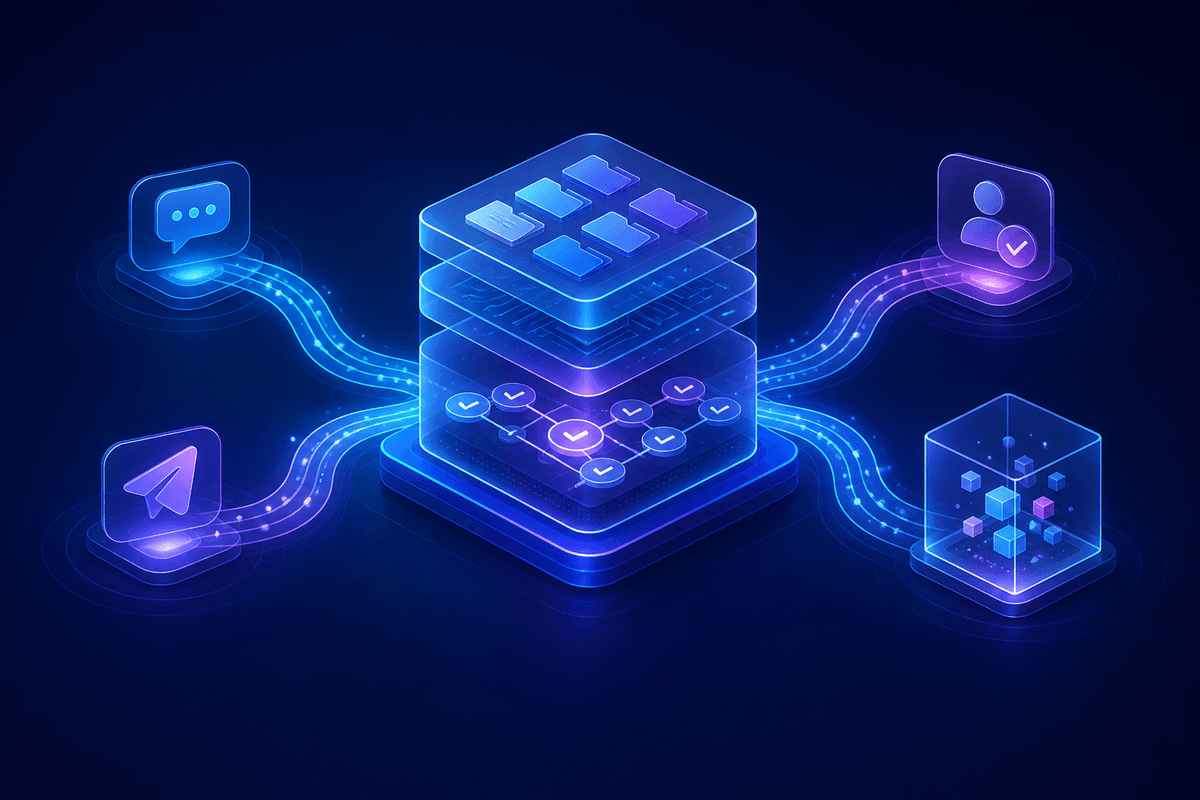
In today's hyperconnected world, customers expect to reach your business wherever they are—whether that's through email, live chat, social media, SMS, or traditional phone calls. Yet many businesses still operate in silos, with different teams managing different channels using separate tools and systems. The result? Fragmented customer experiences, duplicated efforts, and frustrated customers who have to repeat their issues across platforms. Enter multi-channel AI: the game-changing approach that unifies customer support across every touchpoint. By 2026, businesses implementing unified AI support systems are seeing up to 35% improvements in customer satisfaction scores and 40% reductions in resolution times. But what exactly is multi-channel AI, and how can your business leverage it to create truly seamless customer experiences? ## What Is Multi-Channel AI Customer Support? Multi-channel AI customer support refers to the integration of artificial intelligence across all customer communication channels, creating a unified system that maintains context, conversation history, and customer preferences regardless of how or where customers reach out. Unlike traditional approaches where each channel operates independently, multi-channel AI creates a centralized intelligence layer that: - **Maintains conversation continuity** across platforms - **Shares customer context** between channels - **Provides consistent responses** regardless of touchpoint - **Routes inquiries intelligently** to the most appropriate channel or agent - **Learns from interactions** across all platforms to improve service quality ## The Channel Fragmentation Problem Before diving into solutions, let's examine the challenges businesses face with fragmented support channels: ### Inconsistent Customer Experiences When channels operate in isolation, customers often receive different answers to the same question depending on where they ask. A customer might get one response via email, a different one through live chat, and yet another on social media. ### Context Loss Customers frequently start conversations on one channel and continue them on another. Without unified systems, agents lose valuable context, forcing customers to repeat information and explain their issues multiple times. ### Resource Inefficiency Separate teams managing different channels leads to duplicated efforts, inconsistent training, and inefficient resource allocation. Simple issues might escalate unnecessarily because agents lack access to previous interactions. ### Data Silos Valuable customer insights get trapped within individual channels, preventing businesses from understanding the complete customer journey and identifying improvement opportunities. ## The Multi-Channel AI Solution ### Centralized Intelligence Hub The foundation of effective multi-channel AI is a centralized intelligence hub that serves as the brain of your customer support operation. This system: ``` ┌─────────────────────────────────────────┐ │ AI Intelligence Hub │ ├─────────────────────────────────────────┤ │ • Customer Context Database │ │ • Conversation History │ │ • Knowledge Base │ │ • Routing Logic │ │ • Learning Algorithms │ └─────────────────────────────────────────┘ ↓ ↑ ↓ ↑ ↓ ↑ ┌──────┐ ┌──────┐ ┌──────┐ ┌──────┐ ┌──────┐ │Email │ │ Chat │ │Social│ │ SMS │ │Phone │ └──────┘ └──────┘ └──────┘ └──────┘ └──────┘ ``` ### Unified Customer Profiles Every customer interaction contributes to a comprehensive profile that includes: - **Interaction history** across all channels - **Preference patterns** (preferred communication style, times, channels) - **Issue resolution history** and satisfaction scores - **Product or service usage data** - **Sentiment analysis** from previous interactions ### Intelligent Channel Routing Modern multi-channel AI doesn't just respond to inquiries—it proactively routes them to the most appropriate channel or agent based on: - **Complexity assessment**: Simple questions go to automated responses, complex issues to specialized agents - **Customer preferences**: VIP customers might be routed directly to premium support - **Channel optimization**: Some issues are better suited for specific channels (visual problems to chat with screen sharing capabilities) - **Agent expertise**: Technical issues route to technical specialists, billing questions to billing experts ## Implementation Strategies for Multi-Channel AI ### 1. Start with Channel Audit and Mapping Before implementing multi-channel AI, conduct a comprehensive audit of your existing support channels: **Channel Inventory:** - List all current customer touchpoints - Document current response times and resolution rates - Identify common issues handled by each channel - Map customer journey flows between channels **Gap Analysis:** - Where do customers experience friction moving between channels? - Which channels have the highest satisfaction scores? - What information gets lost in channel transitions? ### 2. Choose the Right AI Platform Architecture Successful multi-channel AI requires careful platform selection. Key considerations include: **API-First Architecture:** Ensure your AI platform can integrate seamlessly with existing tools through robust APIs. This is crucial for maintaining data flow between channels. **Scalability:** Your system should handle increasing volumes across all channels without performance degradation. **Customization Capabilities:** Different channels may require different response styles or capabilities. Your AI should adapt accordingly. ### 3. Implement Progressive Enhancement Rather than attempting to transform all channels simultaneously, implement multi-channel AI progressively: **Phase 1: Core Integration** - Connect your two highest-volume channels - Establish basic context sharing - Implement unified customer identification **Phase 2: Intelligence Layer** - Add conversation continuity features - Implement basic routing intelligence - Begin collecting cross-channel analytics **Phase 3: Advanced Features** - Deploy predictive routing - Add sentiment-based escalation - Implement proactive support capabilities ## Best Practices for Multi-Channel AI Success ### Maintain Channel-Appropriate Communication While maintaining consistency, remember that different channels have different communication norms: - **Email**: More formal, detailed responses - **Chat**: Conversational, quick exchanges - **Social Media**: Brand voice, public-facing tone - **SMS**: Concise, action-oriented messages - **Phone**: Warm, personable interactions ### Implement Smart Escalation Rules Create intelligent escalation pathways that consider: ```yaml escalation_rules: high_priority: - customer_tier: "premium" - sentiment: "negative" - issue_type: "billing_dispute" action: "immediate_human_transfer" complex_technical: - keywords: ["integration", "API", "custom"] - previous_attempts: > 2 action: "route_to_technical_specialist" cross_channel: - channel_switches: > 1 - resolution_time: > 24_hours action: "assign_dedicated_agent" ``` ### Ensure Data Privacy and Compliance Multi-channel AI involves significant data sharing. Ensure compliance with: - **GDPR** requirements for EU customers - **CCPA** regulations for California residents - **Industry-specific** compliance (HIPAA for healthcare, PCI DSS for payments) - **Internal data governance** policies ## Measuring Multi-Channel AI Success ### Key Performance Indicators **Customer Experience Metrics:** - **Customer Satisfaction Score (CSAT)** across all channels - **Net Promoter Score (NPS)** improvements - **Customer Effort Score (CES)** reductions - **Channel switching frequency** (lower is better) **Operational Efficiency Metrics:** - **First Contact Resolution (FCR)** rates - **Average Resolution Time** across channels - **Agent productivity** improvements - **Cost per interaction** reductions **Technical Performance Metrics:** - **Response time consistency** across channels - **Context retention accuracy** (percentage of successful context transfers) - **AI confidence scores** and escalation rates - **System uptime and reliability** ### Advanced Analytics and Insights Leverage multi-channel data for deeper business insights: **Customer Journey Analysis:** Track how customers move between channels and identify optimization opportunities. **Predictive Issue Detection:** Use cross-channel data to predict and prevent issues before they escalate. **Channel Performance Optimization:** Identify which channels are most effective for different types of inquiries. ## Common Implementation Challenges and Solutions ### Challenge 1: Legacy System Integration **Problem**: Existing systems weren't designed to work together, creating integration difficulties. **Solution**: Implement middleware solutions or API gateways that can translate between different systems and data formats. ### Challenge 2: Agent Training and Adoption **Problem**: Support agents struggle to adapt to new unified workflows and tools. **Solution**: Provide comprehensive training programs, create clear process documentation, and implement gradual rollouts with feedback loops. ### Challenge 3: Data Quality and Consistency **Problem**: Inconsistent data formats and quality across channels affect AI performance. **Solution**: Implement data standardization processes, regular data audits, and automated quality checks. ## The Future of Multi-Channel AI ### Emerging Trends **Predictive Channel Selection:** AI will increasingly predict which channel customers prefer based on their history, current context, and issue type. **Emotional Intelligence Integration:** Advanced sentiment analysis will enable AI to adjust communication style and escalation decisions based on customer emotional state. **Voice and Video Integration:** As voice AI and video support become more sophisticated, they'll seamlessly integrate into multi-channel workflows. **Proactive Support:** AI will identify potential issues before customers report them, reaching out through their preferred channels with solutions. ## Getting Started with Multi-Channel AI Ready to implement multi-channel AI for your business? Here's your action plan: ### Immediate Steps (Week 1-2): 1. **Audit current channels** and document customer journey flows 2. **Identify integration points** between existing systems 3. **Define success metrics** and baseline measurements 4. **Research AI platforms** that support your channel mix ### Short-term Goals (Month 1-3): 1. **Implement basic integration** between your top two channels 2. **Create unified customer identification** system 3. **Train initial agent group** on new workflows 4. **Begin collecting cross-channel analytics** ### Long-term Objectives (Month 6-12): 1. **Deploy advanced routing intelligence** 2. **Implement predictive support capabilities** 3. **Expand to all customer channels** 4. **Optimize based on performance data** ## Conclusion: The Unified Future of Customer Support Multi-channel AI represents more than just a technological upgrade—it's a fundamental shift toward truly customer-centric support. By breaking down channel silos and creating unified experiences, businesses can meet customers where they are while maintaining the context and consistency that modern consumers expect. The businesses that embrace multi-channel AI today will be the ones leading customer experience innovation tomorrow. They'll have happier customers, more efficient operations, and deeper insights into what drives customer satisfaction. The question isn't whether multi-channel AI will become the standard—it's whether your business will be ready when it does. Start planning your multi-channel AI strategy today, and give your customers the seamless, intelligent support experience they deserve across every platform they choose. --- *Ready to explore how multi-channel AI can transform your customer support? At Agent One, we help businesses create unified AI-powered support experiences that work seamlessly across all channels. Connect with us to learn how we can help you build the future of customer service.*

When Sarah contacted customer support about her canceled flight, she was already frustrated, stressed, and running late for an important meeting. The AI chatbot that greeted her didn't just solve her rebooking problem—it recognized her emotional state, acknowledged her frustration, and guided her through the solution with empathy and understanding. What made this interaction remarkable wasn't the speed of resolution, but how the AI made Sarah feel heard and valued during a stressful moment. This scenario represents the next evolution in AI customer service: the integration of emotional intelligence into automated support systems. While traditional chatbots focused purely on functional problem-solving, today's most successful AI customer service platforms understand that addressing the emotional dimension of customer interactions is just as crucial as resolving technical issues. ## The Hidden Emotional Layer of Customer Service ### Understanding Customer Emotional States Every customer interaction carries an emotional payload. Research from the Harvard Business Review shows that customers who feel emotionally connected to a brand have a 306% higher lifetime value and are 71% more likely to recommend the company to others. Yet many AI systems still operate in an emotional vacuum, treating every interaction as a purely transactional exchange. Consider these common customer emotional states: - **Frustration**: When products don't work as expected or previous support interactions failed - **Anxiety**: When dealing with financial services, healthcare, or time-sensitive issues - **Confusion**: When trying to navigate complex products or services - **Urgency**: When facing deadlines or critical situations - **Disappointment**: When expectations aren't met or promises are broken Traditional chatbots often miss these emotional cues entirely, leading to interactions that feel cold, robotic, and ultimately unsatisfying—even when the technical problem gets resolved. ### The Cost of Emotionally Tone-Deaf AI When AI systems fail to recognize and respond to customer emotions appropriately, the consequences extend far beyond a single interaction: - **Increased escalation rates**: Customers become more frustrated and demand human agents - **Brand damage**: Poor emotional experiences create lasting negative impressions - **Reduced efficiency**: Emotionally unsatisfied customers often require multiple interactions - **Lost revenue**: Customers are more likely to switch to competitors after poor emotional experiences A study by PwC found that 32% of customers would stop doing business with a brand they loved after just one bad experience. In the age of social media, these negative experiences can quickly amplify into public relations nightmares. ## Building Emotionally Intelligent AI Systems ### Sentiment Analysis and Emotional Recognition Modern AI customer service platforms leverage advanced natural language processing to detect emotional cues in customer communications. This goes beyond simple keyword matching to understand context, tone, and underlying sentiment. ```python # Example of sentiment analysis integration class EmotionalIntelligenceEngine: def analyze_customer_emotion(self, message): sentiment_score = self.sentiment_analyzer.analyze(message) emotion_indicators = { 'frustration': self.detect_frustration_markers(message), 'urgency': self.detect_urgency_markers(message), 'confusion': self.detect_confusion_markers(message) } return { 'primary_emotion': self.determine_primary_emotion(emotion_indicators), 'intensity': sentiment_score, 'response_strategy': self.select_response_strategy(emotion_indicators) } ``` Key emotional indicators that advanced AI systems can detect include: - **Language patterns**: Repetition, capitalization, exclamation marks - **Temporal markers**: Words indicating urgency or time pressure - **Frustration signals**: Expressions of previous failed attempts or dissatisfaction - **Confusion indicators**: Questions about basic functionality or repeated clarifications ### Adaptive Response Strategies Once emotional states are identified, AI systems must adapt their communication style accordingly. This involves: **Empathetic Acknowledgment**: Recognizing and validating the customer's emotional state before addressing the technical issue. *Example*: - Standard response: "I can help you with your billing question." - Emotionally intelligent response: "I understand how frustrating unexpected charges can be. Let me look into this right away and get this sorted out for you." **Tone Matching**: Adjusting the formality and energy level of responses to match the customer's communication style while maintaining professionalism. **Proactive Reassurance**: Providing additional context and reassurance when customers show signs of anxiety or confusion. **Escalation Sensitivity**: Recognizing when emotional intensity requires human intervention, even if the technical issue could be resolved automatically. ### Contextual Memory and Emotional Continuity Emotionally intelligent AI systems maintain context not just about the technical aspects of a customer's issue, but also about their emotional journey throughout the interaction and across multiple touchpoints. This includes: - Remembering previous frustrations and acknowledging them in future interactions - Tracking emotional resolution alongside technical resolution - Identifying patterns in emotional triggers for individual customers - Maintaining empathetic tone consistency across channel switches (chat to email to phone) ## Practical Implementation Strategies ### Training AI on Emotional Intelligence Developing emotionally intelligent AI requires specialized training approaches: **Emotion-Labeled Datasets**: Training models on customer service interactions that have been labeled not just for intent and resolution, but for emotional content and appropriate responses. **Multimodal Emotion Detection**: For voice-based systems, incorporating tone analysis, speech patterns, and vocal stress indicators alongside text analysis. **Cultural Sensitivity Training**: Ensuring AI systems understand that emotional expression varies significantly across cultures and demographics. **Continuous Emotional Feedback Loops**: Implementing systems that learn from customer satisfaction scores and emotional outcomes, not just task completion rates. ### Measuring Emotional Success Traditional customer service metrics like resolution time and first-contact resolution remain important, but emotionally intelligent AI requires additional KPIs: - **Emotional Satisfaction Scores**: Post-interaction surveys focused on how customers felt during the experience - **Sentiment Journey Tracking**: Monitoring how customer sentiment changes throughout an interaction - **Empathy Recognition Accuracy**: Measuring how well AI systems identify and respond to emotional cues - **Emotional Escalation Prevention**: Tracking instances where emotional intelligence prevented escalation to human agents ### Balancing Automation and Authenticity One of the biggest challenges in implementing emotional intelligence in AI is maintaining authenticity. Customers can often detect when empathy feels scripted or artificial. Successful implementations focus on: **Genuine Recognition**: Actually understanding and addressing the root emotional cause, not just applying empathetic language as a band-aid. **Appropriate Boundaries**: Being clear about AI capabilities while still providing emotional support within those boundaries. **Seamless Human Handoffs**: Knowing when emotional complexity requires human intervention and making those transitions smooth and context-preserving. ## The Human-AI Emotional Collaboration Model ### When AI Emotional Intelligence Excels AI systems with emotional intelligence are particularly effective in: - **Consistent Empathy**: Providing the same level of emotional support regardless of time of day, agent workload, or other external factors - **Pattern Recognition**: Identifying emotional patterns across large customer bases that humans might miss - **Scalable Personalization**: Delivering personalized emotional responses at scale - **24/7 Emotional Availability**: Providing emotionally supportive interactions outside business hours ### When Human Emotional Intelligence is Essential Certain situations still require human emotional intelligence: - **Complex Grief or Trauma**: Situations involving loss, serious illness, or major life disruptions - **Nuanced Cultural Contexts**: Interactions requiring deep cultural understanding or sensitivity - **Creative Problem-Solving**: When emotional resolution requires thinking outside established protocols - **Relationship Building**: Long-term customer relationships that benefit from human connection ### Creating Seamless Emotional Handoffs The most effective customer service operations create smooth transitions between AI and human agents while preserving emotional context: ```markdown ## Emotional Handoff Protocol 1. **Emotion State Transfer**: AI provides human agent with customer's emotional state and history 2. **Empathy Continuity**: Human agent acknowledges previous AI interaction and emotional progress 3. **Context Preservation**: Technical and emotional context maintained across the handoff 4. **Resolution Tracking**: Both technical and emotional resolution tracked through completion ``` ## Industry Applications and Success Stories ### Financial Services: Managing Money-Related Anxiety Financial institutions have seen remarkable success implementing emotionally intelligent AI for customer service. When customers contact support about account issues, investment losses, or fraud concerns, they're often experiencing high levels of anxiety and stress. One major bank implemented an AI system that recognizes financial anxiety markers and responds with: - Immediate reassurance about account security - Clear, step-by-step explanations of resolution processes - Proactive updates on investigation progress - Empathetic acknowledgment of the stress financial issues can cause Result: 40% reduction in escalation rates and 60% improvement in post-interaction satisfaction scores. ### Healthcare: Navigating Medical Concerns Healthcare AI systems deal with some of the most emotionally charged customer interactions. Patients and family members often contact support when they're scared, confused, or frustrated about medical issues. Successful implementations focus on: - Recognizing health-related anxiety and responding with appropriate reassurance - Providing clear, jargon-free explanations - Showing empathy for medical concerns without providing medical advice - Seamlessly escalating to human agents when emotional complexity requires it ### E-commerce: Turning Frustration into Loyalty E-commerce platforms handle millions of interactions daily, many involving frustrated customers dealing with shipping delays, product issues, or return processes. Emotionally intelligent AI has proven particularly effective at: - Acknowledging the inconvenience caused by problems - Providing proactive updates and solutions - Offering appropriate compensation or alternatives - Following up to ensure emotional as well as technical resolution Companies implementing these approaches have seen significant improvements in customer lifetime value and reduced churn rates. ## Future Trends in Emotional AI ### Predictive Emotional Intelligence The next generation of AI customer service will move beyond reactive emotional intelligence to predictive emotional intelligence. These systems will: - Anticipate likely emotional states based on customer history and context - Proactively adjust communication styles before negative emotions escalate - Identify customers at risk of emotional dissatisfaction and intervene early - Personalize emotional approaches based on individual customer preferences ### Multimodal Emotional Understanding As AI systems become more sophisticated, they'll incorporate multiple channels of emotional information: - **Voice Analysis**: Detecting stress, frustration, or urgency in vocal patterns - **Behavioral Patterns**: Understanding emotional states from interaction patterns and timing - **Contextual Clues**: Incorporating external factors like time of day, recent purchases, or account history ### Emotional Intelligence Across the Customer Journey Future implementations will extend emotional intelligence beyond customer service interactions to the entire customer journey: - **Marketing**: Emotionally aware content and timing - **Sales**: Understanding and responding to buying anxiety or excitement - **Onboarding**: Recognizing and addressing new customer confusion or overwhelm - **Retention**: Identifying and addressing emotional factors in churn risk ## Implementing Emotional Intelligence in Your AI Strategy ### Getting Started: Assessment and Planning Before implementing emotionally intelligent AI, organizations should: 1. **Audit Current Emotional Blind Spots**: Analyze existing customer interactions to identify where emotional needs aren't being met 2. **Define Emotional Success Metrics**: Establish KPIs that measure emotional as well as functional success 3. **Map Customer Emotional Journeys**: Understand the typical emotional progression of customer interactions 4. **Assess Technical Readiness**: Ensure your platform can support advanced NLP and sentiment analysis capabilities ### Building Your Emotional Intelligence Capability Successful implementation typically follows this progression: **Phase 1: Basic Sentiment Recognition** - Implement sentiment analysis to identify positive, negative, and neutral interactions - Train AI to adjust tone based on detected sentiment - Establish escalation triggers for highly negative sentiment **Phase 2: Emotional Context Understanding** - Add emotion-specific recognition (frustration, anxiety, confusion) - Implement contextual memory for emotional continuity - Develop emotion-specific response strategies **Phase 3: Predictive Emotional Intelligence** - Build models that anticipate emotional states - Implement proactive emotional interventions - Create personalized emotional interaction profiles ### Training and Change Management Implementing emotional intelligence in AI requires organizational change: **Staff Training**: Customer service teams need to understand how to work alongside emotionally intelligent AI and when to take over from automated systems. **Process Updates**: Customer service workflows must be updated to include emotional context and resolution tracking. **Cultural Shift**: Organizations must embrace the importance of emotional outcomes alongside traditional efficiency metrics. ## Measuring Success: Beyond Traditional Metrics ### Emotional Intelligence KPIs Successful emotional AI implementations track metrics that go beyond traditional customer service KPIs: **Emotional Resolution Rate**: The percentage of interactions where customers report feeling emotionally satisfied, not just functionally helped. **Sentiment Journey Improvement**: Tracking how customer sentiment changes from the beginning to the end of interactions. **Empathy Accuracy Score**: Measuring how accurately AI systems identify and respond to customer emotional states. **Emotional Escalation Prevention**: Tracking instances where emotional intelligence prevented the need for human agent intervention. **Long-term Emotional Impact**: Measuring how emotionally intelligent interactions affect customer loyalty and lifetime value. ### ROI of Emotional Intelligence While the benefits of emotional intelligence might seem intangible, they translate into concrete business value: - **Reduced Escalation Costs**: Fewer interactions requiring expensive human agent time - **Improved Customer Lifetime Value**: Emotionally satisfied customers spend more and stay longer - **Enhanced Brand Reputation**: Positive emotional experiences create brand advocates - **Operational Efficiency**: Fewer repeat contacts and faster resolution times - **Competitive Differentiation**: Emotional intelligence becomes a key differentiator in commoditized markets ## The Future is Emotionally Intelligent As AI continues to evolve, the organizations that succeed will be those that understand that customer service is fundamentally about human connection—even when that connection is mediated by artificial intelligence. The future of AI customer service isn't just about faster response times or more accurate problem-solving; it's about creating interactions that make customers feel heard, understood, and valued. Emotional intelligence in AI represents a fundamental shift from viewing customer service as a cost center focused on efficiency to understanding it as a relationship-building opportunity that drives long-term business value. As customers become more accustomed to AI interactions, their expectations for emotional sophistication will only increase. The companies that invest in emotional intelligence now—in their AI systems, their processes, and their people—will be the ones that build lasting competitive advantages through superior customer experiences. Because at the end of the day, customers don't just want their problems solved; they want to feel good about the experience of getting them solved. In an increasingly automated world, the organizations that remember the human element—and embed it thoughtfully into their AI systems—will be the ones that truly thrive. The future of customer service is not just intelligent; it's emotionally intelligent.
# Executive Summary The digital information economy is currently navigating its most profound structural transformation since the commercialization of the World Wide Web. For the past twenty-five years, the primary mechanism of online discovery has been Information Retrieval (IR). In this paradigm, a user submits a query, and a search engine retrieves a ranked list of documents (websites) deemed relevant based on keywords and link-based authority signals. This model birthed the trillion-dollar industry of Search Engine Optimization (SEO), where value was captured by intercepting user intent through ranking position and maximizing click-through rates (CTR). We are now witnessing the collapse of the retrieval model and the ascendancy of the Knowledge Synthesis model. Powered by Large Language Models (LLMs) and Retrieval-Augmented Generation (RAG) architectures, the new generation of discovery tools—"Answer Engines" like Perplexity, ChatGPT Search, and Google’s AI Overviews—do not merely retrieve documents; they read, understand, and synthesize answers directly. This shift moves the metric of success from "being found" to "being cited," fundamentally altering the economics of digital visibility. This report provides an exhaustive analysis of this new landscape. It defines and differentiates the emerging disciplines of AI Overview Optimization (AIO) and Generative Engine Optimization (GEO), contrasting them with traditional SEO. Drawing on extensive technical research, patent analysis, and early academic benchmarks, this document serves as a strategic manual for business leaders to navigate the transition from the Link Economy to the Citation Economy. The analysis indicates that while traditional organic traffic may decline by 15-25% due to "zero-click" behaviors, the brands that master GEO will capture a higher quality of intent, leveraging AI as a powerful qualification filter before a user ever visits a website. # 1. The Macro-Evolution of Digital Discovery To effectively strategize for AIO and GEO, it is essential to contextualize the current technological disruption within the broader history of information access. The evolution from search engines to answer engines is not merely a feature update; it represents a change in the fundamental "atomic unit" of the internet. ## 1.1 The Collapse of the "Ten Blue Links" The traditional search engine results page (SERP) was designed as a directory. Google’s core innovation, PageRank, treated links as votes, creating a democratic proxy for authority. However, this model placed a significant cognitive load on the user. Upon receiving a list of "ten blue links," the user was required to click, read, assess, and synthesize information across multiple tabs to find an answer. The introduction of Generative AI has transferred this cognitive load from the user to the machine. Generative engines—often referred to as Answer Engines—perform the synthesis on behalf of the user. They ingest the top results, identify the consensus, extract specific data points, and generate a cohesive natural language response. This phenomenon is often termed the "flattening of the funnel," as the stages of broad research (browsing) and specific evaluation (comparison) occur simultaneously within the AI interface. ## 1.2 The Rise of Zero-Click Search The immediate economic consequence of this shift is the rise of "Zero-Click Search." Recent data suggests that approximately 60% of Google searches now end without a click to an external property. This trend is exacerbated by AI Overviews (AIO), which push organic results below the fold—occupying up to 42% of the screen on desktop and 48% on mobile devices. For businesses, this necessitates a move away from traffic-centric metrics. If the AI satisfies the user's intent directly on the results page (e.g., providing a business's hours, pricing, or a summary of its services), the value is captured in Brand Visibility and Influence rather than a website session. The strategic imperative shifts from "getting the click" to "winning the argument" inside the AI's generated response. ## 1.3 The Three Eras of Optimization The trajectory of digital optimization can be categorized into three distinct eras, each with its own rules of engagement: | Era | Focus | Primary Mechanism | Success Metric | |---|---|---|---| | SEO 1.0 (1998-2012) | Keywords | Keyword density, Meta tags, Directory links | Rankings, Raw Traffic | | SEO 2.0 (2013-2023) | User Intent | Mobile-first, Site speed, Backlink quality, Content depth | Organic Sessions, Conversions | | The AI Era (2024+) | Entity Authority | Structured Data, Contextual Relevance, "Quotability" | Share of Voice, Citation Rate, Entity Sentiment | # 2. Definitional Framework: SEO, AIO, GEO, and AEO As the industry scrambles to adapt, a confusing array of acronyms has emerged. A precise understanding of these terms is critical for allocating resources and defining distinct operational workflows. ## 2.1 Search Engine Optimization (SEO) **Definition:** The practice of optimizing digital content to rank higher in traditional search engine results pages (SERPs) to drive organic click-through traffic. **Mechanism:** Relies on "crawling" and "indexing." The search engine stores a copy of the page and retrieves it based on keyword matching and authority signals (links). **Current State:** Remains the foundation. AI models use search indices (like Google's index or Bing's index) as their data source. Without strong technical SEO (crawlability), content is invisible to the AI. ## 2.2 Generative Engine Optimization (GEO) **Definition:** A multi-disciplinary approach to optimizing content for visibility within generative AI engines (LLMs) such as ChatGPT, Perplexity, Claude, and Gemini. The goal is to maximize the probability that content is selected as a source and synthesized into the answer. **Mechanism:** Operates on "training data" and "retrieval-augmented generation (RAG)." Optimization focuses on how information is structured in vector space—ensuring brand entities are semantically associated with target solutions. **Origin:** The term was formalized in academic research, notably a paper involving researchers from Princeton, Georgia Tech, and the Allen Institute for AI, which demonstrated that specific content adjustments could improve visibility in generative outputs by up to 40%. ## 2.3 AI Overview Optimization (AIO) **Definition:** A specific subset of optimization targeting Google's AI Overviews (formerly Search Generative Experience or SGE). This involves optimizing content to appear in the "snapshot" summary at the top of Google's search results. **Mechanism:** heavily dependent on Google's specific "Query Fan-Out" architecture and "Information Gain" patents. It rewards content that provides unique data points not found elsewhere in the search results. **Distinction:** While GEO targets the broader ecosystem of LLMs, AIO is a platform-specific strategy for maintaining visibility in the Google ecosystem. ## 2.4 Answer Engine Optimization (AEO) **Definition:** Focuses on "Answer Engines" and voice assistants (Siri, Alexa). It prioritizes short, concise, direct answers that can be read aloud or displayed as a Featured Snippet. **Mechanism:** Relies on Q&A formatting and "speakable" schema markup. It is often considered a precursor to GEO, focusing on the "Direct Answer" component of visibility. # 3. The Technical Architecture of the "Answer Engine" To optimize for generative engines, marketing leaders must understand the engineering principles that drive them. These systems do not "read" in the human sense; they process mathematical probabilities in multi-dimensional space. ## 3.1 Retrieval-Augmented Generation (RAG) Most commercial AI search tools utilize a RAG architecture. This process has two distinct phases, each requiring specific optimization strategies. ### 3.1.1 Phase 1: The Retrieval (The Librarian) When a user asks Perplexity, "What is the best CRM for real estate?", the AI does not immediately guess. It first acts as a search engine. It decomposes the query into tokens ("CRM," "Real Estate," "Best") and queries its index (or a partner index like Bing) to retrieve relevant documents. * **Optimization Implication:** Traditional SEO matters here. If your page does not contain the keywords "CRM" and "Real Estate," or if technical issues prevent it from being indexed, it will never be retrieved. You cannot be synthesized if you are not first retrieved. ### 3.1.2 Phase 2: The Generation (The Analyst) The system takes the top retrieved documents (the "Context Window") and feeds them into the Large Language Model (LLM) with a prompt, typically: "Using only the sources provided below, answer the user's question." * **Optimization Implication:** This is where GEO comes into play. The LLM must analyze the retrieved text and decide what to include. It looks for "high-confidence" information—statistics, quotes, and clear definitions. If your content is vague ("We offer great software"), the LLM will discard it. If it is specific ("Our software increases agent productivity by 22%"), the LLM is statistically more likely to include it. ## 3.2 Google's "Query Fan-Out" Mechanism A critical differentiator for Google's AI Overviews is the "Query Fan-Out" architecture described in its patents. When a user asks a complex question, Google does not run a single search. Instead, it breaks the query down into a matrix of sub-queries. **Example:** * **User Query:** "Is a metal roof better than asphalt for a home in Florida?" * **Fan-Out Queries:** Google's AI simultaneously searches for: * "Metal roof durability Florida climate" * "Asphalt shingle lifespan heat humidity" * "Cost comparison metal vs asphalt roof" * "Insurance premiums metal roof Florida" **Strategic Insight:** To appear in the AI Overview, a website cannot simply target the head keyword ("Metal vs Asphalt"). It must provide comprehensive coverage of the implied sub-questions. A "Power Page" that addresses durability, cost, and insurance implications in distinct, well-structured sections is more likely to be retrieved for multiple fan-out queries, increasing its "confidence score" for the final synthesis. ## 3.3 Vector Space and Semantic Proximity LLMs store concepts as vectors (numbers) in a geometric space. Concepts that are semantically related are located close together. * **The "Brand Vector":** The goal of GEO is to move your "Brand Entity" vector closer to the "Solution Entity" vector in the model's latent space. * **Co-Occurrence:** This is achieved through co-occurrence. If the brand "Salesforce" appears frequently in text alongside "CRM" and "Enterprise" across high-authority domains (Wikipedia, G2, Gartner), the model learns that these vectors are inextricably linked. This reinforces the need for "Surround Sound SEO"—ensuring your brand is mentioned on other authoritative sites, not just your own. # 4. The Science of GEO: Metrics and Benchmarks Academic research has begun to quantify the effectiveness of GEO strategies. A seminal paper titled "Generative Engine Optimization," authored by researchers from Princeton, Georgia Tech, and others, provides the first rigorous benchmarks for this discipline. ## 4.1 The GEO-Bench Framework The researchers created "GEO-Bench," a testing framework consisting of diverse user queries across multiple domains. They evaluated how different content optimization tactics influenced the visibility of a website in the generative output. ### 4.1.1 Key Metrics Defined The study introduced two primary metrics for measuring GEO success, which business owners should adopt for their own internal KPIs: * **Position-Adjusted Word Count:** A quantitative measure of how much "real estate" a brand occupies in the answer. Being mentioned in the first sentence is weighted more heavily than being mentioned in the last. * **Subjective Impression:** A qualitative score assessing how "persuasive" or "favorable" the mention is. A mere citation is less valuable than a recommendation. ## 4.2 Proven Optimization Tactics (The 40% Lift) The research found that specific interventions could improve visibility in generative engines by up to 40%. Crucially, they found that some traditional SEO tactics (like keyword stuffing) had a negative or neutral impact. The most effective strategies were: | Strategy | Description | Impact on Visibility | Why It Works | |---|---|---|---| | **Statistics Addition** | Embedding specific quantitative data (e.g., "30% increase") rather than qualitative claims. | +30-40% | LLMs are trained to prioritize "grounded" facts over opinions. Numbers act as "anchors" for truth. | | **Quotation Addition** | Including direct quotes from credible Subject Matter Experts (SMEs). | +30-40% | Adds an "Authority" signal. The model recognizes the attribution pattern as a marker of high-quality journalism/research. | | **Cite Sources** | The content itself cites external authoritative sources (e.g.,.gov,.edu). | +30-40% | Creates a "Chain of Trust." The model validates the content's claims against the cited external entities. | | **Fluency Optimization** | Improving readability, structure, and grammar (lowering perplexity). | +15-20% | Reduces the computational "effort" for the model to parse the text, making it a more likely candidate for extraction. | **Strategic Takeaway:** Businesses must audit their content libraries to ensure they are "data-dense." Vague marketing copy ("We are the industry leaders") must be replaced with verifiable claims ("We process 50 million transactions annually"). # 5. Technical AI Readiness: The Infrastructure of GEO Before content can be synthesized, it must be accessible. The technical requirements for AI crawlers differ slightly from traditional Googlebot requirements. ## 5.1 The llms.txt Standard A new standard is emerging for the AI era: the llms.txt file. Proposed by the AI research community, this file functions similarly to robots.txt but for the purpose of highlighting content rather than blocking it. **Purpose:** To provide AI crawlers (which often have limited crawl budgets compared to Google) with a curated list of the most important, information-rich URLs on a site. **Implementation:** The file should be placed at the root domain (example.com/llms.txt) and contain links to core documentation, "About Us" pages, and "Power Pages" containing key entity data. **Example Structure:** ``` llms.txt for Core Entity Data https://example.com/about https://example.com/careers https://example.com/press-releases Key Product Documentation https://example.com/products/specifications https://example.com/api/docs ``` ## 5.2 Managing AI Crawlers (Robots.txt) There is a tension between allowing AI to index content for citation and preventing AI from scraping content for training (which some publishers view as theft). * **Recommendation for Brands:** Unlike publishers who sell content, brands want to be cited. Therefore, brands should generally allow AI bots in their robots.txt. * **Key User Agents:** * GPTBot (OpenAI / ChatGPT) * ClaudeBot (Anthropic) * CCBot (Common Crawl - used by many models) * Google-Extended (Controls usage for Gemini training). ## 5.3 JavaScript Rendering and Content Accessibility While Googlebot has become proficient at rendering JavaScript (Client-Side Rendering), many AI crawlers are "blind" to content that requires complex execution. * **The Risk:** If your pricing table or FAQ section is loaded dynamically via JavaScript, an AI crawler like GPTBot might see an empty `<div>`. * **The Fix:** Implement Server-Side Rendering (SSR) or Dynamic Rendering. Ensure that the raw HTML source contains the critical text, statistics, and entity data you want the AI to read. ## 5.4 Schema Markup: The Language of Entities Schema markup (Structured Data) is the Rosetta Stone of GEO. It translates human text into machine-readable entity data. * **Essential Schemas for AIO:** * **FAQPage:** Breaks content into Question/Answer pairs, perfect for direct ingestion by Answer Engines. * **Organization:** Defines the brand entity, logo, social profiles, and contact info (crucial for Knowledge Graph). * **Person:** Establishes the authority of content authors (E-E-A-T). * **Product:** Provides hard data on price, availability, and ratings, which helps appear in "Shopping Graph" AI results. # 6. AI Overview Optimization (AIO): Mastering Google Google's AI Overviews represent the most immediate threat and opportunity, as they sit atop the world's most popular search engine. Strategies here must focus on the specific UI and algorithmic tendencies of Google's system. ## 6.1 The "Information Gain" Patent Google's ranking systems for AIO appear to heavily weigh "Information Gain." This concept, detailed in Google patents, suggests that the algorithm seeks to minimize redundancy. If ten search results all say the exact same thing, the AIO has no incentive to cite more than one. * **Strategy:** To be included, content must add additive value. This could be: * A unique data set or survey result. * A contrarian or unique perspective/angle. * Specific personal experience (anecdotes) that generic AI content cannot replicate. ## 6.2 The UI Divide: Desktop vs. Mobile The physical presentation of AI Overviews varies significantly by device, impacting optimization strategies. * **Desktop:** The AIO occupies a massive amount of screen real estate—often the entire viewable area above the fold. It tends to display more comprehensive, multi-step answers and comparison tables. * **Optimization:** Focus on "Deep Dive" content, comprehensive guides, and detailed comparison tables that can be rendered in the expanded view. * **Mobile:** The AIO is more compact, often appearing as a "Click to Expand" accordion or a brief summary. * **Optimization:** Focus on "Front-Loading" the answer. The most critical information must be in the first 2-3 sentences to appear in the collapsed mobile view. Mobile AIOs also favor "Listicle" formats that are easy to tap and scroll. ## 6.3 Vertical-Specific AIO Strategies ### 6.3.1 E-Commerce (Shopping Graph Integration) Google's AIO for product searches is heavily integrated with the Shopping Graph. It displays product carousels, pricing comparisons, and "consideration factors" (e.g., "Things to know before buying"). * **Tactic:** Optimize product descriptions not just for sales copy, but for attributes. Explicitly state "Best for [Use Case]" (e.g., "Best for heavy gaming"). This helps the AI map the product to specific intent queries. ### 6.3.2 Local Service Businesses For queries like "roofers near me," the AIO synthesizes data from Google Business Profiles and reviews. * **Tactic:** Review sentiment mining is critical. If users frequently mention "punctuality" in reviews, the AI is more likely to surface the business for queries about "reliable roofers." Actively soliciting reviews that mention specific service keywords is a powerful AIO lever. # 7. Platform-Specific GEO: Beyond Google While Google dominates, the fragmentation of search means brands must have distinct strategies for the "pure" AI engines. ## 7.1 Perplexity: The Citation Engine Perplexity is unique in that it functions as a real-time research assistant with a heavy emphasis on transparency. It footnotes every sentence. * **Target Audience:** Research-heavy users, tech-savvy early adopters, B2B buyers. * **Pro Search vs. Standard:** Perplexity's "Pro Search" uses multi-step reasoning (Chain-of-Thought). It breaks a query into steps, searches for each, and synthesizes the result. * **Strategy:** To win in Pro Search, your content must cover the entire topic cluster. If the AI asks "What are the tax implications?" as a sub-step, you need a section on taxes. If you lack that section, the AI will leave your site to find it elsewhere. * **Content Formatting:** Perplexity loves "Definition Blocks." Content that starts with a clear question (`<h2>`) followed by a concise 30-50 word answer is easily parsed and cited. * **Citation Sources:** It relies heavily on academic papers, government sites, and high-authority news. Getting mentioned in these sources (Digital PR) is a backdoor to Perplexity visibility. ## 7.2 ChatGPT (SearchGPT): The Conversationalist ChatGPT's search feature integrates Bing's index but processes it through OpenAI's models, which prioritize conversational utility. * **Tone:** ChatGPT favors content that sounds natural and helpful. Stiff, keyword-stuffed corporate speak is often filtered out as "low quality" or "spammy" by the model's safety filters. * **Source Selection:** ChatGPT often surfaces Reddit threads and forum discussions because they represent "authentic human experience." Brands should engage in community marketing (Reddit/Quora) to ensure positive sentiment in these discussion clusters. * **Brand Entity:** ChatGPT relies on its training data for "General Knowledge." Ensuring your brand is in Wikipedia or Wikidata helps establish it as a "known entity" within the model's weights, increasing the likelihood of hallucination-free citation. ## 7.3 Claude and Gemini: The Context Giants These models have massive context windows (up to 1M+ tokens), allowing them to digest entire books or long reports. * **Strategy:** "Power Pages" and long-form PDF reports. These models are often used to "summarize this document." Publishing high-value whitepapers and reports increases the chance that a user will upload your content to the model for analysis, embedding your brand in their workflow. # 8. Content Strategy for Synthesis: Writing for the Machine To write for GEO is to write for a machine that values logic, structure, and evidence. The creative flair of traditional copywriting must be balanced with "algorithmic clarity." ## 8.1 The Inverted Pyramid 2.0 Journalism has always used the Inverted Pyramid (most important info first). GEO reinforces this. * **The Hook (Snippet Fodder):** The first paragraph must contain the direct answer to the user's query. This maximizes the chance of inclusion in the "Context Window" and the final generated snippet. * **The Context (Nuance):** The subsequent paragraphs should add the "it depends" factors, providing the depth required for "Pro Search" reasoning. * **The Evidence (Data):** Every claim should be supported by a statistic or a quote, increasing the "Information Gain" score. ## 8.2 Citation Chains AI models look for validation. They trust content that is trusted by others. * **Concept:** Create a "Citation Chain." If you claim "Email marketing has an ROI of 4200%," link to the original study (e.g., DMA Report). * **Benefit:** The AI recognizes the DMA Report as a trusted node. By linking to it, you signal that your content is part of the trusted network. Conversely, circular linking (linking to other low-quality blogs) degrades trust. ## 8.3 "Quotability" and Sentence Structure LLMs predict the next word in a sequence. They favor sentences with high probability and low perplexity. * **Tactic:** Use simple, declarative sentences for core definitions. "A heat pump is a device that transfers thermal energy." This is easier for the model to parse and lift than a complex, multi-clause sentence. * **Tactic:** Use "Named Entities" frequently. Instead of saying "The company," say "[Brand Name]." Instead of "The software," say "[Product Name]." This reinforces the vector association between the brand and the topic. # 9. The New Analytics: Measuring Success in a Zero-Click World The most daunting challenge for business owners is the "attribution black hole." GA4 often misclassifies AI traffic, and zero-click searches leave no trace in traditional analytics. ## 9.1 Tracking "Dark AI" Traffic in GA4 Traffic from ChatGPT or Claude often appears as "Direct" (if the user uses the app) or "Referral" (if they use the web). It is rarely categorized correctly by default. * **Technical Implementation:** Business owners must create a Custom Channel Group in GA4. * **Rule:** Create a channel named "AI Search." * **Condition:** Session Source matches regex `chatgpt\.com|perplexity\.ai|claude\.ai|gemini\.google\.com|copilot\.microsoft\.com`. * **Benefit:** This isolates the AI traffic, allowing you to analyze its behavior. Early data suggests AI referral traffic has a higher conversion rate (often 25x higher) because the user is pre-qualified by the AI. ## 9.2 Measuring Share of Voice (SOV) Since specific rankings (Position 1 vs Position 3) are less relevant in a chat interface, the metric shifts to SOV. * **Methodology:** Use tools (like Semrush's AI Visibility or Authoritas) to run a set of 50-100 strategic questions (e.g., "Best [Product] for [Industry]"). * **Metric:** Calculate the percentage of answers where your brand is cited. * **Sentiment Analysis:** It is not enough to be cited; you must be cited favorably. Track the sentiment of the AI's description. Is it calling you "expensive" or "premium"? "Buggy" or "feature-rich"?. ## 9.3 The "Zero-Click" Attribution Model How do you value a user who never visits? * **Lift Analysis:** Correlate your AIO/GEO efforts with Branded Search Volume. If you start winning "Best CRM" AI answers, you should see a spike in users searching specifically for your brand name on Google. This "Direct" traffic is the downstream effect of GEO visibility. # 10. Industry Playbooks: Vertical-Specific Guidance GEO is not one-size-fits-all. Different industries face different AI behaviors. ## 10.1 SaaS and B2B Tech * **Context:** High consideration, complex sales cycles. * **Case Study:** Smart Rent optimized their content with clear definition blocks and structured data. They saw a 32% increase in leads and a 200% boost in AI visibility. * **Strategy:** Focus on "Comparison" queries. B2B buyers ask AI to "Compare X vs Y." Create detailed, unbiased comparison pages with HTML tables. If you don't provide the comparison data, the AI will get it from G2 or Capterra (where you have less control). * **Documentation:** Technical documentation is a GEO goldmine. Developers ask AI "how-to" questions. Well-structured docs get cited frequently. ## 10.2 Ecommerce and Retail * **Context:** Visual, price-sensitive, immediate intent. * **Data:** Ecommerce queries trigger AI Overviews significantly more often on mobile devices. * **Strategy:** Focus on "Use Case" optimization. Instead of just "Running Shoes," optimize for "Running Shoes for Marathon Training." This specific intent matches the "reasoning" queries users put into AI. * **Reviews:** AI summarizes reviews. Actively manage negative sentiment in reviews, as "recurring complaints" will be surfaced in the AI summary. ## 10.3 Local Service Businesses * **Context:** Geographically constrained, trust-based. * **Strategy:** "Barnacle SEO" on directories. AI engines trust Yelp, TripAdvisor, and BBB more than your small website. Ensure your profiles there are pristine. * **Services Pages:** Create specific pages for every service + location combination (e.g., "Emergency Plumbing in [City]"). Use Service schema to define the service area explicitly. # 11. Future Outlook: The Age of the AI Agent (2026-2030) We are moving towards an "Agentic Web." By 2028, Gartner predicts that 90% of B2B procurement will be intermediated by AI agents. ## 11.1 From Search to Negotiation In the near future, a user won't search "best office chairs." They will tell their AI agent: "Find me three office chair vendors, get quotes for 50 units, and negotiate the best delivery date." * **Implication:** Your website must be readable by a Buying Agent. This means having clear, structured pricing data, API accessibility, and transparent terms of service. If the Agent cannot parse your shipping policy, it cannot "negotiate" with you, and you will be dropped from the consideration set. ## 11.2 The "AI-Free" Backlash and Human Premium As AI content floods the web, "Human" content will become a premium asset. Gartner predicts that by 2026, 50% of organizations will require "AI-free" skills assessments, and consumers may seek out "Certified Human" content. * **Strategy:** Lean into "Experience." Video content, podcasts, and live events—formats that are harder for AI to fake—will become the primary vectors for building emotional brand connection, while text content serves the AI utility function. ## 11.3 Visual and Multimodal Dominance Search is becoming visual. Google Lens and "Circle to Search" allow users to search by seeing. * **Strategy:** Image optimization moves beyond alt text. Images need context. The text surrounding an image helps the AI understand what the image represents. High-quality, original photography (not stock photos) will establish "Visual Authority". # 12. Strategic Implementation Roadmap To operationalize this report, business owners should follow this phased implementation plan. ## Phase 1: The Audit (Month 1) * **Brand Entity Audit:** Search for your brand on ChatGPT, Perplexity, and Gemini. Identify hallucinations or sentiment issues. * **Technical Audit:** Check robots.txt for AI blockers. Implement llms.txt. Ensure all core pages utilize Schema markup (Organization, Product, FAQPage). * **Analytics Setup:** Configure GA4 with the "AI Search" custom channel group using regex. ## Phase 2: The Content Pivot (Months 2-3) * **Identify "Question Clusters":** Use sales calls and chat logs to find real user questions. * **Create "Power Pages":** Develop comprehensive guides that address these questions using the "Inverted Pyramid" structure (Answer first, then nuance). * **Data Injection:** Update top 20 performing blog posts to include unique statistics, tables, and expert quotes (aiming for the 30-40% visibility lift). ## Phase 3: The Authority Push (Months 4-6) * **Digital PR:** Focus on getting mentioned in "Seed Set" sites (news,.edu,.gov). * **Review Management:** Launch a campaign to improve sentiment on third-party review sites (G2, Trustpilot, Google). * **Multimedia Expansion:** Launch a video or podcast series to build "Human" authority signals that AI cannot replicate. # Conclusion The transition from SEO to AIO and GEO is not merely a change in tactics; it is a change in philosophy. The "Link Economy"—predicated on popularity and gaming the algorithm—is yielding to the "Citation Economy"—predicated on accuracy, authority, and utility. For business owners, the "Answer Engine" is a double-edged sword. It threatens to reduce traditional website traffic, but it offers a powerful new way to influence decisions. By positioning your brand as the "Source of Truth"—through structured data, high-quality content, and technical AI readiness—you ensure that when the AI synthesizes an answer for your potential customer, your brand is not just a footnote, but the recommendation. The era of "ten blue links" is ending. The era of the answer has begun. Adapt your strategy to be the answer.

The Model Context Protocol, or MCP, is basically a universal adapter for AI. If USB-C made it easy to charge your phone, plug in a keyboard, or connect a monitor without fuss, MCP does the same for artificial intelligence. It gives AI systems like ChatGPT or Claude a simple way to plug into tools, apps, and data sources. This is a big deal because just answering questions anymore isn't going to cut it. We want it to do real stuff: check our calendars, send an email, look up data, maybe even pay a bill. In the past, every time an AI needed to connect to a new service, someone had to build a custom integration, which was slow, expensive, and often unreliable. MCP changes that by creating one shared standard that works everywhere. That shared standard means AI can now “talk” to services more easily, stay secure, and remember context better. It also means developers can build new features faster, because they don’t have to reinvent the wheel every time. Companies big and small are already starting to use MCP, and it’s pointing to a future where AI assistants feel less like isolated apps and more like connected teammates that can actually get things done. In this comprehensive post, we’ll dive deep into what MCP is, why it was created, and how its technical specifications (including JSON-RPC 2.0, the roles of Host Process, MCP Client, and MCP Server, and its standardized features like Tools, Resources, Prompts, and sampling) function under the hood. We will explore its crucial role in enabling sophisticated, long-running AI agents and examine real-world implementations and use cases across various domains—from developer tools and cloud platforms (like Vercel and Cloudflare) and fintech (Stripe) to enterprise knowledge management, advanced customer support solutions, and more. We’ll also look at the burgeoning tooling and ecosystem support, the significant industry adoption and community commentary, compare MCP’s trajectory with other approaches like Google's A2A, and discuss its future roadmap, illustrating why MCP is poised to become the **standard protocol** for the next generation of AI. ## What is MCP and Why Was It Created? Modern AI models are incredibly powerful, but historically they’ve been **isolated silos** – they can only access whatever information is in their prompt or training data. If a chatbot or agent needed to pull live data from, say, a CRM or an e-commerce database, developers had to build a custom integration via APIs or plugins. Each AI application needing to connect to N tools required custom integration logic, and each of M tools wanting to be accessible by AI applications also needed bespoke solutions. This **M×N integration problem** created a combinatorial explosion of effort, wasted resources, and led to brittle, inconsistent agent capabilities. For AI agents to become truly useful, they needed a way to seamlessly and scalably interact with a multitude of external systems. **MCP (Model Context Protocol)** is an open standard (open-sourced by Anthropic) designed to solve this by acting as a **common language** between AI agents and external systems. Instead of writing one-off code for each integration, developers can implement MCP and immediately connect to a growing library of tools and data sources. In other words, **MCP turns the M×N integration challenge into a more manageable M+N solution**: tool providers implement an MCP Server once for their service, and Host Processes (the AI applications) implement an MCP Client once. With this single client and single server implementation, _any_ AI agent can then talk to _any_ tool that speaks MCP. This dramatically reduces the integration burden, fostering a richer ecosystem of interconnected AI capabilities. At its core, MCP defines a simple **client–server architecture** built upon JSON-RPC 2.0: - **MCP Servers** (Tool providers): These are implemented by tool or service providers. MCP Servers expose a standardized set of capabilities and listen for requests from MCP Clients, executing actions or providing data as per the protocol. These capabilities are categorized as **Tools, Resources,** or **Prompts**. - **MCP Clients** (inside AI applications or agents): These are integrated into AI applications, also known as "Host Processes" (the environment where the AI model runs). The MCP Client is responsible for discovering available MCP Servers, understanding their capabilities, and invoking them based on the AI model's decisions or the application's logic. It relays information to the AI model. - **Host Process**: This is the overarching environment where the AI model operates. It manages the AI's lifecycle, orchestrates interactions with MCP Clients, and ultimately decides when and how to use external tools and data via MCP. MCP standardizes several key features for these interactions: - **Tools** are essentially actions or functions the AI can invoke (model-controlled operations, like `send_email` or `create_calendar_event`). The March 2025 MCP specification update introduced richer tool descriptors, allowing servers to provide more detailed metadata about tool parameters, expected outcomes, and potential side effects. - **Resources** are data sources the AI can query (application-controlled, read-only context like “database records” or “files”). - **Prompts** are predefined prompt templates or guidelines the AI can use (user-controlled, to help the model interact with the tool effectively). - **Sampling**: A crucial feature for enabling more nuanced agentic interactions. MCP supports a "sampling" mechanism where the Host Process can request multiple potential responses or actions from the AI model, especially when dealing with ambiguous situations or when multiple tools could be used. The Host can then use its own logic (or even another model) to pick the best option or present choices to the user. This allows for more sophisticated decision-making than a simple one-shot tool invocation. By standardizing these elements, MCP lets an AI agent *discover* what it can do on a new system and how to do it, all via a unified protocol. This discoverability is key to the plug-and-play vision of MCP. Here’s a simple illustration of the problem MCP solves, turning a tangled web of bespoke integrations into a hub-and-spoke model:  _Before MCP, each integration between an AI model and a service (Slack, Google Drive, GitHub, etc.) required a unique API interface. After MCP, the AI model talks to a single unified protocol (MCP), which in turn connects to all services. This drastically simplifies integration complexity._  In practical terms, using MCP means an AI agent can **maintain richer context across systems**. Rather than being “trapped” behind one app’s API, the agent can connect to many sources through MCP and fetch whatever context it needs in real-time. Anthropic’s Claude team put it this way: _“MCP provides a universal, open standard for connecting AI systems with data sources, replacing fragmented integrations with a single protocol.”_ The result is better, more relevant responses and actions from the AI, because it’s no longer flying blind or limited to its initial prompt. ## How Does MCP Work? (Under the Hood) MCP’s design is straightforward, leveraging JSON-RPC 2.0 for its communication protocol. This choice makes it relatively easy to implement MCP clients and servers in various programming languages due to the widespread support for JSON-RPC. When an AI application (the **Host Process**) starts up and wants to use MCP, it will initiate a **handshake with an MCP server** (or multiple servers). Here’s a high-level flow of how an MCP client and server interact: 1. **Handshake & Capability Discovery:** The MCP client connects to the server and they exchange info about protocol version and capabilities (this ensures both sides “speak the same MCP dialect”). The client asks, _“What tools, resources, and prompts do you offer?”_ and the server responds with a list of available actions (functions it can perform), data endpoints, and any preset prompts. 2. **Context Provisioning:** The host (AI app) can then present these capabilities to the AI model. For example, it might convert the server’s tool list into the format of the model’s function-calling API or provide descriptions so the model knows what each tool does. The model now has an expanded “skill set” it can tap into during conversation. 3. **Agent Decision and Tool Invocation:** When the AI model decides it needs to use one of those tools (e.g., the user asks “What are the open issues in our GitHub repo?” and the model thinks _“I should call the GitHub tool to fetch issues”_), the host’s MCP client sends a request to the MCP server to invoke that specific tool. 4. **Execution & Response:** The MCP server receives the tool invocation (e.g., `fetch_github_issues(repo=X)`), executes the necessary logic – such as calling GitHub’s API – and returns the result back over MCP. The MCP client passes the result to the AI model, which can then incorporate that data into its answer to the user.  All of this happens in a **secure, standardized JSON-based protocol** (MCP is built on JSON-RPC 2.0 under the hood, with some extensions). The beauty for developers is that _the AI model doesn’t need custom code for each tool_. It just knows it has a suite of actions available via MCP, and it can call them as needed. The protocol handles the rest: discovering what’s possible and executing the actions. From a technical standpoint, MCP supports multiple transport layers. For local integrations (running on the same machine as the AI), MCP can use standard I/O streams. For remote integrations (tools running in the cloud), MCP typically uses Server-Sent Events (SSE) streams for communication. The Vercel AI SDK team, for example, has implemented both stdio and SSE transport in their MCP client support. This means whether a tool is running locally alongside an AI (like a local database) or as a cloud service, the AI agent can talk to it via MCP seamlessly. An understated but big piece of the puzzle towards unlocking mass adoption was also allowing it to be run via regular streaming HTTP, making the dependency on SSE optional for remote interactions.  **Security and permissions** are also a key part of MCP’s design – after all, if your AI agent can now send emails or make purchases, you want controls in place. MCP itself includes hooks for authentication (OAuth flows, API keys) and permissioning. The March 2025 update to the MCP specification significantly enhanced these aspects by formally recommending OAuth 2.1 as the primary mechanism for authorization. This allows MCP Clients (acting on behalf of users) to securely obtain scoped access to MCP Servers. Users can grant specific permissions to an agent, and these permissions can be revoked, providing granular control. Alongside OAuth, the update emphasized richer tool descriptors, enabling MCP Servers to provide detailed metadata about each tool, including required permission scopes and data handling policies. This allows Host Processes and AI models to make more informed decisions about tool usage and to clearly communicate to users what an agent is capable of. For instance, Cloudflare’s implementation allows an agent to prompt the user to grant access to an MCP server (say, an agent asks you to log in and authorize your Gmail MCP server before it can send an email on your behalf). We’ll touch more on Cloudflare’s auth solutions later, but it’s important to know MCP was built with **secure, two-way connections** in mind – the agent and the tool can mutually verify and trust each other, often using standard TLS practices, augmented by OAuth tokens for user-delegated authority. **Managing Context Windows with MCP** A significant challenge with powerful language models is their finite context window. MCP, while not a direct solution to this limitation, plays a crucial role in systems designed to manage vast amounts of information effectively: - **Dynamic Retrieval**: MCP enables AI agents to dynamically fetch only the most relevant information from external Resources *when needed*, rather than pre-loading everything into the context. - **Prioritization**: Metadata from tool descriptors can help the AI prioritize which information is most valuable, making efficient use of available context space. - **External Long-Term Memory**: MCP tools can act as gateways to external long-term memory systems, allowing agents to save and retrieve information beyond the active context window. - **Handling Millions of Tokens (Effectively)**: By intelligently navigating and utilizing large datasets through summaries or specific snippets via MCP calls, an agent gets the *illusion* of accessing a much larger context than its immediate window allows. In essence, MCP provides the standardized interfaces for an agent to intelligently query, filter, and manage external information, making the fixed-size context window far less of a bottleneck. In short, MCP turns an AI agent into a kind of **universal remote control**: the agent can dynamically plug into new “devices” (tools/services) without needing new programming for each. This standardization, built on robust JSON-RPC 2.0 and enhanced with strong security features and context management strategies, is what makes MCP so powerful, especially as we envision agents that run continuously and adapt over time. ## Why MCP Is Foundational for Long-Running AI Agents **Long-running AI agents** – those that persist over hours, days, or indefinitely – are an exciting frontier. Instead of a single Q\&A exchange, imagine an AI agent that handles your email inbox autonomously, or a coding agent that continuously monitors a project repo and makes improvements, or a commerce agent that manages an entire shopping workflow. These agents need to maintain **state, memory, and access** across many interactions and tools. MCP provides the backbone to enable this in a robust, scalable way. Here are a few reasons MCP is becoming the backbone of orchestration for these agents: - **Seamless Orchestration of Multiple Tools:** A long-running agent will often need to chain multiple tools and data sources. For example, a sales agent might check a CRM (one tool), send an email (second tool), and update a spreadsheet (third tool) as part of one continuous task. With MCP, the agent can connect to multiple MCP servers in parallel and use all their functionalities together. The protocol is designed to handle multi-step, multi-tool workflows gracefully – the agent can even automatically discover new capabilities if a tool upgrades or adds features. This dynamic orchestration is crucial for agents that aren’t just answering one question, but carrying out **multi-step tasks over time**. - **Persistent Context and State:** Long-running agents benefit from remembering context (conversation history, user preferences, intermediate results). MCP doesn’t by itself store the state (that’s up to the agent implementation), but it _enables_ persistence by keeping connections open and consistent. For example, Cloudflare’s remote MCP servers can **retain context between calls**, so an agent session can have an ongoing, stateful experience. One user’s agent session might maintain an open MCP connection to a database tool, caching certain results or keeping a transaction open. Instead of each query being stateless, MCP allows continuity. This is amplified by platforms like Cloudflare’s Durable Objects (which we’ll discuss soon) that give each agent its own stateful process – the key is that MCP plugs into those long-lived processes so the agent is always “in the know” about what happened earlier. - **Standardized, Reusable Integrations:** For developers, MCP means you can build an integration _once_ and use it for many agents or use-cases. This is foundational for any kind of complex agent orchestration. If every new agent required reinventing how it talks to email, or how it talks to a database, you’d never get beyond demos. MCP creates a **shared ecosystem of connectors**. Already, early adopters have built hundreds of MCP servers for everything from GitHub and Slack to Google Drive and Stripe’s API. A developer working on a long-running agent can leverage this ecosystem out-of-the-box – drastically reducing development time and bugs. It’s akin to how web developers today don’t write network socket code for every site; they rely on HTTP. Similarly, future AI developers might not write custom tool APIs; they’ll just rely on MCP. - **Cross-Platform and Open:** MCP being open-source and not tied to a single vendor is critical for its foundational role. It’s not an Anthropic-only club – **OpenAI’s tools, Replit’s IDE, Cursor editor, GitHub Copilot X,** and many others are embracing MCP. This broad support means long-running agents can roam across platforms. An agent running on Cloudflare Workers might call an MCP tool hosted on someone’s Vercel server, then use another tool hosted on a developer’s local machine – all without compatibility issues. For long-lived agents, which might need to operate in diverse environments over their lifespan, this portability and interoperability is huge. - **Optimized for Agent Workloads:** Because MCP was designed with AI usage in mind, it aligns well with how agents actually behave. For instance, Cloudflare’s implementation uses a clever **WebSocket + SSE hybrid** to keep agent sessions alive efficiently. If an agent is idle (not calling tools for a while), the backend can hibernate that session to save resources and resume when needed – without breaking the MCP connection. This means an agent can run for hours waiting for the next trigger, and when it comes, everything spins back up. Such features make it practical (and cost-effective) to run agents continuously. Cloudflare even made their **Durable Objects free to use** as of April 2025 because they see it as “a key component for building agents”. With stateful storage and compute available at low cost, developers are empowered to keep agents running long-term, orchestrating tasks via MCP. In summary, MCP is to AI agents what APIs were to traditional software – a **foundational layer of connectivity**. For long-running agents that need to _do things_ in the real world (not just chat), MCP provides the standard interface to all those things. It’s no surprise, then, that forward-thinking companies are racing to support MCP. Let’s look at how Vercel, Cloudflare, and Stripe are each integrating MCP and pushing the envelope for agent development. ## Vercel’s AI SDK: MCP Support for Seamless Tooling **Vercel**, known for its developer-first platform and Next.js framework, has jumped onboard with MCP to make AI integrations easier for web developers. In a recent update to their **AI SDK (v4.2)**, Vercel announced full support for MCP clients. This means developers using Vercel’s AI SDK can now **connect to any MCP-compatible tool server directly from their applications**, no extra glue code needed.  What does this look like in practice? Vercel provides a lightweight MCP client within the AI SDK. With a few lines of code, you can point this client at one or more MCP server endpoints (local or remote), and then automatically **fetch the list of tools** those servers provide. For example, if you want your Next.js AI app to have GitHub and Slack capabilities, you might spin up the official GitHub MCP server (which exposes repo and issue management functions) and Slack MCP server (for messaging functions). The AI SDK can connect to both and retrieve their available “tools.” Then, when you call Vercel’s `generateText` or `useChat` functions for your AI model, you simply pass in these MCP tools. The model can now invoke, say, `create_issue` or `send_slack_message` as part of its output – and the SDK will route those calls via MCP to the right server. Crucially, Vercel’s implementation supports both **local** and **remote** MCP servers. For local tools (maybe a custom script or a local database), the SDK can use standard I/O streams to talk to a local MCP server process. For remote tools, Vercel uses **Server-Sent Events (SSE)** to maintain a live connection. This means your web app can interact with cloud-based MCP services without worrying about managing long polling or websockets manually – the SDK handles it. The developer experience is quite streamlined: they even provided recipes and docs to walk you through connecting an MCP server and using its tools in your Next.js app. **Real-world example:** Vercel highlighted popular MCP servers like **GitHub, Slack, and Filesystem** connectors. A founder could quickly prototype an agent that, say, watches for issues on GitHub and posts a summary to Slack. Without MCP, you’d need to individually integrate GitHub’s REST API and Slack’s API, handle auth for each, and parse responses. With MCP and Vercel’s SDK, your AI agent simply knows “there’s a `list_issues` tool and a `post_message` tool available.” The heavy lifting of authentication, calling the external API, and formatting the results is encapsulated in the MCP server implementations (often maintained by the community or the tool provider). Vercel is also making it easy to **deploy your own MCP servers** on their platform. They released a template for running an MCP server with Vercel Functions (Serverless Functions) – effectively letting developers host custom MCP integrations on Vercel’s infrastructure. This complements the client-side support: if you have a proprietary database or service, you can implement a small MCP server for it (using the open SDKs Anthropic provided in various languages), deploy it to Vercel, and instantly your AI app (or any MCP-compatible agent) can hook in. Vercel even supports longer function timeouts (“Fluid compute”) for MCP servers and recommends using a Redis cache to maintain state between calls, acknowledging that some tool calls might be long-running. For technical teams, Vercel’s adoption of MCP is a signal that **MCP is ready for mainstream web development**. It’s not just a Claude Desktop experiment; it’s now integrated in the tooling of one of the most popular web dev platforms. This lowers the barrier for frontend and full-stack developers to create AI agents that go beyond chat – because all the integrations are at their fingertips. As Vercel’s announcement put it, MCP opens access to a “**growing ecosystem of tools and integrations**” and hundreds of pre-built connectors that can add powerful functionality to your app. It empowers small teams to build AI features that previously only big tech companies with large integration teams could. **MCP Server support:** Vercel has also recently announced support for deploying MCP servers. This new capability is facilitated by the `@vercel/mcp-adapter` package, which supports both SSE and HTTP transport. This enhancement simplifies the process of building MCP servers on Vercel, enabling developers to leverage Fluid compute for cost-effective and performant AI workloads. By using Vercel's infrastructure, developers can deploy MCP servers that integrate with various tools and services, further expanding the capabilities of AI agents. Vercel's commitment to MCP is also evident in their documentation and examples, which often highlight MCP as a best practice for tool integration in AI applications. Learn more about Vercel's MCP server support. ## Cloudflare’s Durable Agents: MCP in a Serverless, Stateful World If Vercel brings MCP to the frontend developer community, **Cloudflare** is bringing MCP to the cloud at massive scale. In April 2025, Cloudflare announced a suite of features centered on AI agents, positioning their global network as “the best place to build and scale AI agents”. A cornerstone of this announcement was support for MCP – in fact, Cloudflare touted offering the industry’s **first remote MCP server hosting** service. Let’s unpack what that means and why it’s important. Originally, MCP servers (the tool implementations) were often run locally or in dev environments. Anthropic’s Claude Desktop, for instance, can spin up a local MCP server to let Claude read your files. That’s great for a single user, but not for a production agent accessible by many users. Cloudflare stepped in to make **MCP servers a cloud-native concept** – you can deploy an MCP server to Cloudflare Workers (their serverless platform), and have it accessible over the internet for any agent (with proper auth) to use. This effectively **decouples the agent from the tools’ location**. An AI agent running in one environment can call tools hosted anywhere. Cloudflare provided the hosting, security, and global low-latency access for those tools. Not only that, Cloudflare combined MCP support with their unique strength: **Durable Objects**. In Cloudflare’s platform, a Durable Object (DO) is a singleton stateful instance that can be addressed by an ID – think of it like a tiny server that preserves state (variables, database, etc.) across invocations. When they built their **Agents SDK**, Cloudflare used Durable Objects to give each agent (or each user session) its own stateful back-end process. This is a game-changer for long-running agents: it means your agent can literally keep variables in memory or in an embedded SQLite database and run continuously. There are no hard 50ms or 30s limits like typical serverless; a Durable Object can **run as long as needed and maintain persistent storage**. Cloudflare even says agents can “run for seconds, minutes or hours: as long as the tasks need” in this model. Now tie that with MCP. Cloudflare’s Agents SDK now has built-in support to act as an MCP _client_ **and** to easily spin up MCP _servers_ within an agent. An agent running on Cloudflare can connect out to external MCP servers (e.g., a Notion or Stripe MCP server) securely – they provided integrations with Auth0, Stytch, etc. to handle OAuth flows and permission scopes when an agent connects to a third-party MCP service. This means a Cloudflare agent can say, “Hey user, I need access to your Google Calendar (MCP). Please sign in and approve.” Once approved, the agent’s MCP client is authorized and it can start using the Google Calendar tools on the user’s behalf, with all the auth tokens managed. This is **crucial for security**, ensuring agents don’t become uncontrolled super-bots; Cloudflare’s framework enforces user consent and scope of access for each MCP integration. On the flip side, Cloudflare makes it trivial to deploy your own MCP _servers_ on their network. With their `McpAgent` class for Durable Objects, a developer can write what looks like a normal Cloudflare Worker that defines some tools and resources, and Cloudflare handles exposing it as a remote MCP endpoint (with an SSE stream, etc.). Cloudflare also provides an OAuth 2.1 provider specifically for MCP, simplifying secure authentication for these hosted servers. For development and testing, their AI Playground can interact directly with remote MCP servers. They even handle automatically **hibernating** idle MCP servers (shutting down the Worker/Durable Object when not in use, but keeping the connection alive via a parked WebSocket) to save costs – meaning you can have potentially thousands of agents/tools “alive” and only pay when they’re actively used. **In practice:** Suppose you want to build a long-running **DevOps agent** that monitors your application and can deploy code, adjust configs, and send alerts. On Cloudflare’s platform, you could: - Use the Agents SDK to create a stateful agent that keeps track of the system state (using Durable Object storage for logs, etc.). - Implement or plug in various MCP servers: one for your CI/CD system (to deploy code), one for your cloud provider (to scale servers), one for PagerDuty (to send alerts), etc. Some of these might already exist as MCP servers; if not, you can write them and host on Cloudflare. - Your agent can schedule itself (Cloudflare agents can have cron-like scheduling and background triggers) and react to events (like a monitoring alert) persistently. When it needs to act, it will connect to the relevant MCP server(s) and invoke the needed tools. Because each agent runs near users on Cloudflare’s global network, the latency is low; because each has its own Durable Object, the state is kept safe and isolated. Cloudflare’s CEO was pretty direct, saying _“Cloudflare is the best place to build and scale AI agents. Period.”_ and backing it up with the pieces: global low-latency network, serverless compute, stateful storage, and now MCP to tie in external APIs. By **open-sourcing MCP and collaborating with others**, Cloudflare isn’t locking developers in – instead they benefit from the broader community of MCP integrations. In turn, their robust platform solves the other hard parts (scaling, state, uptime). One more notable thing Cloudflare did: they opened up a **free tier for Durable Objects** specifically citing the need to let developers experiment with building agents. This removed a potential cost barrier, inviting even indie devs to try creating long-lived agents with MCP. They clearly view MCP-enabled agents as a key future workload (just like web hosting or Workers functions). All told, Cloudflare’s adoption of MCP and their enhancements around it (auth flows, hibernation, workflows scheduling) strongly reinforce the notion that **MCP is becoming the standard for agent tool interaction**. When a cloud platform of Cloudflare’s scale bakes in support and even cites adoption by OpenAI and others, it signals that MCP’s approach – an open agent-tool protocol – is likely here to stay. ## Stripe’s Order Intents: Bringing Payments into Agent Workflows No discussion of real-world AI agent use-cases is complete without **commerce** – can AI agents not only retrieve information, but actually transact on our behalf? **Stripe**, the fintech developer darling, is embracing that vision and has started integrating with MCP and agent platforms to enable payments and commerce in AI workflows.  At Stripe Sessions 2025 (Stripe’s annual product conference), Stripe unveiled an **“Order Intents API”** – a new API designed specifically for autonomous agents to complete purchases end-to-end. The idea is to let you _“create a commerce agent in seconds”_. This is huge: it means an AI agent could potentially search for a product, add it to a cart, decide on options (size, shipping), and execute the purchase, all through Stripe, without a human clicking through a checkout page. Stripe’s Order Intents is like a counterpart to their well-known Payment Intents API, but expanded to handle the **entire order lifecycle** (product selection, fulfillment, etc.) in a programmatic way. To ensure trust and safety, Stripe didn’t do this alone – they launched Order Intents in partnership with **Visa** on a concept called “Agent Cards”. Essentially, Visa is providing a framework for issuing virtual payment cards that an AI agent can use with controlled permissions (like spending limits, merchant restrictions, etc.). Stripe’s Agentic API (as they call it) plus Visa’s Agent Cards mean you can empower an agent to spend money within defined bounds. This addresses a major concern (rogue AI racking up charges) by sandboxing the payment method. It’s a fascinating development that shows the ecosystem adapting: even credit card networks are creating products for AI agents! Beyond Order Intents, Stripe is also making sure that **MCP-based agents can easily integrate Stripe’s services**. They published documentation on “Adding Stripe to your agentic workflows”, which includes an official **Stripe MCP server** and toolkit. The Stripe MCP server provides AI agents with a set of standardized **Stripe Tools** – like creating a customer, initiating a payment, checking an invoice, or querying their knowledge base. In fact, Stripe exposed all their developer docs in an easy plain-text format to be AI-friendly, and they even host an `llms.txt` file to guide AI agents on how to fetch those docs. This shows Stripe anticipates agents (maybe via MCP clients) reading documentation or executing API calls as part of their tasks. Stripe’s **agent toolkit** goes a step further by integrating with Cloudflare’s Agents SDK. They offer **wrapper functions that monetize tool calls** on MCP servers. For example, they demonstrated using a special kind of MCP agent class (`PaidMcpAgent`) that automatically handles charging a user (via Stripe) when a certain tool is invoked. Imagine an AI service where certain actions cost money (like generating a complex image or pulling a premium dataset) – Stripe’s toolkit can prompt the user, handle payment via Stripe, and only execute the tool once payment is confirmed. This is a clever fusion of MCP (for the tool call) with Stripe’s payments infrastructure, giving developers a ready-made solution to **bill for agent actions**. In other words, not only is Stripe enabling agents to buy things on behalf of users, it’s also enabling developers to charge users for agent-driven services. This opens up viable business models around long-running agents. To put it concretely, consider an **AI travel agent**. It could use Order Intents to book flights or hotels for you (charging your card via an Agent Card). If the travel agent itself charges a fee or uses some premium API for, say, seat selection, it could use Stripe’s toolkit to handle that payment in the workflow. All of these steps use MCP in the background to standardize the interactions – the travel agent calls a “BookFlight” tool (MCP to an airline integration) and a “ChargeCard” tool (MCP to Stripe), and so on, orchestrating a full transaction. Stripe’s enthusiastic participation in the MCP ecosystem underscores that **MCP is not just about tech integrations like GitHub or Slack – it’s about real-world business and money**. By making their services MCP-friendly, Stripe signals that they expect AI agents to become real economic actors (with appropriate safeguards). And for developers, it means one of the trickiest parts of agent workflows – handling money – now has a clear pathway. You don’t have to cobble together a solution; you can use Stripe’s agent APIs, which are _designed_ for this use case. Given Stripe’s reputation for developer experience, this lowers the friction for anyone building an agent that might need to charge a customer or make a purchase. In summary, Stripe is helping ensure that **AI agents can safely and effectively interact with financial systems**, all through standardized protocols. It’s another vote of confidence for MCP’s approach, and it’s likely to spur new kinds of long-running agents (like autonomous shopping assistants, finance managers, etc.) that were previously out of reach. The availability of official Stripe MCP servers and toolkits demonstrates their commitment to making their financial infrastructure accessible within the agentic AI ecosystem. ## Shopify's Agentic Commerce: MCP for the World's Largest Merchant Ecosystem While Stripe enables payments within agentic workflows, **Shopify** is leveraging MCP to revolutionize the entire shopping experience, from product discovery to checkout. With its vast ecosystem of merchants and products, Shopify is a natural fit for agentic commerce, where AI assistants can guide buyers through complex purchasing journeys. To achieve this, Shopify has become a key adopter and innovator of **MCP UI**, an extension to the protocol designed to break the "text wall" and create rich, interactive user experiences. As Shopify Engineering explains, commerce is inherently visual and interactive. A product isn't just a SKU and a price; it's images, color swatches, size selectors, and bundle options. To deliver a compelling shopping experience, agents need to present this rich context to the user. MCP UI makes this possible by allowing an MCP server to return not just data, but fully interactive UI components. ### From Text-Only to Interactive Components with MCP UI Shopify's implementation demonstrates the power of MCP UI. When an agent uses Shopify's **Catalog MCP server** to search for products using the `search_catalog` tool, the response includes both the standard JSON data and a set of embedded UI resources. Here’s what a typical MCP response with a UI resource looks like: ```json { "content": [ { "type": "text", "text": "{... JSON search response ...}" }, { "type": "resource", "resource": { "uri": "ui://product/gid://shopify/Product/123123", "mimeType": "text/uri-list", "text": "https://cdn.shopify.com/storefront/product.component?store_domain=demostore.mock.shop&product_handle=hoodie" } } ] } ``` The agent can then render the resource from the `text` field (which contains a URL) within a sandboxed `<iframe>`. The result is a "batteries-included" product card that handles variant selection, image galleries, and add-to-cart flows directly within the chat interface. ```html <iframe src="https://cdn.shopify.com/storefront/product-details.component?store_domain=demostore.mock.shop&product_handle=hoodie"> </iframe> ``` This approach solves a major challenge: commerce UI is complex. Variants, real-time inventory, and localized pricing are difficult to manage. By providing pre-built, interactive components, Shopify ensures the buyer gets the full, accurate shopping experience without the agent needing to generate or manage the UI itself. ### The Intent System: Keeping the Agent in Control Interactive components introduce a synchronization problem: what happens when a user clicks "Add to Cart" inside the iframe? MCP UI solves this with an **intent-based messaging system**. The component doesn't modify state directly; instead, it sends an `intent` message to the agent. ```javascript // Component sends an intent from the iframe postMessage({ type: "intent", payload: { intent: "add_to_cart", product: { sku: "12345", quantity: 2, variant: "blue-large" } } }) // Agent's host process decides how to handle it if (action.intent === "add_to_cart") { await mcp.callTool("update_cart", action.payload) } ``` This architecture preserves the agent's control. The agent receives the intent and decides how to act, for example, by calling the `update_cart` tool on the Shopify MCP server. Other intents like `view_details` or `checkout` follow the same pattern, allowing the agent to mediate the entire purchase journey. ### Universal Cart and Checkout Kit Shopify's agentic commerce solution extends beyond product discovery. The `update_cart` tool allows agents to add products to a **Universal Cart**, which can group items by merchant and maintain buyer information. The MCP response for a cart update also includes a cart web component and a `checkoutUrl`. When the buyer is ready, the agent can initiate checkout using Shopify's **Checkout Kit**. This securely renders the merchant's customized checkout experience with the agent's branding, ensuring a seamless and trusted final step. By combining a powerful Catalog MCP server with the innovative MCP UI protocol, Shopify is providing a blueprint for the future of agentic commerce—one that is interactive, secure, and deeply integrated into the world's largest commerce platform. ## Tooling and Ecosystem Support The rapid adoption of MCP has been significantly boosted by robust tooling and a growing ecosystem. Anthropic and the community have been proactive in providing developers with the resources needed to integrate MCP into their applications and services. **Open-Source Specification and SDKs:** Anthropic open-sourced the MCP specification from day one, fostering transparency and community involvement. They also released and maintain official Software Development Kits (SDKs) for key programming languages, including: - Python (`pip install model-context-protocol`) - TypeScript/JavaScript (`npm install @anthropic/mcp`) - Java (`io.anthropic.mcp:mcp-java`) - often used via the Spring AI project. - Go (`go get github.com/model-context-protocol/mcp-go`) - C# (developed in partnership with Microsoft) These SDKs provide convenient client and server implementations, making it easier for developers to get started with MCP without needing to implement the entire JSON-RPC 2.0-based protocol from scratch. **Claude Desktop and Local Servers:** A key early enabler was the Claude Desktop application, which allowed users to run local MCP servers that could access local files, calendars, and other desktop resources. This provided a tangible demonstration of MCP's power and allowed developers to experiment with building simple, local tools. The ability to easily spin up local MCP servers remains a core part of the developer experience, facilitating testing and development. **Pre-Built Connectors and Community Directory:** Anthropic hosts a repository of pre-built MCP connectors for common tools and services (e.g., GitHub, Slack, Google Drive). Furthermore, an official community directory for MCP servers was launched in early 2025. By May 2025, this directory listed over 5,000 community-contributed MCP servers, covering a vast range of applications from project management tools to specialized databases and APIs. This ever-expanding library of connectors is a major draw for developers, as it allows them to quickly add new capabilities to their AI agents. #### Official Remote GitHub MCP Server In June 2025, GitHub announced the public preview of their official Remote GitHub MCP Server, further simplifying access to GitHub's data and tools for AI agents. This server allows AI tools like GitHub Copilot (in VS Code and Visual Studio), Claude Desktop, and other MCP-compatible hosts to seamlessly access live GitHub context—such as issues, pull requests, and code files—to power smarter agent workflows. Key features and benefits include: - **Frictionless Setup**: No local installation or runtime is needed for the remote server. It can be installed with one click in VS Code or by using the server URL in a compatible host. - **Secure Authentication**: Supports OAuth 2.0 (recommended, with SAML enforcement and upcoming PKCE support) and Personal Access Tokens (PATs). This aligns with the MCP authorization specification. - **Automatic Updates**: The remote server automatically receives updates and improvements. - **Local Fallback**: GitHub will continue to support the local open-source version of the server for hosts that do not yet support remote MCP servers. **Access Requirements & Considerations:** - To use the Remote MCP Server with GitHub Copilot in VS Code or Visual Studio, organizations might need to enable the Editor Preview Policy during the public preview. - Copilot in other IDEs like JetBrains, Xcode, and Eclipse currently only supports local servers, with remote support planned. - For third-party AI hosts, compatibility with remote MCP servers and OAuth handling should be verified with the host's documentation. Developers can learn more and access the server via the [GitHub MCP Server repository](https://github.com/github/github-mcp-server?utm_source=agnt.one) and read the [full announcement on the GitHub Blog](https://github.blog/changelog/2025-06-12-remote-github-mcp-server-is-now-available-in-public-preview/?utm_source=agnt.one). **Cloud and API Integration (Beyond Vercel, Cloudflare, Stripe):** While Vercel, Cloudflare, and Stripe have dedicated sections in this post due to their significant early contributions, other major cloud providers and API services are also increasingly offering native or simplified MCP integration: - **Amazon AWS:** AWS has integrated MCP support into Amazon Bedrock. The Bedrock Converse API can interact with MCP tools, and Knowledge Bases for Bedrock can be exposed as MCP resources, allowing agents to query proprietary data. - **Microsoft:** Microsoft’s Semantic Kernel framework offers MCP compatibility, and Azure OpenAI services are increasingly designed to work alongside MCP-enabled tools for enterprise scenarios. Their development of the official C# SDK with Anthropic further solidifies their commitment. - **Direct Claude API Support:** Anthropic’s own Claude API includes an "MCP Connector" feature, allowing developers to specify MCP server endpoints that Claude can use directly during its reasoning process, without the developer’s application needing to explicitly proxy each call. This comprehensive tooling and growing ecosystem significantly lower the barrier to entry for both creating and consuming MCP-compatible services, fueling a virtuous cycle of adoption. ## Implementations and Use Cases MCP's versatility is evident in the wide array of implementations and use cases that have emerged across different sectors and application types. **Developer Tools and IDEs:** MCP is being integrated into various developer tools to provide AI-assisted coding and workflow automation: - **Zed Editor:** The Zed editor (from the creators of Atom) has native MCP support, allowing it to connect to coding assistance tools and project management MCP servers. - **Replit:** Replit’s AI features leverage MCP to provide tools for code generation, debugging, and environment management directly within its cloud-based IDE. - **Sourcegraph Cody & Codeium:** These AI coding assistants are exposing some of their advanced code analysis and generation features via MCP, allowing them to be integrated into various IDEs that support MCP clients. - **Claude for Coding:** Anthropic’s own "Claude for Coding" fine-tuned models are often used in conjunction with MCP tools that provide access to codebases, documentation, and testing frameworks. **Enterprise Knowledge Management:** Companies are using MCP to connect AI agents to their internal knowledge bases, databases, and enterprise applications: - **Block, Inc. (formerly Square):** Block is reportedly using MCP to allow internal AI assistants to securely access and summarize information from various internal wikis, Jira instances, and design documents, improving employee productivity. - **Apollo GraphQL:** Apollo is exploring MCP to provide AI-driven insights into GraphQL schema usage, performance metrics, and query optimization, by exposing its platform's data via MCP resources. **Customer Support & Chatbots:** MCP enables customer support chatbots to go beyond canned responses by interacting with live systems: - Agents can check order statuses, process returns, update user accounts, or escalate issues to human agents by calling MCP tools connected to e-commerce platforms (like Shopify), CRMs (like Salesforce), or ticketing systems (like Zendesk). **Multi-Tool AI Agents:** Platforms that orchestrate multiple tools are increasingly relying on MCP as a standard interface: - **Zapier:** Zapier’s AI agent features can connect to its vast library of app integrations by exposing many of them as MCP tools, allowing users to create complex, multi-step automations triggered and guided by natural language. **Natural Language to Database Queries:** A common use case is providing natural language interfaces to databases: - MCP tools can translate user questions (e.g., "Show me sales figures for Q1 in Europe") into SQL queries, execute them against a database (like PostgreSQL or MySQL), and return the results in a human-readable format. This is often combined with Retrieval Augmented Generation (RAG) techniques, where the database content is also an MCP resource. Services like AI2SQL are offering MCP endpoints for their translation capabilities. **Web Application Development:** - **Wix.com:** The website development platform Wix is using MCP to allow its AI website builder to integrate with various third-party services (e.g., for booking, e-commerce, analytics) that offer MCP interfaces, enabling AI to configure these services based on user prompts. These examples highlight how MCP is becoming a fundamental building block for creating more capable and integrated AI solutions across a multitude of domains. ## Industry Adoption and Community Commentary The trajectory of MCP has been marked by swift industry adoption and largely positive commentary from the tech community, with many recognizing its potential to solve fundamental AI integration challenges. **Key Adoptions by Major AI Providers:** - **OpenAI:** In a significant endorsement, OpenAI announced full MCP support in late March 2025 for its Agents SDK, the Responses API, and upcoming ChatGPT desktop applications. CEO Sam Altman described MCP as a “rapidly emerging open standard critical for enabling agents to interact with a broader range of tools and data securely,” emphasizing the need for such a protocol for the agent ecosystem to flourish. - **Google DeepMind:** Shortly after, in early April 2025, Google DeepMind CEO Demis Hassabis stated that Google’s Gemini models and associated agent SDKs would embrace MCP. He lauded it as a “good protocol… rapidly becoming an open standard for the AI agentic era,” signaling a cross-industry consensus. - **Microsoft:** Microsoft has also shown strong support, notably by partnering with Anthropic to release an official C# SDK for MCP, catering to enterprise developers. Their Semantic Kernel framework and Azure OpenAI services are also being adapted for seamless MCP integration. - **Hugging Face:** The popular AI community and platform Hugging Face has listed MCP as a recommended standard for tool integration in its documentation for transformer-based agents. **Developer Community and Startups:** The developer community has been quick to experiment and build with MCP. Startups like Glama (AI-powered presentation generation) have showcased MCP integrations for sourcing content and controlling presentation software. Discussions on platforms like LangChain and LlamaIndex frequently revolve around best practices for implementing MCP clients and servers. AI developer summits in Spring 2025 featured multiple sessions and workshops dedicated to MCP. **Commentary – “USB-C for AI”:** The analogy of MCP as the “USB-C for AI” has resonated widely, appearing in articles from publications like The Verge and The New Stack. It effectively communicates MCP's value proposition: a universal, standardized way for AI models to connect to everything else, replacing a tangled web of proprietary connectors. **Real-World Impact and Developer Experience:** Mike Krieger, co-founder of Instagram and now Chief Product Officer at Anthropic, has often emphasized that MCP's design was heavily influenced by the need for a better developer experience when building with LLMs. He stated in a podcast interview, "We saw so many teams struggling to give models access to the outside world... MCP is about making that 90% easier and more secure." **Security Considerations and Research:** While adoption is enthusiastic, the community is also mindful of security implications. MCP itself includes provisions for authentication and authorization (like the OAuth 2.1 recommendation detailed earlier). However, the ability for AI to autonomously invoke tools raises concerns about issues like prompt injection leading to unintended tool use, or data exfiltration through compromised tools. Organizations like HiddenLayer have published research on securing agentic workflows that use protocols like MCP, emphasizing the need for robust input validation, output sanitization, and continuous monitoring of MCP interactions. The MCP specification's March 2025 update, with richer tool descriptors and OAuth 2.1, was partly a response to these ongoing security discussions. Overall, the industry sentiment is that MCP, while requiring careful implementation regarding security, is a crucial step towards a more interoperable and capable AI ecosystem. ## Roadmap and Future Developments MCP is a living standard, with ongoing efforts by Anthropic and the community to enhance its capabilities and address emerging needs. The roadmap is focused on maturing the protocol, improving developer experience, and expanding its applicability. **Validation and Compliance:** - **Reference Clients and Test Suites:** To ensure interoperability, there's work on providing official reference client implementations and comprehensive test suites. This will allow developers building MCP servers to validate their implementations against a known-good standard. - **Compliance Program:** Longer-term, a lightweight compliance program or certification could emerge to signal that an MCP implementation adheres to best practices and core specification requirements. **MCP Registry and Enhanced Discovery:** - **Standardized Registry API:** While a community directory exists, efforts are underway to define a standardized API for an MCP Registry. This would allow MCP clients to programmatically discover and query available MCP servers and their capabilities, beyond simple directory listings. - **UI for Connector Discovery:** A more user-friendly UI for searching, filtering, and understanding available MCP connectors, potentially integrated into developer platforms, is also being discussed. **Enhanced Agent Workflows and Orchestration:** - **Agent Graphs and Multi-Step Tool Use:** The protocol is expected to evolve to better support complex agent workflows, where an agent might need to invoke a sequence of tools, potentially in parallel or conditionally (forming an "agent graph"). This includes better ways to manage state and context across multiple tool calls. - **Interactive and Human-in-the-Loop Features:** Enhancements are planned for more sophisticated interactive tool use, where a tool might need to ask clarifying questions back to the agent (or a human supervisor) before completing an operation. This also ties into better support for human-in-the-loop (HITL) interventions within agent workflows. **Multimodality and New Data Types:** - **Support for Richer Data Types:** As AI models become increasingly multimodal, MCP will need to handle a wider range of data types beyond simple text and JSON. This includes standardized ways to pass and reference images, audio, short video clips, and potentially even binary streams. - **Bidirectional Asynchronous Interaction:** For tools that involve long-running processes or asynchronous events (e.g., waiting for a human approval, a long computation), MCP may introduce better support for bidirectional asynchronous communication, allowing servers to send updates or results to clients without a pending request. **Governance and Community Steering:** - **Formal Steering Committee:** To guide its evolution, a formal steering committee for MCP is being established, comprising representatives from key adopters (including Anthropic, OpenAI, Google, Microsoft) and the broader community. - **Path Towards a Standards Body:** There are discussions about eventually transitioning MCP to an established standards body (like IETF or W3C) to ensure its long-term stability, openness, and vendor-neutral governance. **Other Potential Developments:** - **Artifacts Studio Integration:** Anthropic has hinted at deeper integration between MCP and its "Artifacts Studio" for managing and versioning the outputs of tool use (e.g., generated code, documents, data). - **OpenAI's Deeper ChatGPT Integration:** OpenAI is expected to further embed MCP capabilities within ChatGPT, potentially allowing users to discover and enable MCP tools directly from the ChatGPT interface. The MCP roadmap reflects a commitment to building a robust, scalable, and secure protocol that can serve as the backbone for a new generation of AI-powered applications and agentic systems. As MCP continues to evolve, its position as a central protocol in the AI landscape seems increasingly assured. ## Implementing MCP: Developer Resources and Tutorials Here are some key resources, tutorials, and SDKs to help you get started with implementing the Model Context Protocol in various environments: ### TypeScript/Node.js MCP Server Tutorials - **ZenStack – Database to MCP Server with OAuth (Dev.to, 2025)**: A step-by-step guide to turn a database into an MCP server with OAuth-based auth. It uses the official MCP TypeScript SDK and ZenStack to auto-generate CRUD “tools” from a schema. * *Source*: [Dev.to](https://dev.to/zenstack/turning-your-database-into-an-mcp-server-with-auth-32mp?utm_source=agnt.one) * *Key SDK*: [Anthropic MCP TypeScript SDK](https://github.com/anthropics/modelcontextprotocol/tree/main/sdk/typescript?utm_source=agnt.one) - **Callstack Blog – Controlling a Smart Home via MCP (Node.js & Claude AI) (Callstack.com, June 2025)**: A hands-on walkthrough of building an MCP server in Node.js to connect a smart home’s data and controls to an AI client (Claude Desktop). * *Source*: [Callstack.com](https://callstack.com/blog/how-to-build-your-own-custom-tool-for-claude/?utm_source=agnt.one) ### Python (FastAPI) MCP Server Guides - **Miki Makhlevich – Building an MCP Server with FastAPI + Auth (Medium, Apr 2025)**: This tutorial demonstrates how to expose your FastAPI app’s functionality to AI via MCP, including securing it using `fastapi-mcp`. Covers simple token and OAuth2 methods. * *Source*: [Medium](https://medium.com/@mikimakhlevich/building-an-mcp-server-with-fastapi-and-authentication-407a5c88f8d5?utm_source=agnt.one) * *Key SDK*: [Anthropic MCP Python SDK](https://github.com/anthropics/modelcontextprotocol/tree/main/sdk/python?utm_source=agnt.one) - **Heeki Park – OAuth2 and Identity-Aware MCP Servers (Medium, Jun 2025)**: A deep dive into advanced OAuth2 integration for MCP, discussing how to make MCP servers “identity-aware” and propagate user auth. * *Source*: [Heeki Substack](https://heeki.substack.com/p/oauth2-for-model-context-protocol?utm_source=agnt.one) - **Bob Remeika (Ragie.ai) – Server-Sent Events MCP Server in FastAPI (Ragie Blog, Mar 2025)**: This guide addresses using Server-Sent Events (SSE) for direct HTTP integration of MCP servers within a FastAPI application. * *Source*: [Ragie.ai Blog](https://ragie.ai/blog/fastapi-server-sent-events-mcp?utm_source=agnt.one) ### Java (Spring) MCP Implementation Guides - **Piotr Minkowski – Using MCP with Spring AI (Spring Boot) (TechBlog, Mar 2025)**: A comprehensive tutorial on integrating MCP into Spring Boot applications using the official MCP Java SDK (by Spring AI), demonstrating server and client-side usage. * *Source*: [PiotrMinkowski.com](https://piotrminkowski.com/2025/03/10/mcp-server-and-client-with-spring-ai/?utm_source=agnt.one) * *Key SDK*: [Anthropic MCP Java SDK (Spring)](https://github.com/spring-projects/spring-ai/tree/main/spring-ai-mcp?utm_source=agnt.one) - **Spring Team – Introducing the MCP Java SDK (Spring Blog, Feb 2025)**: Official announcement detailing the Java SDK for MCP, its capabilities, and Spring Boot starters. * *Source*: [Spring Blog](https://spring.io/blog/2025/02/22/introducing-the-model-context-protocol-java-sdk/?utm_source=agnt.one) ### Rust and Go MCP Libraries & Examples #### Rust - **Official SDK (rmcp crate)**: The official Rust SDK for MCP (RMCP) provides a type-safe, async implementation. The GitHub README shows how to quickly spin up an MCP server. * *Source*: [GitHub – Anthropic MCP Rust SDK](https://github.com/anthropics/modelcontextprotocol/tree/main/sdk/rust?utm_source=agnt.one) #### Go - **MCP Go SDK (mark3labs/mcp-go)**: Implements the full MCP spec in Go, supporting clients and servers with stdio transport (SSE under development). * *Source*: [GitHub – mark3labs/mcp-go](https://github.com/mark3labs/mcp-go?utm_source=agnt.one) - **Elton Minetto – Creating an MCP Server Using Go (Dev.to, May 2025)**: Builds a simple MCP server for an address lookup tool, showing integration with AI clients like Claude Desktop and Cursor IDE. * *Source*: [Dev.to](https://dev.to/eltonminetto/creating-an-mcp-server-using-go-4o8j?utm_source=agnt.one) ### General MCP Documentation - **Model Context Protocol Official Documentation**: The primary source for the MCP specification, detailed guides, and roadmap. * *Source*: [modelcontextprotocol.org](https://modelcontextprotocol.org/docs?utm_source=agnt.one) These resources provide a solid foundation for building and deploying your own MCP servers and clients. ## Comparing Google's A2A Protocol with Anthropic's MCP MCP’s momentum has outpaced A2A in just a few months: major AI platforms from OpenAI and Google DeepMind to Microsoft have plugged into Anthropic’s Model Context Protocol, while Google’s Agent‑to‑Agent (A2A) spec is only now emerging, largely in enterprise channels. Even though A2A was designed to complement MCP by enabling peer‑to‑peer agent collaboration, developers are defaulting to MCP’s simpler “tool access” use case, driving broader ecosystem support. To make matters worse, the term “A2A” already means “account‑to‑account” in payments—think Stripe’s A2A bank transfers—adding confusion that further slows uptake of Google’s new protocol. ## MCP’s Rapid Rise Anthropic open‑sourced MCP in November 2024, positioning it as a “USB‑C port for AI apps” to standardize model‑to‑tool integrations ([Wikipedia][1]). The protocol’s adoption accelerated significantly in early 2025. By late March 2025, OpenAI announced comprehensive MCP support across its ecosystem, including the Agents SDK, the Responses API, and upcoming ChatGPT desktop applications. OpenAI CEO Sam Altman highlighted MCP as a “rapidly emerging open standard critical for enabling agents to interact with a broader range of tools and data securely” ([Wikipedia][1]). Days later, in early April 2025, Google DeepMind CEO Demis Hassabis confirmed that Google’s Gemini models and their associated agent SDKs would also embrace MCP. Hassabis praised it as a “good protocol… rapidly becoming an open standard for the AI agentic era,” signaling Google’s commitment to interoperability ([TechCrunch][2]). Microsoft teamed up with Anthropic to build an official C# MCP SDK, reflecting enterprise demand and underscoring strong enterprise demand for robust, cross‑language client libraries to integrate MCP into their existing .NET environments ([Microsoft for Developers][3]). Community momentum is visible in dozens of third‑party MCP servers—covering Slack, GitHub, PostgreSQL, Google Drive, and even Stripe integrations—available in the modelcontextprotocol GitHub org by mid‑2025 ([Wikipedia][1]). ## A2A’s Slower Start Google unveiled the Agent‑to‑Agent (A2A) protocol more recently (April 2025), aiming to let independent AI agents “discover each other, establish secure communication, and coordinate tasks” primarily within enterprise ecosystems ([Google Developers Blog][4]). While A2A garnered support from a notable list of initial partners for its working group—including Atlassian, PayPal, Salesforce, SAP, ServiceNow, and Accenture—its adoption has been more measured compared to MCP’s explosive growth ([Google Developers Blog][4]). Microsoft also announced A2A support for its Copilot Studio and Azure AI Foundry, noting its use by over 10,000 organizations through its Agent Service. However, this came some weeks after MCP had already achieved significant cross-industry traction ([Computerworld][5], [TechCrunch][6]). Google itself positions A2A as “complementary” to MCP, where A2A focuses on inter-agent choreography and MCP handles the agent-to-tool/context access. Despite this, many developers appear to be gravitating towards MCP first, likely due to its simpler integration model for the more common and immediate need of tool access ([Google GitHub][7]). ## Naming Collision: A2A ≠ “Agent‑to‑Agent” in Payments Stripe—and other fintech platforms—use “A2A” to mean “account‑to‑account” transfers (e.g., ACH debits) for faster, lower‑fee payouts ([Swipesum][8]). This preexisting financial lingo leads to ambiguity when enterprise developers search for “A2A” resources—are they looking for payment APIs or agent interoperability specs? Until Google & Stripe clearly differentiate their use‑cases, this naming overlap risks diluting A2A’s brand and slowing documentation discovery. [1]: https://en.wikipedia.org/wiki/Model_Context_Protocol?utm_source=agnt.one "Model Context Protocol" [2]: https://techcrunch.com/2025/04/09/google-says-itll-embrace-anthropics-standard-for-connecting-ai-models-to-data/?utm_source=agnt.one "Google to embrace Anthropic's standard for connecting AI models to ..." [3]: https://devblogs.microsoft.com/blog/microsoft-partners-with-anthropic-to-create-official-c-sdk-for-model-context-protocol?utm_source=agnt.one "Microsoft partners with Anthropic to create official C# SDK for Model ..." [4]: https://developers.googleblog.com/en/a2a-a-new-era-of-agent-interoperability/?utm_source=agnt.one "Announcing the Agent2Agent Protocol (A2A)" [5]: https://www.computerworld.com/article/3981391/googles-ai-agent-protocol-is-becoming-the-language-for-digital-labor.html?utm_source=agnt.one "Google's AI agent protocol is becoming the language for digital labor" [6]: https://techcrunch.com/2025/05/07/microsoft-adopts-googles-standard-for-linking-up-ai-agents/?utm_source=agnt.one "Microsoft adopts Google's standard for linking up AI agents" [7]: https://google.github.io/A2A/topics/a2a-and-mcp/?utm_source=agnt.one "A2A and MCP - Agent2Agent Protocol (A2A) - Google" [8]: https://www.swipesum.com/insights/a2a-payments?utm_source=agnt.one "A2A Payments: The 2025 Comprehensive Guide for Businesses" ## Conclusion: A Future-Defining Protocol for the AI Age In the span of just a year or so, the Model Context Protocol has evolved from an open-spec proposal by Anthropic into **the connective tissue of the AI agent ecosystem**. The momentum behind MCP is striking: we see cloud platforms (Cloudflare) making it a core part of their offering, developer tools (Vercel) baking it in for instant access to integrations, and even fintech leaders (Stripe) building new APIs around it. Other AI platforms – from OpenAI’s Agents to independent projects like Agent One – are also converging on MCP as the standard way to empower agents with actions. For technical founders and developers, MCP represents an opportunity akin to the early days of the web or mobile revolutions: an emerging standard that can dramatically accelerate development and unlock new product possibilities. By leveraging MCP, you can focus on your agent’s unique logic or intelligence, rather than spending weeks integrating yet another API for the umpteenth time. Your agent can be born “world-aware” and “action-capable” from day one, tapping into a rich toolbox of external capabilities. And because MCP is an **open standard**, improvements and new integrations benefit everyone in the network. It’s a virtuous cycle – more MCP servers built -> more tools available for agents -> more developers adopting MCP for their agents -> incentive to build even more MCP servers. MCP also lowers the barrier to entry for creating **long-running, autonomous services**. As we saw, infrastructure like Cloudflare Agents plus MCP can handle the heavy lifting of persistence, scaling, and security. A small startup could build a sophisticated AI agent that, for example, **manages entire e-commerce operations**, by stringing together MCP integrations: inventory management, customer emails, payment processing via Stripe’s Order Intents, etc. This agent could run 24/7, only escalating to humans when necessary. Five years ago, that kind of integration project would be massive; today, with MCP and modern agent platforms, it’s becoming realistic to prototype in a hackathon. Importantly, MCP’s design aligns with **developer happiness and best practices**. Its “USB-C for AI” approach means less custom glue code and more plug-and-play components. The fact that companies are providing SDKs, templates, and guides (like Vercel’s recipes, Cloudflare’s templates, Stripe’s toolkit) makes it even easier to jump in. If you’re comfortable with APIs and webhooks, you’ll find MCP’s JSON-RPC style quite familiar. And if you’re building a tool, offering an MCP server for it can immediately broaden its reach to any AI client supporting the protocol – a compelling distribution channel in the age of AI-first software. Will MCP “win” as the de facto standard for AI-tool interaction? All signs point to yes. Alternatives (proprietary plugin formats or siloed marketplaces) are giving way to this more universal model, much like open protocols tend to win out in the long run. Even OpenAI, which initially pushed its own plugin system, is now working with (or at least not against) MCP – as evidenced by mentions of OpenAI’s support and the OpenAI Agents SDK extension for MCP. The ecosystem is rallying around a common approach because it benefits everyone: developers, service providers, and end users who get more capable AI applications. In conclusion, the Model Context Protocol is **future-defining** because it has established the essential foundation for AI agents to truly integrate into the fabric of software and online services. An AI agent that can reliably and securely orchestrate complex tasks across diverse systems is no longer a far-off vision but a present-day reality being built on MCP. The protocol's thoughtful design, encompassing technical specifications like JSON-RPC 2.0, standardized features for tools and resources, robust security measures including OAuth 2.1, and extensive tooling support, has catalyzed its widespread adoption. We've seen how major platforms like Vercel, Cloudflare, and Stripe, alongside a vibrant community and other key industry players like OpenAI and Google, are embracing MCP, underscoring its role as the "USB-C for AI." For any team building the next generation of AI-driven applications, engaging with MCP is not just adopting a promising technology; it's aligning with a clear industry trajectory. The expanding ecosystem, diverse implementations, and forward-looking roadmap—including enhanced agent workflows and multimodal capabilities—all point to MCP's centrality in the evolving AI landscape. As AI agents become increasingly powerful and ubiquitous, handling everything from DevOps to personal finances, MCP will be the invisible yet indispensable protocol making these advanced interactions possible and manageable. **Sources:** The insights and examples in this post are drawn from official announcements, documentation, and work by Anthropic, Vercel, Cloudflare, Stripe, OpenAI, Google, Microsoft, and the broader MCP community. Key references include the official MCP specification, industry white papers, and developer blogs, which collectively illustrate MCP's rapid rise and its foundational role in the future of AI agents. Citations: - [Model Context Protocol (MCP) - Anthropic](https://docs.anthropic.com/en/docs/agents-and-tools/mcp) - [Introducing the Model Context Protocol \ Anthropic](https://www.anthropic.com/news/model-context-protocol) - [Piecing together the Agent puzzle: MCP, authentication & authorization, and Durable Objects free tier](https://blog.cloudflare.com/building-ai-agents-with-mcp-authn-authz-and-durable-objects/) - [Model Context Protocol (MCP) an overview](https://www.philschmid.de/mcp-introduction) - [AI SDK 4.2 - Vercel](https://vercel.com/blog/ai-sdk-4-2) - [Cloudflare Accelerates AI Agent Development With The Industry's First Remote MCP Server | Cloudflare](https://www.cloudflare.com/press-releases/2025/cloudflare-accelerates-ai-agent-development-remote-mcp/) * Anthropic (2024). *Introducing the Model Context Protocol*. Anthropic News. * Anthropic Developer Docs. *Model Context Protocol (MCP)*. Retrieved 2025. * Model Context Protocol Official Site. *Specification & Roadmap*. modelcontext.org. Retrieved 2025. * TechCrunch (March & April 2025). Reports on OpenAI and Google adopting MCP. * AWS Machine Learning Blog (June 2025). *Unlocking the power of MCP on AWS*. * Cloudflare Blog (March 2025). *Remote MCP servers on Cloudflare*. * Ghosh, A. (March 2025). *Understanding MCP for LLMs*. LinkedIn. * Wang, S. & Fanelli, A. (March 2025). *Why MCP Won*. Latent Space Podcast. * Wikipedia (accessed 2025). *Model Context Protocol*.
In the fast-evolving landscape of AI development, staying locked into a single provider is like betting your entire future on a single stock. That's why we recently embarked on a journey to transform our platform from being tightly coupled with OpenAI's Assistants API to supporting multiple LLM providers. And we did it all through the art of "vibe coding." ## What is Vibe Coding? If you haven't heard of "vibe coding" yet, you're not alone. It's a relatively new concept that's been making waves in developer circles. As defined by Andrej Karpathy and popularized in tech memes, vibe coding involves leveraging advanced AI tools to generate code through natural language prompts, allowing developers to focus on high-level problem-solving rather than manual coding tasks. It's that magical state where your fingers move faster than your thoughts, the code just flows, and you're basically a DJ mixing beats—except it's JavaScript and TypeScript. It's coding with the perfect soundtrack, the right ambiance, and AI assistance that helps you stay in the flow state. As the meme wisely says: _"Code like nobody's watching, vibe like you've already fixed all the bugs."_ 🚀 ## The Challenge: Breaking Free from Provider Lock-in Our platform was built from the ground up with OpenAI's Assistants API. It was deeply integrated into every aspect of our codebase: - Database schema with OpenAI-specific fields - API routes tightly coupled with OpenAI's client library - UI components built around OpenAI's specific data structures - Business logic dependent on OpenAI's assistants, threads, and messages model But with the rise of powerful alternatives like Google's Gemini, Anthropic's Claude, and others, we knew we needed to create a more flexible architecture that would allow our users to choose the right model for their specific needs. ## Our Vibe Coding Approach Instead of approaching this as a traditional refactoring project with weeks of planning and careful execution, we decided to embrace the vibe coding philosophy. Here's how we did it: ### 1. Setting the Vibe First, we created the right environment: - A collaborative coding session with the perfect lo-fi beats playlist - A shared Cursor IDE session for real-time collaboration - A clear vision of what we wanted to achieve - AI assistants at the ready to help us generate code and solve problems ### 2. Abstracting the Provider Layer With the vibe set, we started by creating an abstraction layer for LLM providers. We defined a standard interface that all providers would implement: ```typescript // lib/llm/interfaces/index.ts export interface LLMProvider { createAssistant(params: CreateAssistantParams): Promise<Assistant>; updateAssistant( id: string, params: UpdateAssistantParams, ): Promise<Assistant>; retrieveAssistant(id: string): Promise<Assistant>; createThread(): Promise<Thread>; addMessageToThread(threadId: string, message: Message): Promise<void>; runThread( threadId: string, assistantId: string, params?: RunParams, ): Promise<Run>; getThreadMessages(threadId: string): Promise<Message[]>; getRunStatus(threadId: string, runId: string): Promise<Run>; cancelRun(threadId: string, runId: string): Promise<void>; } ``` This interface became our North Star. Any provider we wanted to support would need to implement these methods, ensuring a consistent experience regardless of the underlying LLM service. ### 3. Implementing Provider-Specific Classes Next, we created implementations for each provider we wanted to support: - **OpenAI Assistants Provider**: A direct wrapper around the OpenAI Assistants API - **Gemini AI SDK Provider**: An implementation that simulates the assistants functionality on top of Google's Gemini API The magic of vibe coding came into play here. Instead of meticulously planning each implementation detail, we let the code flow naturally, using AI assistants to help us generate boilerplate code and solve tricky implementation challenges. ### 4. Database Schema Evolution One of the trickiest parts was updating our database schema to support multiple providers. We needed to: 1. Add a `provider` field to identify which service was being used 2. Add a generic `provider_assistant_id` field to store provider-specific IDs 3. Rename the existing `openAiAssistantId` to `legacy_openai_assistant_id` for backward compatibility With the help of our AI assistant, we quickly drafted the migration script: ```typescript // Migration script to move openAiAssistantId to provider_assistant_id async function migrateAgents() { const existingAgents = await db.query.agents.findMany({ where: isNotNull(agents.openAiAssistantId), }); for (const agent of existingAgents) { await db .update(agents) .set({ provider: "openai-assistants", provider_assistant_id: agent.openAiAssistantId, legacy_openai_assistant_id: agent.openAiAssistantId, }) .where(eq(agents.id, agent.id)); } } ``` ### 5. The Model-Provider Mapping Magic One of the most elegant solutions we came up with during our vibe coding session was a simple utility to map models to their respective providers: ```typescript // lib/utils/model-utils.ts export function getProviderForModel(modelId: string): ProviderType { const model = getAllModels().find((model) => model.id === modelId); return model?.provider || "openai-assistants"; } ``` This allowed us to automatically determine the correct provider based on the selected model, creating a seamless experience for users who might not even realize they're switching between different LLM providers. ## The Vibe Coding Flow State What made this project special wasn't just the technical implementation, but the flow state we achieved through vibe coding. There were moments when the code seemed to write itself, when solutions emerged organically rather than through forced planning. We found ourselves in that magical state where: - Problems that would normally take days to solve were resolved in hours - Complex architectural decisions felt intuitive rather than laborious - The codebase evolved naturally, as if it knew where it wanted to go This wasn't just about using AI to generate code—it was about creating an environment where creativity and technical execution could flow unimpeded. ## Results and Lessons Learned Within just a few weeks, we transformed our platform from being tightly coupled with OpenAI to supporting multiple LLM providers. The new architecture is flexible, extensible, and future-proof. Some key lessons we learned: 1. **Embrace the flow**: Sometimes the best solutions emerge when you're in a state of flow rather than forcing a rigid plan. 2. **Let AI handle the boring parts**: Use AI assistants to generate boilerplate code, allowing you to focus on the interesting architectural challenges. 3. **Think in abstractions**: Design your interfaces first, then implement the details. This makes it easier to support new providers in the future. 4. **Migrate incrementally**: We created a migration path that allowed existing users to continue using the platform without disruption while we added new functionality. 5. **Document as you go**: We added comprehensive documentation to our README, making it easy for users to understand the new multi-provider support. ## What's Next? Our journey with vibe coding and multi-provider support is just beginning. We're planning to: - Add support for more providers like Anthropic Claude and Mistral AI - Create provider-specific optimizations to get the best performance from each service - Develop a more sophisticated provider selection UI that helps users choose the right model for their specific use case ## Conclusion: Vibe On, Coders Vibe coding isn't just a meme; it's a glimpse into the future of software development. By combining the right environment, the right tools, and the right mindset, we were able to tackle a complex architectural challenge with creativity and efficiency. As AI tools continue to advance, approaches like vibe coding are likely to become integral to the development workflow, reshaping how applications are built and maintained. So put on your favorite coding playlist, set up your environment just right, and remember: code like nobody's watching, vibe like you've already fixed all the bugs. 🚀 --- _Have you tried vibe coding on your projects? Share your experiences in the comments below!_

Are you tired of juggling multiple tools and manually transferring data between systems? Do routine tasks eat up your valuable time that could be better spent on strategic initiatives? Enter n8n – the flexible workflow automation platform that connects your entire tech stack into seamless, automated processes. In this guide, we'll explore how to leverage n8n for complex workflows with real, practical examples you can implement today. ## Understanding n8n's Workflow Automation Power n8n (pronounced "n-eight-n") is an open-source workflow automation tool that connects apps, databases, and APIs. Unlike limited integrators, n8n handles complex business logic through a visual, no-code/low-code interface while offering the flexibility for developers to add custom JavaScript when needed. What sets n8n apart is its versatility – whether you're sending notifications, processing data, or orchestrating complex multi-system workflows, n8n's node-based approach makes automation accessible to both technical and non-technical users. ## Getting Started with Your First n8n Workflow Let's start with something practical. Imagine you want to automatically collect customer feedback from your website and organize it in a structured way. Here's how to build this: 1. **Set up your trigger** – Use the Webhook node to create an endpoint that your feedback form can send data to 2. **Process the data** – Add a Function node to clean and standardize the input 3. **Route based on sentiment** – Use the Switch node to separate positive and negative feedback 4. **Take action** – For positive feedback, save to a CRM. For negative, create a support ticket and notify your team This basic workflow demonstrates n8n's power – connecting systems that previously required manual intervention. ## Real-World Example: Content Publication Workflow Let's look at a practical example that's powering many businesses today. Content publication often involves multiple steps across different platforms. With n8n, you can build a complete content pipeline: ```javascript // Example of Function node that prepares content for different platforms // This would be part of your content workflow function formatForPlatform(items, platform) { switch (platform) { case "twitter": return items.map((item) => ({ ...item, content: item.title + " " + item.link.substring(0, 280), })); case "linkedin": return items.map((item) => ({ ...item, content: `# ${item.title}\n\n${item.excerpt}\n\n${item.link}`, })); default: return items; } } ``` This approach is similar to the documented workflow from the "Sync newsletters to Notion and publish on LinkedIn" template in [n8n's AI Starter Kit series](https://medium.com/@syrom_85473/a-practical-n8n-workflow-example-from-a-to-z-part-3-compile-translate-and-publish-a-linkedin-b5d2cb373b15). In this real implementation, a developer created a workflow that: 1. Detects new newsletter content via IMAP 2. Processes and summarizes the content using AI 3. Stores the summaries in Notion 4. Aggregates this content into LinkedIn posts 5. Tracks publication results ## Database Integration for Business Intelligence For more complex scenarios, n8n excels at content automation and publishing. Let's examine a real implementation used by businesses today: The [Automated Content Generation & Publishing - WordPress workflow template](https://n8n.io/workflows/3018-automated-content-generation-and-publishing-wordpress/) demonstrates how you can: 1. Generate engaging blog content using AI (ChatGPT) 2. Automatically select relevant images from stock photo services 3. Format content with proper WordPress styling and SEO metadata 4. Schedule posts at optimal times with randomized delays for natural publishing patterns 5. Publish directly to your WordPress site via the REST API The key benefit? This entire process runs automatically without human intervention, creating a steady stream of SEO-optimized content that drives traffic to your website while you focus on other aspects of your business. ## Integrating with External APIs Perhaps the most powerful feature of n8n is its ability to work with any API. Let's look at how development teams are using n8n to enhance their DevOps processes: ```javascript // Example of a Function node that parses GitHub webhook data // and formats it for Slack notification items[0].json.slackMessage = { blocks: [ { type: "section", text: { type: "mrkdwn", text: `*New PR from ${items[0].json.sender.login}*\n${items[0].json.pull_request.title}`, }, }, { type: "section", text: { type: "mrkdwn", text: `${items[0].json.pull_request.body}`, }, }, { type: "actions", elements: [ { type: "button", text: { type: "plain_text", text: "View PR", }, url: items[0].json.pull_request.html_url, }, ], }, ], }; return items; ``` This pattern is demonstrated in the [Sync Zendesk tickets with comments to GitHub issues](https://n8n.io/workflows/1832-sync-zendesk-tickets-with-subsequent-comments-to-github-issues/) template, which creates a DevOps workflow that: 1. Triggers when new support tickets are created 2. Extracts relevant details from the tickets 3. Creates GitHub issues for developer review 4. Synchronizes comments between both platforms 5. Updates status based on issue resolution ## Elevating n8n Workflows with Agent One: From Private to Public While n8n excels at backend automation, its true potential is unlocked when combined with Agent One's public-facing capabilities. Let's explore how to transform your internal n8n workflows into public, SEO-optimized services that anyone can trigger: ### Making Workflows Public-Facing Traditional n8n workflows often operate behind company firewalls, accessible only to internal users. With Agent One integration, you can: 1. **Create Public Entry Points** – Build an Agent One assistant that serves as a user-friendly frontend for your n8n workflows 2. **Generate Custom Domains** – Deploy your workflow on an SEO-optimized site with either an `agnt.one` subdomain or your own custom domain 3. **Design User Experiences** – Craft conversational interfaces that guide users through triggering your workflows without requiring technical knowledge This approach is similar to how Bordr (a real company from n8n's case studies) transformed their internal processes for handling Portuguese tax ID applications. As documented in their [case study](https://n8n.io/case-studies/bordr/), they created customer-facing interfaces that dramatically improved user experience: ```javascript // n8n function node that prepares data for a customer-facing response function prepareCustomerResponse(data) { return { applicationStatus: determineStatus(data.process_stage), estimatedCompletion: calculateTimeRemaining(data.start_date), nextSteps: generateNextSteps(data.current_status), contactInfo: { supportEmail: "support@example.com", referenceNumber: data.reference_id, }, }; } ``` ### SEO Optimization for Maximum Discoverability Agent One sites come with built-in SEO capabilities that help your workflows rank on Google: 1. **Metadata Configuration** – Each Agent One site allows customizable descriptions and metadata optimization 2. **Content Generation** – Use n8n to dynamically feed SEO-friendly content to your Agent One site 3. **Sitemap Management** – Automatically generated sitemaps help search engines index your workflow pages This approach aligns with n8n's own SEO strategy, as evidenced by their [extensive template library](https://n8n.io/integrations/agent/) for AI agents that includes SEO-optimized workflow templates: ```javascript // n8n HTTP Request node for fetching dynamic content for SEO { "url": "https://api.yourdataservice.com/latest-content", "method": "GET", "authentication": "basic", "parameters": { "category": "{{$node[\"Agent_One_Input\"].json.category}}", "limit": "10", "sort": "recent" } } ``` ### Triggerable by Anyone, Anywhere The most powerful aspect of combining n8n with Agent One is creating workflows that anyone can trigger without technical knowledge: 1. **Webhook Integration** – Agent One serves as a natural language interface to your n8n webhooks 2. **Custom API Functions** – Define API functions in Agent One that directly communicate with your n8n workflows, allowing you to trigger multiple workflows from a single conversation 3. **Embeddable Interfaces** – Add your Agent One-powered workflows to any website with a simple embed code or launch as a standalone page on your own domain, or use the `agnt.one` subdomain This approach is exemplified in n8n's [AI Agent Chat template](https://n8n.io/integrations/agent/), which demonstrates how to build conversational interfaces for workflow triggers: ```html <!-- Embed code for Agent One interface to n8n workflow --> <script src="https://app.agnt.one/embed.js"></script> <script> window.onload = function () { window.chatWidgetConfig = { url: "https://your-agent-domain.agnt.one", id: "your-agent-id", }; }; </script> ``` Behind the scenes, the n8n workflow handles complex operations while presenting a simple conversation interface to users – similar to the [AI-powered WooCommerce Support-Agent](https://n8n.io/integrations/agent/) template. ### Handling Long-Running Workflows with Asynchronous Email Notifications For complex workflows that take significant time to complete, users shouldn't wait on the Agent One interface. Instead, implement an asynchronous email notification pattern: 1. **Collect Email** – Use Agent One's email collection capability to gather the user's email address 2. **Acknowledge & Set Expectations** – Have Agent One confirm the workflow has started and set clear expectations about receiving results via email 3. **Run Asynchronously** – Execute the n8n workflow in the background 4. **Send Email Notification** – Use n8n's email nodes to deliver results when processing completes Here's how to implement this pattern in n8n based on their [Email Notification workflow](https://n8n.io/integrations/gmail/): ```javascript // Example of an n8n Email node configuration for workflow completion notification { "authentication": "smtp", "sender": "workflows@yourcompany.com", "sendTo": "{{$node[\"Agent_One_Trigger\"].json.user_email}}", "subject": "Your {{$node[\"Workflow_Config\"].json.workflow_name}} Results Are Ready", "html": "<h2>Your requested process is complete!</h2><p>We've finished processing your {{$node[\"Workflow_Config\"].json.workflow_type}} request.</p>{{#if $node[\"Process_Results\"].json.hasAttachment}}<p>Please find your results attached to this email.</p>{{else}}<p>Here are your results:</p><div>{{$node[\"Format_Results\"].json.formatted_results}}</div>{{/if}}<p>Thank you for using our service!</p>" } ``` This approach is ideal for resource-intensive processes like: - Data analysis and report generation - Complex calculations with multiple variables - Multi-step approval workflows - Large batch operations ## Advanced Features: Error Handling and Monitoring For production workflows, reliability is critical. n8n provides robust error handling capabilities: 1. **Retry mechanisms** – Configure nodes to retry on failure with exponential backoff 2. **Error workflows** – Create dedicated workflows that trigger when errors occur 3. **Conditional execution** – Use IF nodes to create fallback paths These features were essential in the [Issue Resolution using AI](https://n8n.io/workflows/1832-sync-zendesk-tickets-with-subsequent-comments-to-github-issues/) workflow, which achieved high reliability by implementing comprehensive error handling. ## Extending n8n with Custom Functionality When built-in nodes don't meet your needs, n8n allows custom solutions: 1. **Custom nodes** – Build your own nodes for internal systems 2. **Function nodes** – Write JavaScript to handle complex logic 3. **Webhook interfaces** – Create custom endpoints for any service The real-life case study of [Bordr](https://n8n.io/case-studies/bordr/) demonstrates how they extended n8n's capabilities to handle their specific requirements for Portuguese tax ID processing. ## Getting Started on Your n8n Journey Ready to transform your workflows? Here's how to begin: 1. **Install n8n** – Use Docker, npm, or their cloud offering 2. **Map your processes** – Identify repetitive workflows in your business 3. **Start small** – Begin with a single, impactful workflow 4. **Iterate and expand** – Use what you learn to tackle more complex processes 5. **Connect with Agent One** – Take your workflows public with Agent One integration Visit [n8n.io](https://n8n.io) to explore their extensive documentation and community workflows that you can adapt to your needs. ## Conclusion: The Future of Work is Automated and Accessible As we've seen, n8n provides a powerful platform for connecting systems and automating complex workflows. By implementing the examples we've discussed, you can free your team from repetitive tasks, ensure data consistency across systems, and build scalable processes that grow with your business. When paired with Agent One, these workflows transform from internal tools to public-facing services that can be discovered through search engines and triggered by anyone through natural language interfaces. This powerful combination democratizes automation, making your specialized workflows accessible to customers, partners, and the general public. Agent One is committed to helping businesses take their n8n workflows to the next level. Our platform provides the missing piece that turns powerful but private automations into public, user-friendly services that can become valuable assets in your digital ecosystem. Ready to take the first step? Start by building your n8n workflow, then visit [Agent One](https://agnt.one) to learn how to make it public, SEO-friendly, and accessible to everyone.

In today's digital age, Artificial Intelligence (AI) is often hailed as the panacea for numerous business challenges, particularly in customer support. Proponents argue that AI-driven solutions can streamline operations, reduce costs, and enhance customer satisfaction through instant responses and 24/7 availability. However, this narrative isn't without its critics. Skeptics point to the potential dehumanization of interactions, the risk of technical failures, and the loss of personal touch that human agents provide. The debate rages on: is AI a revolutionary tool for customer service, or does it pose more challenges than benefits? This controversy is not merely academic; it's playing out in boardrooms and customer service departments across industries. Businesses are grappling with tough decisions about how much to rely on AI versus human interaction. Some companies have fully embraced AI, integrating chatbots into their support systems with impressive results. Others remain cautious, fearing that over-reliance on technology could alienate customers or lead to misunderstandings. One such business is Alex's company, a tech startup navigating the choppy waters of customer service in the digital age. Like many entrepreneurs, Alex initially saw AI as a solution to his repetitive customer inquiries—those mundane yet time-consuming questions about product features, troubleshooting, and returns. He believed that delegating these tasks to an AI agent would free up his team to focus on more complex issues and strategic initiatives. However, as Alex delved deeper into implementing AI solutions, he encountered unexpected challenges. While the technology certainly improved efficiency, it also revealed gaps in customer satisfaction. Some customers felt frustrated by the lack of empathy in automated responses, while others appreciated the speed and convenience AI provided. This dichotomy forced Alex to reevaluate his approach, leading him to a balanced strategy that leverages AI's strengths while preserving the human element crucial for meaningful customer interactions. In this blog post, we'll explore Alex's journey as he navigates the controversial landscape of AI in customer support. We'll examine the benefits and drawbacks of relying on AI, discuss strategies for integrating technology with humanity, and consider the future of customer service in an increasingly automated world. By understanding both sides of the debate, businesses can make informed decisions that enhance customer satisfaction while maintaining the human touch essential for long-term success. ## The Problem Every morning, Alex’s support team was buried under a mountain of the same basic questions. They spent hours cranking out cookie-cutter replies about product features and troubleshooting steps. No one was digging into the real issues, and important emails slipped through the cracks. Cases started piling up, and critical problems waited far too long for someone to step in. When customers began to notice, the fallout was immediate. Response times ballooned and complaint numbers soared. One missed follow-up here, one delayed escalation there—each incident chipped away at the company’s reputation. Sales began to dip as frustrated customers turned to competitors who promised—and delivered—a more personal touch. The mounting evidence was undeniable. The old system was breaking down under the weight of routine tasks. Alex could see the direct link between the mounting backlog and the loss in customer trust. It was time to take action and cut through the noise, ensuring that urgent issues got the attention they deserved and that every customer felt heard. ## The Solution In five minutes everything changed for Alex. The daily grind that once buried his team under a pile of identical emails disappeared like a bad dream. His inbox was finally free of the endless flood of repetitive questions. Critical issues now stood out clearly and were fixed on the spot while the routine ones were sorted with ease. The heavy load that had once slowed his team down was suddenly lifted, allowing them to tackle the problems that truly mattered. But there was a catch. The rapid-fire responses that cleared the clutter also stripped away something vital. The answers came back fast and on point but often lacked the warmth and understanding customers needed. One reply, though technically perfect, sounded so mechanical that it left the customer feeling ignored. The spark of genuine human interaction was missing, and soon customers began to notice. They received the right answers quickly but lost the personal touch that made them feel truly valued. Alex saw the truth plain as day. The new system was a miracle when it came to speed. It transformed a chaotic mess into a smooth operation where nothing important slipped through the cracks. Yet every precise reply risked turning his customers into just another number. His team no longer had to chase after missed emails, but each response ran the risk of being just a sterile fact rather than a warm conversation. The challenge was clear. The goal was not only to keep pace with every demand but to do so while restoring that essential human connection in every reply. Alex knew that if he could blend the speed of the system with a touch of genuine care, he would turn this win into a lasting advantage. The stakes were high, and the balance was delicate, but the potential to reclaim both efficiency and empathy was too great to ignore. ## The Process Alex started by turning a mountain of chaotic customer emails into a well-organized flow of information. He spent hours poring over data that once overwhelmed his team, sorting every recurring question into neat little piles. With a steady hand, he fed these questions into the system, letting it learn the patterns hidden in each inquiry. It wasn’t a magic trick; it was a process of turning raw, messy input into clear, actionable insight. Every email, every query became a lesson. The system began to recognize familiar phrases and common problems. Slowly but surely, it started to answer simple questions on its own. Routine queries were tackled immediately, each response growing sharper as the system learned more with every interaction. Alex watched as the once unmanageable flood of emails turned into a stream of neatly answered questions, while the system flagged the tougher issues for his team. What used to be a never-ending pile of emails now resembled a well-oiled machine. Every interaction fed into the process, constantly refining and improving the replies. Alex’s support team saw fewer backlogs and more time to focus on complex cases. In place of endless repetitive work, there was now a smooth operation where every customer got a quick, clear answer. It was a process that transformed daily chaos into reliable order, one customer interaction at a time. ## The Outcome The transformation was remarkable. In just a few days, Alex’s support team shifted from endless firefighting to focusing on meaningful problem solving. Routine queries were swiftly managed by the system, leaving the team free to handle more complex matters with care and precision. Customers experienced a noticeable difference right away. Their questions were answered promptly, and every interaction reflected a genuine commitment to service quality. The waiting times were significantly reduced, and responses became more accurate and thoughtful. As a result, trust was rebuilt, and customer satisfaction steadily rose. Business results improved too. With the team no longer bogged down by repetitive tasks, productivity soared. Critical issues were identified and resolved before they could grow into larger problems, which helped secure customer loyalty. The overall efficiency of the support operation was transformed into a reliable, high-quality service that resonated with every customer. In this environment, every detail mattered, and every satisfied customer reinforced the success of a system built on speed, accuracy, and care. The remarkable outcome was not just about faster responses—it was about establishing a trusted and enduring relationship with customers, turning every interaction into an opportunity for growth and lasting success.

Have you ever called customer service and felt like you were talking to a brick wall? It's frustrating, right? You just want a quick answer, but instead, you're stuck on hold or getting transferred a hundred times. Now, imagine if you could get help instantly, without the wait. Sounds like a dream? Well, that’s where AI-powered chatbots come in. ## The Magic of Instant Responses Let's paint a picture. You’re shopping online late at night and run into an issue. Maybe it's a payment problem or a question about a product. Traditionally, you'd have to wait until the next business day to get help. But with AI chatbots, you get instant answers, any time of the day. These chatbots are like the superheroes of customer service. They don’t need sleep or coffee breaks. They’re always there, ready to assist. This level of availability means that businesses can provide 24/7 support without burning out their human staff. And for customers, this means less waiting and more doing. It’s a win-win for everyone involved. ## The Power of Consistency Have you ever received conflicting answers from different customer service reps? One tells you one thing, and another says something completely different. It’s confusing and frustrating. AI-powered chatbots bring consistency to the table. They provide the same accurate information every single time. This consistency builds trust. When customers know they can rely on the information provided by the chatbot, they are more likely to return and do business with the company again. It’s like having a trusty friend who always knows the right answer. This reliability can significantly enhance the customer experience, making it smoother and more dependable. ## Efficiency at Its Best Think about the last time you called a customer service line. How many times were you transferred? How many minutes did you spend on hold? With AI chatbots, these inefficiencies become a thing of the past. Chatbots can handle multiple inquiries simultaneously, reducing wait times dramatically. For businesses, this means fewer resources spent on handling routine inquiries. Human agents can focus on more complex issues, improving overall efficiency. Imagine a busy restaurant where the chatbot takes care of reservations and common questions, while the staff focuses on providing excellent service to the diners. That’s the kind of streamlined operation we’re talking about. ## Learning and Adapting One of the coolest things about AI chatbots is their ability to learn and adapt. Every interaction teaches the chatbot something new. Over time, they get better at understanding and responding to customer queries. It’s like they’re always going to school and improving their skills. This continuous improvement means that chatbots are constantly becoming more effective at solving customer problems. They can even predict what a customer might need based on previous interactions. For example, if a customer frequently asks about shipping times, the chatbot might proactively provide this information during the next interaction. This kind of anticipatory service can delight customers and make them feel valued. ## Personalization – The Cherry on Top We all love a personal touch. Whether it’s our barista remembering our coffee order or a chatbot addressing us by name, personalization makes a big difference. AI chatbots can offer this level of personalized service by using data from previous interactions. Imagine a customer who frequently buys running shoes from an online store. The next time they visit, the chatbot might suggest new arrivals or provide tips on running gear. This feels like a personal shopping assistant who knows your preferences and needs. Personalization can turn a routine interaction into a memorable experience, fostering customer loyalty and satisfaction. ## A Glimpse into the Future As we wrap up, it's clear that AI-powered chatbots are transforming customer support in remarkable ways. They offer instant responses, consistent information, and improved efficiency. They learn, adapt, and provide a personalized touch that makes customers feel special. And speaking of the future, there's a platform that's taking AI customer service to the next level. It's called Agent One and you're on their website reading this article. Our innovative platform is revolutionizing the industry by delivering top-notch AI customer service solutions. So next time you interact with a customer service chatbot, remember the magic behind it. It’s not just about solving problems; it’s about creating a seamless and delightful experience. And with platforms like Agent One, the future of customer service looks brighter than ever.

Did you know that 80% of customer interactions could be handled by AI without human intervention by 2025? Mind-boggling, right? I stumbled upon this little nugget of info while waiting on hold with customer service. It got me thinking about how far we've come and how much further we can go with AI in customer service. Imagine calling a company and not having to yell "representative" into the phone five times before getting a human. Imagine instead, an intelligent agent answering your call, understanding your request, and resolving it faster than you can say "artificial intelligence." That's the magic of agentic AI, and it’s not just sci-fi anymore. It's happening, and it's changing the game. ## What is Agentic AI? Agentic AI refers to artificial intelligence systems that can act autonomously. Picture these systems as super-smart assistants who can make decisions on their own. They can understand customer queries, find solutions, and even execute transactions. This isn't just about answering FAQs—these AI agents can handle complex tasks that previously required human brains. ### 1. _How Does Agentic AI Work?_ To understand how Agentic AI operates, let's break it down. Think of it as baking a cake. You need a few key ingredients: data, algorithms, and machine learning. First, the AI needs data—the flour and sugar of the cake. This data comes from previous customer interactions, purchase histories, and even browsing patterns. The more data the AI has, the better it understands what customers need. Next, we have algorithms—the recipe. These are complex mathematical formulas that help the AI make sense of the data. They analyze patterns, predict outcomes, and even learn from past mistakes. Finally, there's machine learning, the baking process that turns raw ingredients into a delicious cake. Machine learning allows the AI to improve over time. Each customer interaction teaches the AI something new, making it smarter and more efficient. ### 2. _Why Is Agentic AI Important?_ Imagine walking into a coffee shop and the barista knows your order before you say a word. Feels great, right? That's the personalized experience Agentic AI offers to customers. It's like having a digital concierge who knows your preferences and needs. Firstly, it boosts customer satisfaction. No more waiting on hold or repeating your issue to multiple agents. The AI understands and resolves issues quickly. Happy customers are loyal customers. Secondly, it cuts costs for businesses. Hiring and training human agents is expensive. Agentic AI can handle a large volume of queries without a paycheck or vacation days. This means businesses save money and can invest in other areas. Lastly, it frees up human agents to handle more complex issues. AI takes care of the routine stuff, giving human agents time to focus on problems that require a personal touch. It's a win-win for everyone involved. ### 3. _Real-World Examples of Agentic AI_ Let's talk about real-life applications. Ever used a virtual assistant like Siri or Alexa? They are basic forms of Agentic AI. Now, imagine that intelligence applied to customer service. Take Agent One, for example. This AI platform is revolutionizing the industry. It interacts with customers through text or voice, understands their needs, and provides solutions instantly. It doesn't just stop at answering questions. Agent One can process orders, resolve complaints, and even upsell products based on customer behavior. Another example is chatbots on websites. These AI-driven bots can guide you through shopping, answer your questions, and even troubleshoot issues. They are available 24/7, offering support whenever you need it. No more waiting for business hours or dealing with grumpy late-night operators. ## The Future of Customer Service In the not-so-distant future, AI will be the norm in customer service. We will see more advanced systems that can handle even more complex tasks. Imagine an AI that not only resolves your issue but also anticipates future problems and offers solutions before you even know you need them. Agentic AI is not about replacing human jobs; it's about enhancing them. It's about creating a seamless experience for customers and allowing businesses to operate more efficiently. It's about making life easier and more convenient for everyone involved. And speaking of making life easier, Agent One is leading the charge. This AI platform is making waves in the customer service world, offering a glimpse into what the future holds. So, the next time you find yourself frustrated with a customer service experience, remember that AI is here to help, and it's only going to get better. In the end, AI in customer service is not a distant dream—it's a present reality. And platforms like Agent One are proving that the future of customer service is not just bright; it's downright dazzling. Thanks to Agentic AI, we can look forward to a world where customer service is efficient, effective, and, dare I say, enjoyable.

When I first implemented an AI-powered customer support solution for our company, the results were immediate and transformative. Support ticket resolution times dropped by 78%, customer satisfaction scores increased by 34%, and our support team finally had time to focus on complex, high-value interactions instead of repetitive tasks. Today I'm going to show you exactly how to build sophisticated AI customer support agents using n8n's powerful workflow automation platform combined with Agent One's public-facing capabilities. This practical guide includes actual implementation steps, real working examples, and integration patterns you can deploy immediately. ## Why Traditional Customer Support Can't Keep Up The modern customer expects immediate, 24/7 support through multiple channels. Traditional support teams struggle with: - Volume overload when handling thousands of similar inquiries - Consistency challenges across different agents and time zones - Scaling difficulties that force companies to choose between quality and coverage - Knowledge management bottlenecks when product details change rapidly - Cost pressures that make expanding human-only teams prohibitively expensive Forward-thinking companies are solving these challenges by implementing AI-powered customer support workflows with impressive results. Bordr, for example, completely transformed their Portuguese tax ID application process with n8n workflows that automated document generation, customer communications, and status tracking. As their [case study](https://n8n.io/case-studies/bordr/) explains, "These two things combined allowed us to scale our operations without having to sacrifice any of the customer service we wanted to provide." ## The Building Blocks of AI-Powered Support Creating effective AI customer support requires four key components: **Conversational AI Engine**: The foundation that understands customer queries and generates appropriate responses. With n8n, you can easily integrate with OpenAI, Anthropic Claude, or other leading language models. **Workflow Automation**: The connective tissue that links your AI to your business processes, CRM systems, knowledge bases, and communication channels. This is where n8n excels with its visual workflow builder and hundreds of pre-built integrations. **Public-Facing Interface**: The touchpoint where customers interact with your AI agent. Agent One provides customizable, embeddable interfaces that can be deployed on websites, within applications, or through messaging platforms. **Knowledge Integration**: The system for connecting your AI to company-specific information. Through n8n's data transformation capabilities, you can dynamically feed product information, FAQs, and customer data into your AI responses. ## Building Your First AI Support Agent with n8n Let's build a practical customer support agent focusing on a common scenario: handling product inquiries and troubleshooting for an e-commerce business. ### Step 1: Setting Up the Knowledge Base Connection First, we'll create a workflow that connects our AI to product information stored in a database. n8n makes this straightforward with its Database nodes. ```javascript // Example Function Node for formatting product data items = items.map((item) => { return { json: { productId: item.json.id, name: item.json.product_name, description: item.json.description, specifications: JSON.parse(item.json.specifications), commonIssues: JSON.parse(item.json.common_issues), troubleshootingSteps: JSON.parse(item.json.troubleshooting), }, }; }); return items; ``` This node transforms raw database information into structured data our AI can use to answer specific product questions. ### Step 2: Creating the Conversational AI Workflow Next, we'll set up the workflow that processes customer messages. n8n's [AI agent chat template](https://n8n.io/integrations/agent/) provides an excellent starting point. We'll customize it to handle product support specifically. The workflow contains: - A webhook node that receives incoming customer messages - An AI processing node that generates contextual responses - A branching node that determines whether the query needs human escalation - Integration with your CRM to update customer records The key to effective support automation is providing the AI with the right context. Here's how we structure the system prompt: ``` You are an expert product support specialist for [Company Name]. Your job is to help customers with product inquiries, troubleshooting, and usage questions. Always refer to the product information provided in the context. If you cannot resolve an issue, explain that you'll connect the customer with a human agent. ``` ### Step 3: Implementing Escalation Pathways Even the best AI agents can't handle everything. We need to create smart escalation paths for complex issues. In our n8n workflow, we'll add a sentiment analysis node that detects customer frustration and routes accordingly: ```javascript // Function Node for detecting escalation needs const needsEscalation = item.json.sentiment_score < -0.3 || item.json.contains_technical_terms || item.json.multiple_failed_attempts; return { json: { ...item.json, needsEscalation, escalationReason: needsEscalation ? determineReason(item.json) : null, }, }; function determineReason(data) { if (data.sentiment_score < -0.3) return "Customer frustration detected"; if (data.contains_technical_terms) return "Complex technical issue"; if (data.multiple_failed_attempts) return "Multiple resolution attempts failed"; return "Unknown reason"; } ``` For longer workflows, we implement email notification rather than requiring customers to wait on the Agent One interface. The n8n [Email Notification workflow](https://n8n.io/workflows/1290/) template provides a perfect implementation for this use case. ### Step 4: Making Your Agent Public-Facing with Agent One Now we need to connect our n8n workflow to a customer-facing interface. Agent One makes this simple with embeddable chat widgets. Here's an example of the embed code: ```html <script> window.agentOneConfig = { apiKey: "your-api-key", workflowId: "your-n8n-workflow-id", theme: { primaryColor: "#4A90E2", fontFamily: "Inter, sans-serif", }, defaultMessages: [ "Hello! I'm your product support assistant. How can I help you today?", ], }; </script> <script src="https://cdn.agentone.app/embed.js" async></script> ``` This creates a professional chat interface on your website that connects directly to your n8n workflows. ## Real-World Success Patterns Companies implementing this approach are seeing remarkable results. Let's examine some successful patterns from real implementations: **The Asynchronous Resolution Pattern** Delivery Hero implemented n8n workflows for IT operations and saved 200 hours per month with a single workflow. As noted in their [case study](https://n8n.io/case-studies/), "We have seen drastic efficiency improvements since we started using n8n. It's incredibly powerful, but also simple to use." Their implementation uses an asynchronous pattern where: 1. The AI agent collects all necessary information from the customer 2. The workflow processes the request in the background 3. The customer receives email notifications at each stage 4. Resolution is delivered without requiring the customer to stay in the chat **The Knowledge Enhancement Pattern** SanctifAI uses n8n to create AI processes that combine machine intelligence with human expertise. According to their [testimonial](https://n8n.io/case-studies/), "We saw dramatic efficiencies in both prototyping and production workloads. The business logic is set out in a framework that we can interact with easily." Their approach focuses on continuously improving the AI's knowledge base by: 1. Tracking questions the AI couldn't answer confidently 2. Creating automated workflows to gather missing information 3. Expanding the knowledge base without developer intervention ## Making Your Support Agents SEO-Friendly One powerful advantage of using n8n with Agent One is the ability to make your support workflows public and SEO-optimized. This transforms your support system from a cost center to a customer acquisition channel. The n8n template library includes examples for [AI agents that can scrape webpages](https://n8n.io/workflows/) and answer questions about your products. When properly implemented, these agents can: - Create dynamic FAQ pages that rank for long-tail support queries - Provide embeddable support widgets that improve on-page engagement metrics - Generate support content that addresses common customer questions ## Advanced Implementation Techniques As you become more comfortable with n8n and Agent One, you can implement advanced techniques: **Multi-Channel Support** Connect your agent to multiple communication channels with n8n's extensive integration options. The [Telegram AI Chatbot template](https://n8n.io/workflows/) provides an excellent example of extending your support agent to messaging platforms. **Personalization at Scale** Implement dynamic personalization by connecting your CRM data to your support agent. This allows responses tailored to customer history, preferences, and previous interactions. **Continuous Improvement Loop** Create feedback workflows that analyze customer interactions and automatically identify improvement opportunities for your support agent. ## Getting Started Today The most successful implementations begin with a focused use case. Start by identifying a specific support scenario with: - High volume of similar inquiries - Clear resolution patterns - Accessible knowledge resources - Measurable success metrics Once identified, use the n8n [AI agent chat template](https://n8n.io/integrations/agent/) as your foundation, customize the workflow for your specific needs, and deploy through Agent One. Organizations that implement AI-powered support solutions now will gain a significant competitive advantage. The combination of immediate response times, consistent quality, and scalable operations delivers a customer experience that traditional support models simply cannot match. As Richard Lo, Co-founder at Bordr, put it: "I use Zapier a little bit when I have to... but for everything else, I'd much rather use n8n, because it's a lot more powerful." The future of customer support is here, and it's powered by n8n and Agent One. The question isn't whether to implement AI-powered support, but how quickly you can deploy it and start reaping the benefits.

Have you ever called customer service only to be greeted by a robotic voice? How did it make you feel? If you're like me, it was probably a mix of relief and frustration. Relief because you didn’t have to wait on hold forever, but frustration because, well, can you really trust a robot to solve your problem? This got me thinking about the ethical considerations of using AI in customer service. ## The Balance of Privacy and Convenience Imagine you're chatting with a customer service bot, and it suddenly knows your full name, address, and recent purchases. Creepy, right? This is the first ethical issue: **privacy**. ### How Much Data is Too Much? Companies collect data to improve service. They want to know your preferences to offer personalized solutions. But there’s a fine line between useful information and invasion of privacy. Storing too much data, especially sensitive data, poses risks. #### Real-Life Example Consider a time when you ordered from an online store, and the next day, you received a promo email for a related product you didn't even search for. How did they know? AI algorithms analyze your behavior and predict your needs. While convenient, it can feel intrusive. ### Trust and Transparency When dealing with AI, customers want to know how their data is being used. Transparency is key. Companies should be clear about what data is collected and how it's used. Trust is built on transparency. Without it, customers may feel exploited. ### Takeaway Balancing privacy and convenience is tricky. Companies need to collect enough data to be useful but not so much that it feels invasive. Clear communication about data usage helps build trust. ## Accountability and Decision-Making Have you ever received an unfair decision from a customer service bot? Perhaps returning an item was inexplicably denied. This brings us to the next ethical issue: **accountability**. ### Who's to Blame? When a human makes a mistake, it’s easy to hold someone accountable. But when an AI makes a mistake, who’s at fault? Is it the company, the programmers, or the AI itself? ### Human Oversight There must be human oversight. AI should assist in decision-making but not replace human judgment. Complex issues require empathy and understanding, which AI lacks. Human intervention ensures fairness and rectifies errors. #### Real-Life Example Remember that time you were overcharged on your bill, and the AI agent couldn’t understand the mistake? You had to escalate to a human who then corrected the error. Human oversight ensures that companies remain accountable for the actions of their AI. ### Takeaway Human oversight in AI decision-making is crucial. It ensures accountability and fairness, preventing AI from making unjust decisions. ## Job Displacement and Creation Let’s talk about job security. One major concern is that AI will replace human jobs. This is a valid fear, but it’s more nuanced. ### Replacing Repetitive Tasks AI excels at repetitive tasks. By taking over mundane jobs, AI allows humans to focus on more complex tasks that require creativity and critical thinking. #### Real-Life Example Think about a call center where employees used to handle routine inquiries all day. With AI taking over basic queries, these employees can now work on improving customer satisfaction and handling more complex cases. ### New Opportunities AI also creates new job opportunities. As the technology evolves, so does the need for skilled professionals who can develop, manage, and oversee AI systems. ### Takeaway While AI may displace some jobs, it also creates new roles and opportunities. The key is to adapt and acquire new skills that complement AI. ## The Human Touch in Customer Service Despite all the advancements in AI, nothing replaces the human touch. Empathy, understanding, and emotional intelligence are uniquely human traits. ### Emotional Connection Humans connect with each other on an emotional level. When dealing with sensitive issues, customers prefer talking to a person who can empathize with their situation. #### Real-Life Example Imagine calling your bank after a fraudulent transaction. You’d feel more reassured speaking to a compassionate human who understands your stress, rather than a cold, unfeeling machine. ### Blending AI and Human Interaction The future of customer service lies in blending AI with human interaction. AI can handle basic tasks, freeing up humans to provide the emotional support customers need. ### Takeaway While AI is great for efficiency, the human touch remains irreplaceable. A balanced approach ensures the best customer experience. ## Conclusion: Embracing Ethical AI in Customer Service In the end, the ethical use of AI in customer service is about balance. It's about respecting privacy, ensuring accountability, adapting to change, and maintaining the human touch. By addressing these ethical considerations, companies can leverage AI to enhance customer service without losing sight of what truly matters: the customer. ### A New Hope in AI Customer Service Speaking of enhancing customer service, have you heard of [Agent One](https://agnt.one)? It's an AI platform that's revolutionizing the industry by addressing these ethical concerns. Agent One combines advanced AI with human oversight, ensuring a balanced and ethical approach to customer service. It’s like having the best of both worlds—efficiency and empathy. So next time you interact with a customer service bot, remember: it’s not just about the technology, but how we use it that counts. And with platforms like Agent One, the future of customer service looks brighter than ever.

Do you remember the last time you had to call customer service? For me, it was a nightmare. I spent 40 minutes on hold only to be transferred between departments like a hot potato. But what if I told you that AI is about to change all that? In 2024, AI customer service tools are set to revolutionize the way we interact with businesses. Here are the top 10 tools to watch. ## 1. **ChatGPT-5**: The Conversational Genius Imagine having a chat with an AI that feels more like talking to your best friend. ChatGPT-5 promises just that. This tool is an upgrade from its predecessors, specializing in natural language understanding and context retention. - First, it remembers previous conversations. So, if you asked about a return policy last week, it won’t ask you again. It’s like having a personal assistant that knows your history. - Second, it understands slang and idioms. Whether you say "spill the beans" or "give me the lowdown," it gets you. - Third, it can handle multiple queries at once. No more waiting to ask your next question; ChatGPT-5 multitasks like a pro. ## 2. **Zendesk AI**: The Customer Service Maestro Zendesk is already a big name, but their AI-powered features are game-changers. Think of it as the maestro conducting an orchestra of customer service agents. - The AI can prioritize tickets based on urgency. If someone's issue is more critical, it jumps to the front of the line, ensuring prompt attention. - It also provides agents with suggested responses. Ever been stuck on how to reply? Zendesk AI has your back with pre-crafted, effective replies. - Finally, it learns from every interaction. The more it works, the smarter it gets, refining its responses to be more accurate and helpful over time. ## 3. **Salesforce Einstein**: The Predictive Wizard If you’ve ever wished you could predict what a customer needs before they say it, Salesforce Einstein is your go-to tool. - It analyzes customer data to predict future needs. Imagine knowing a customer needs help before they even realize it themselves. - The AI also segments customers based on behavior. Whether they're frequent buyers or one-time visitors, Einstein tailors the service accordingly. - Lastly, it integrates seamlessly with social media. Your customers tweet a problem? Einstein is on it, offering real-time solutions. ## 4. **LivePerson**: The Multilingual Marvel Ever tried explaining a problem in a language you’re not fluent in? LivePerson eliminates this barrier by offering multilingual support. - It can chat with customers in over 20 languages. Whether your customer speaks English, Spanish, or Mandarin, LivePerson has it covered. - The AI also consolidates messages from various platforms. Emails, texts, social media—everything is funneled into one interface. - Additionally, it provides sentiment analysis. It can tell if a customer is frustrated, angry, or happy, allowing agents to respond more empathetically. ## 5. **Freshdesk AI**: The Self-Service Guru Freshdesk AI ensures customers can help themselves, which is fantastic for the DIY crowd. - It offers guided workflows. Customers can follow step-by-step instructions to solve common issues without needing to speak to an agent. - The AI also includes a robust FAQ system. It uses natural language processing to understand and answer customer questions accurately. - Lastly, it continuously updates its knowledge base. So, the information is always current, making self-service a breeze. ## 6. **Drift**: The Real-Time Responder Drift is like the quick-draw artist of customer service tools, responding to inquiries in real-time. - It features live chat capabilities. Customers get instant responses, reducing the wait time and increasing satisfaction. - The AI can qualify leads for sales teams. It asks relevant questions to determine if a visitor is a potential customer. - Additionally, Drift integrates with calendars. Customers can book appointments directly through the chat, streamlining the process. ## 7. **Ada**: The Customizable Chatbot Ada is the chameleon of customer service tools, adaptable to any business need. - It allows businesses to customize its responses. Whether you’re in retail or tech, Ada aligns with your brand voice. - The AI also supports multimedia messages. Customers can send screenshots or videos, making it easier to diagnose issues. - Finally, it offers automated follow-ups. If an issue isn’t resolved instantly, Ada ensures it doesn’t fall through the cracks. ## 8. **Intercom**: The Engagement Specialist Intercom is all about keeping customers engaged and informed. - Its AI can send personalized messages based on user behavior. If a customer seems stuck on a webpage, Intercom nudges them with helpful tips. - The tool also offers A/B testing for messages. Businesses can see which messages resonate more with their audience. - Lastly, it provides detailed analytics. Understanding customer interactions helps businesses improve their service over time. ## 9. **Kustomer IQ**: The Context Keeper Kustomer IQ ensures that no customer information slips through the cracks. - It merges data from multiple channels into a single timeline. You see every interaction a customer has had, making it easier to provide contextually relevant support. - The AI offers sentiment analysis, much like LivePerson. Knowing a customer’s emotional state helps tailor your responses. - Finally, it automates routine tasks. From scheduling to reminders, Kustomer IQ handles the mundane, freeing up agents for more complex issues. ## 10. **Agent One**: The Future of AI Customer Service Here’s the star that’s revolutionizing the industry—Agent One. This platform is like the Swiss Army knife of AI customer service tools. - It offers a 360-degree view of customer interactions. From chat to email, every interaction is captured in one place. - The AI helps create detailed customer profiles. Understanding a customer's history and preferences enables more personalized service. - Lastly, Agent One continuously learns and adapts. The more it interacts, the better it gets, ensuring top-notch service every time. So, there you have it—10 incredible AI tools that are set to change customer service in 2024. Each brings something unique to the table, from real-time responses to predictive analytics. As we look forward to a year filled with technological advancements, remember how these AI tools can transform your customer service experience. And if you’re curious about Agent One, check out [Agent One](https://agnt.one). It’s reshaping the way we think about customer service, one interaction at a time. AI isn’t just the future—it’s the present, and it’s here to make our lives a whole lot easier.

Agent One
© 2026. All rights reserved.